I can’t reproduce this example. I suspect it may be related to the way I embed the views, they don’t show up as routes in the struture.
. All the views are in div’s as routes after the header in the code but I don’t see anything in the structure view. Is the code correct or is there a specific code example I can view?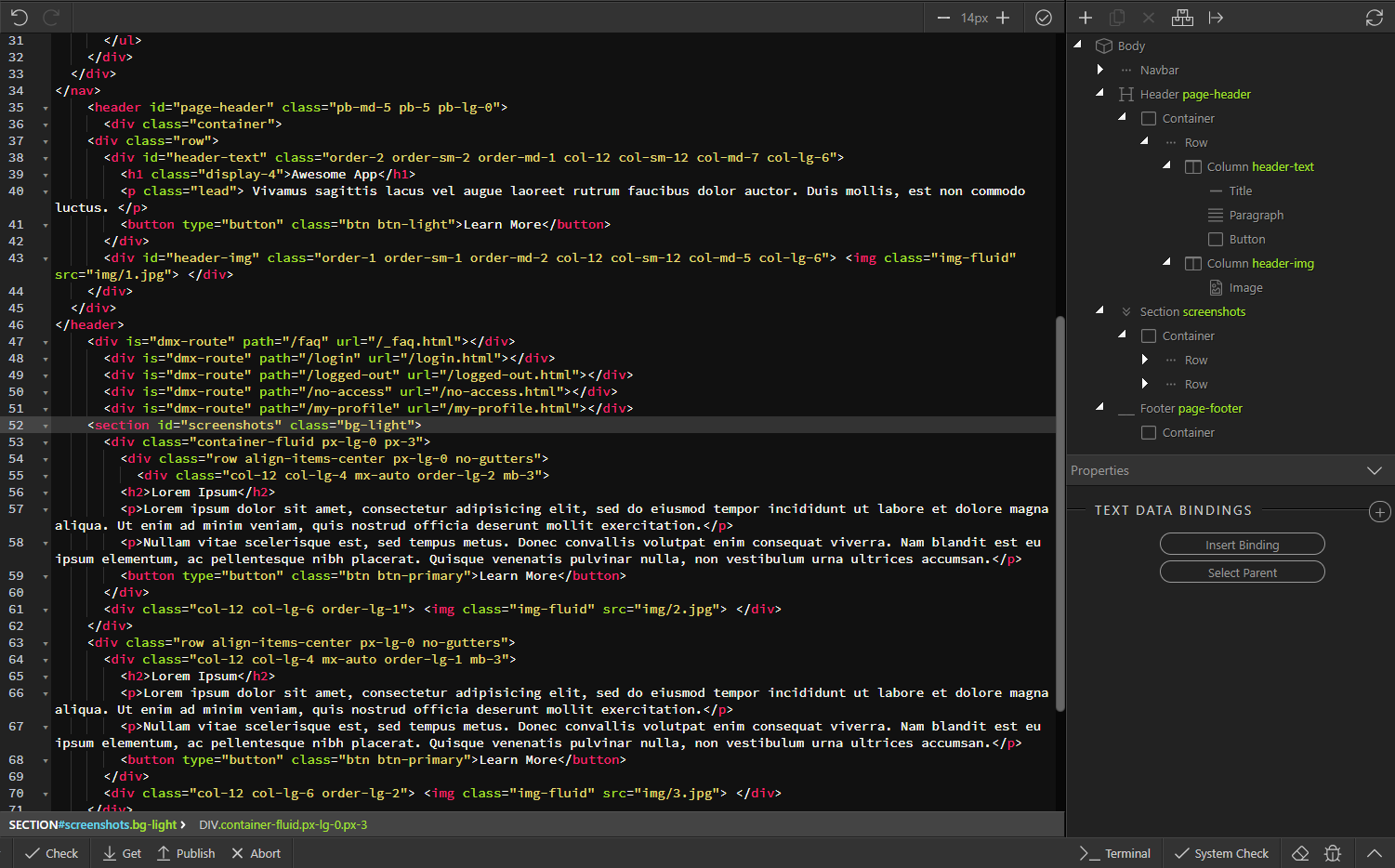
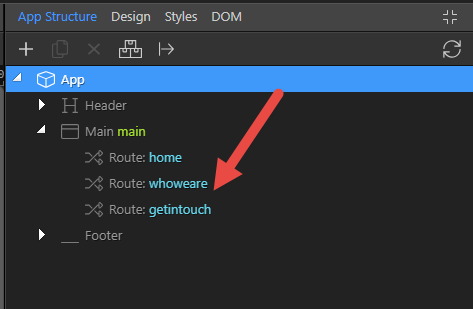
It looks like you have not created the Routes as in
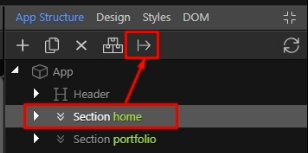
The finished document should look like
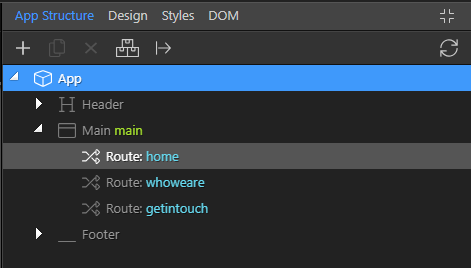
Ben,
Yes, I understand and tried that both with and without a section and I got the same result as shown.
When it parses the file what is it looking for to recognize the route?
Todd
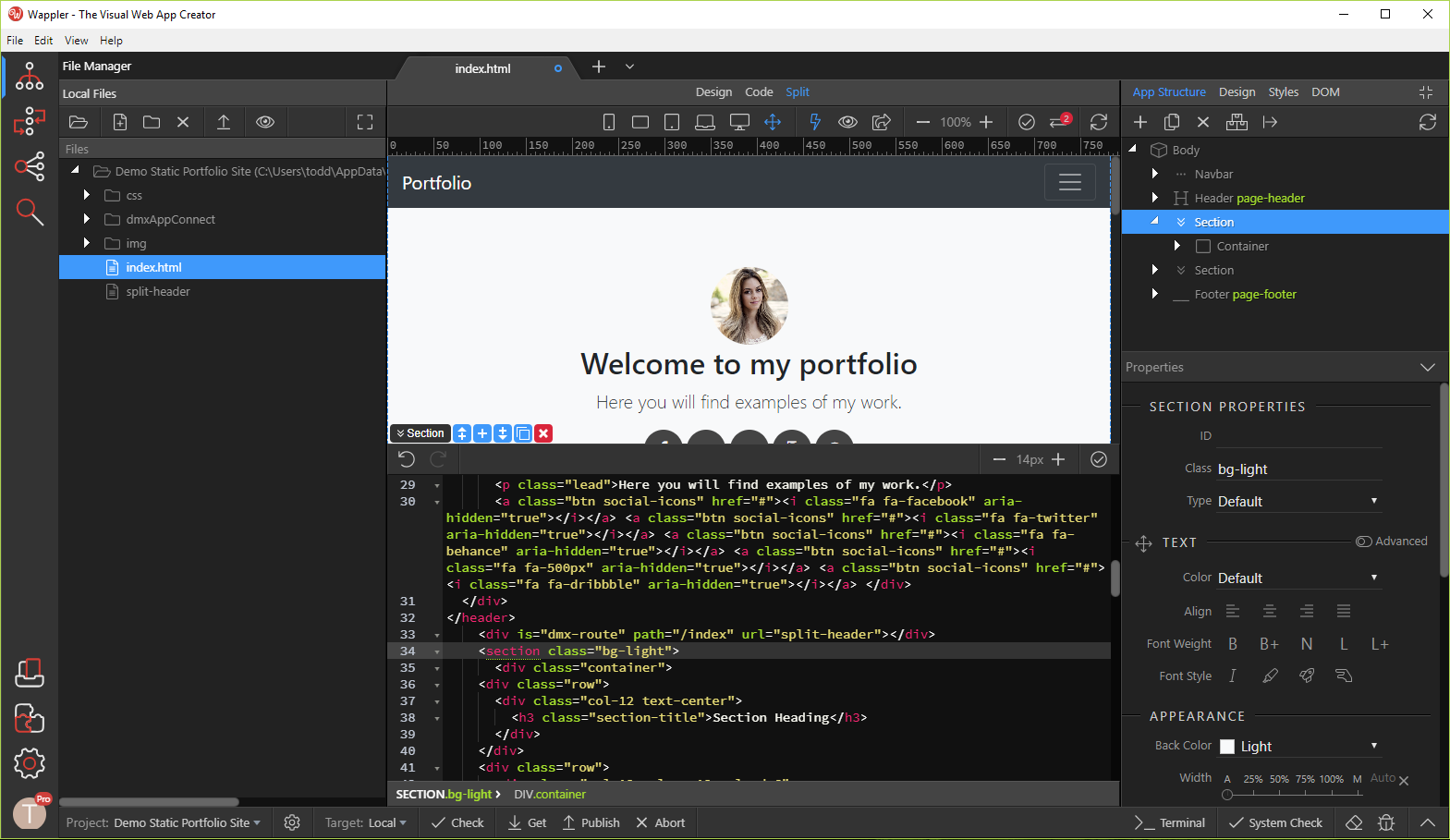
The section needs to have an ID attached to it, i.e.
<section id="portfolio" class="bg-light">
As an illustration, I add a section to my document, after whoweare:
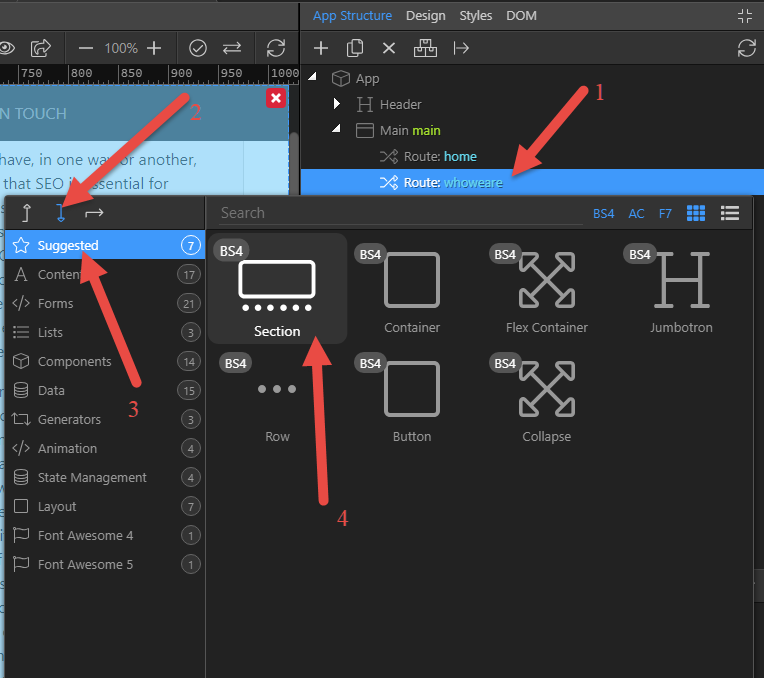
Give the section an ID and click ‘Move to Include File’
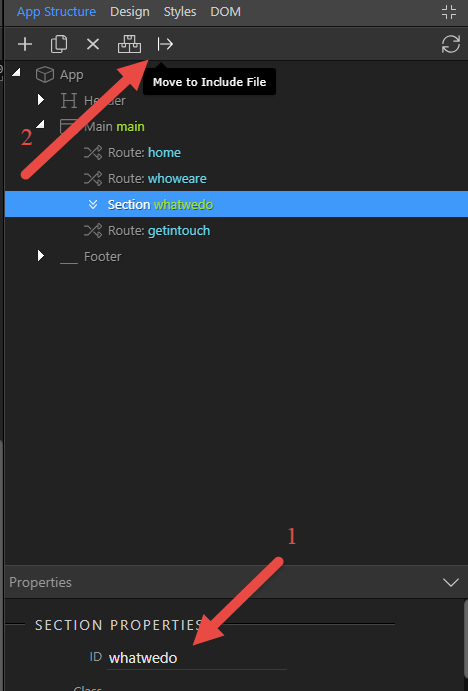
In the pop-up dialog, choose ‘Content Page’
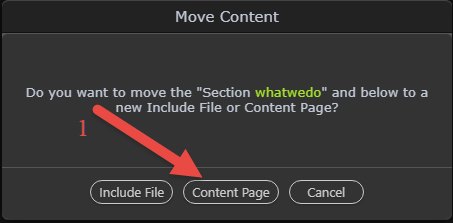
In the following dialog enter the name of the partial/include and save
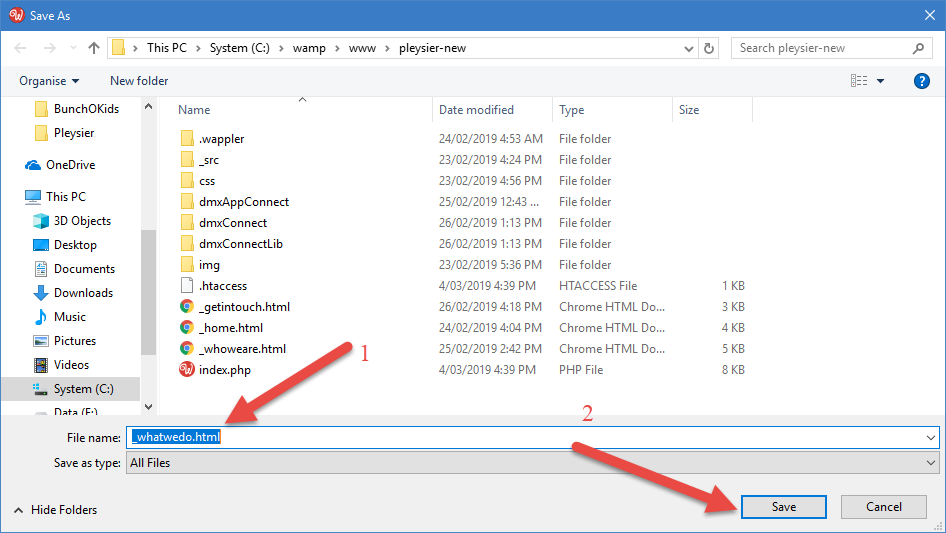
Enter the ID and the path that you want shown in the browser
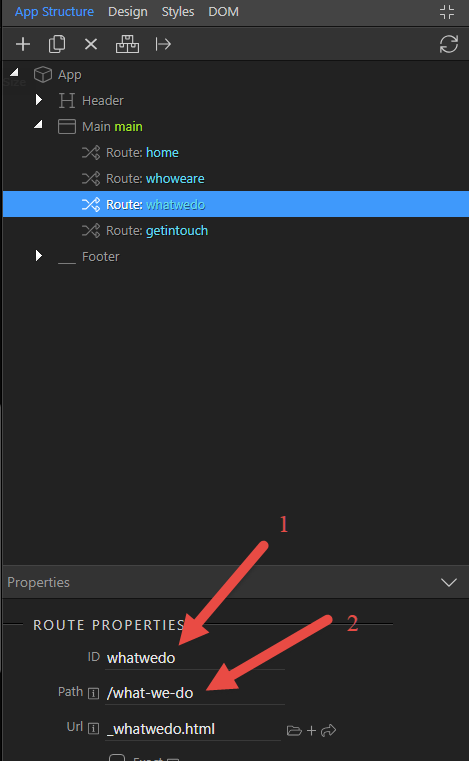
That’s it, don’t forget to link the menu item to the newly created SPA partial!
Ben,
There’s got to be some piece missing, please look at the video i’ve attached. it starts from scratch and quickly goes to the move content not resulting in a route being added (sorry, popup’s didn’t get recorded). can you reproduce this?Wappler - The Visual Web App Creator 2019-03-04 7_15_46 PM.mp4 (101.1 MB)
By George, we have got it!
(sorry @George, this is the actual quote is “By George , I think SHE’S got it ”. It comes from the musical “My Fair Lady” based on the George Bernard Shaw play “Pygmalion” (likely inspired by Shakespeare’s “The Taming of the Shrew”).
The problem is that you have not added a route. Have a look at Teodor’s tutorial (above), after the line:
Make sure to check the URL REWRITING DOCUMENTATION before you continue with the docs below!
Clicking the ‘+’ button, you will be able to add a route.
Ben,
Thats not it by itself.Wappler - The Visual Web App Creator 2019-03-04 8_15_24 PM.mp4 (85.3 MB)
Can you provide a project or a video of creating a project that works (like taking what i’m doing and getting it to work?)
spa.mp4 (11.7 MB)
Ben,
That looks like that should be enough info, thanks Ben!
Todd