Wappler 6.1.3
W10
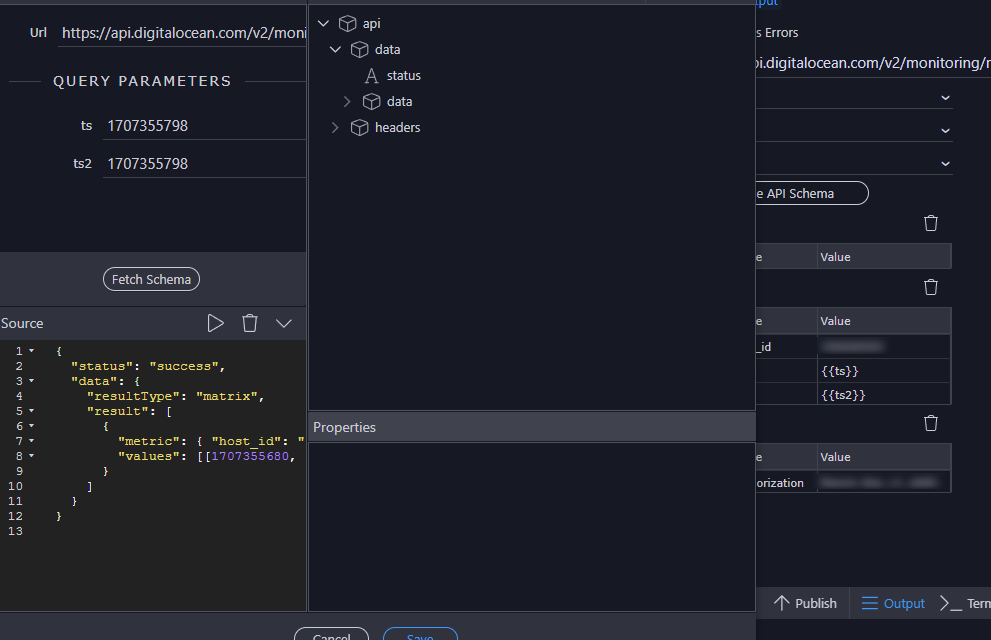
Having an API with timestamp on query:

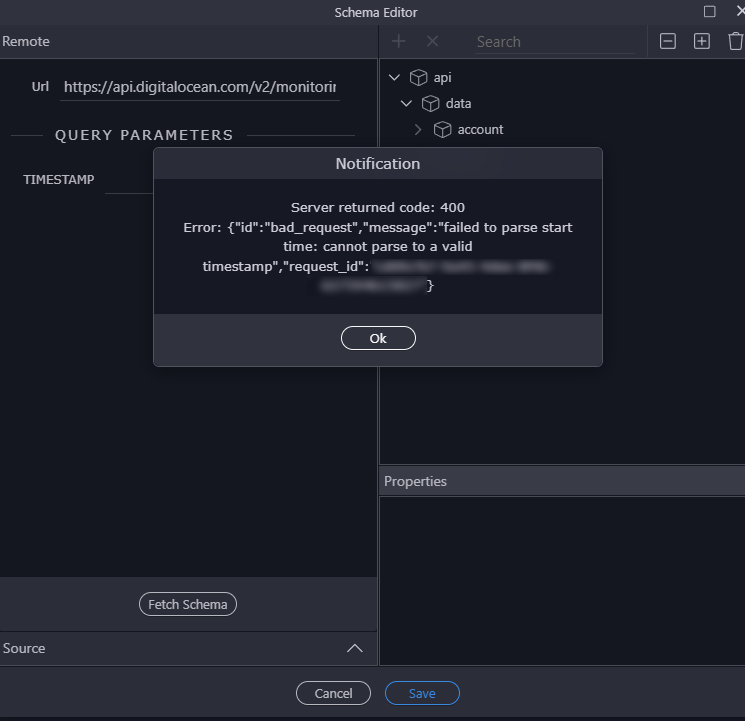
I’m not running a local server, so I enter the timestamp by hand.

And the same result.
So, is not the text input the reason for passing a timestamp to the query?
Or what’s the point?
Wappler 6.1.3
W10
Having an API with timestamp on query:
I’m not running a local server, so I enter the timestamp by hand.
And the same result.
So, is not the text input the reason for passing a timestamp to the query?
Or what’s the point?
Hey @franse, why does your schema editor only show one field TIMESTAMP instead of host_id, start, and end?
@kfawcett
I guess because maybe the timestamp is a dynamic value that comes from the server.
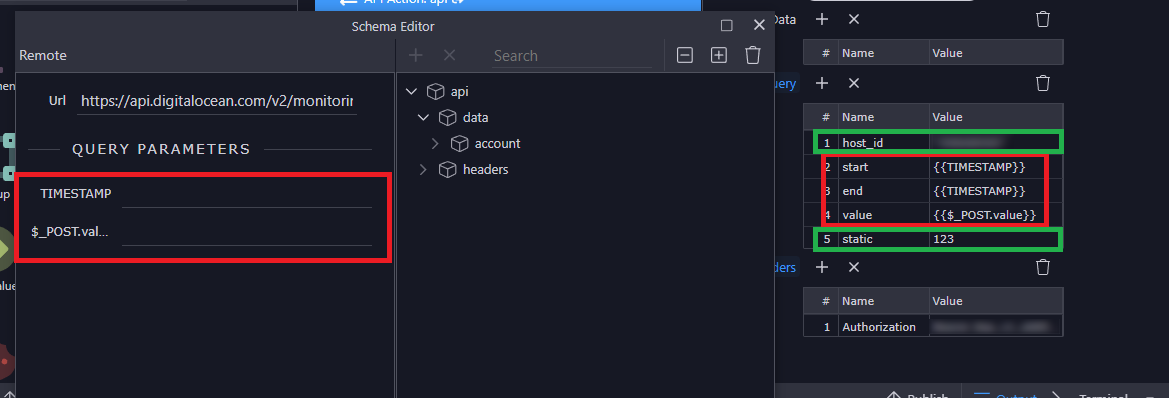
Same with a post input (dynamic) red
But static one doesn’t green
Is this not the way that Wappler handles schema editor?
I thought that was the way to test the API because is not retrieving any value from anywhere.
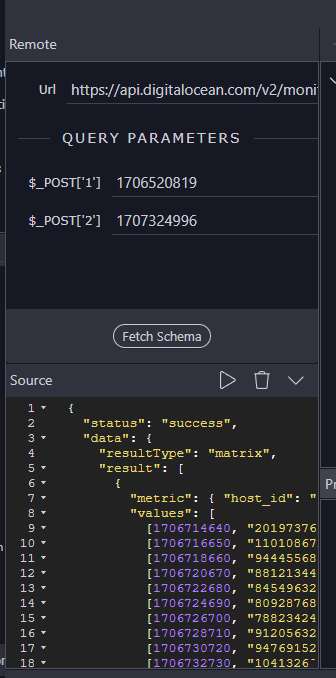
This image is showing three query parameters, so when you press Define API Schema those same three values should show in the schema editor so you can enter sample values.
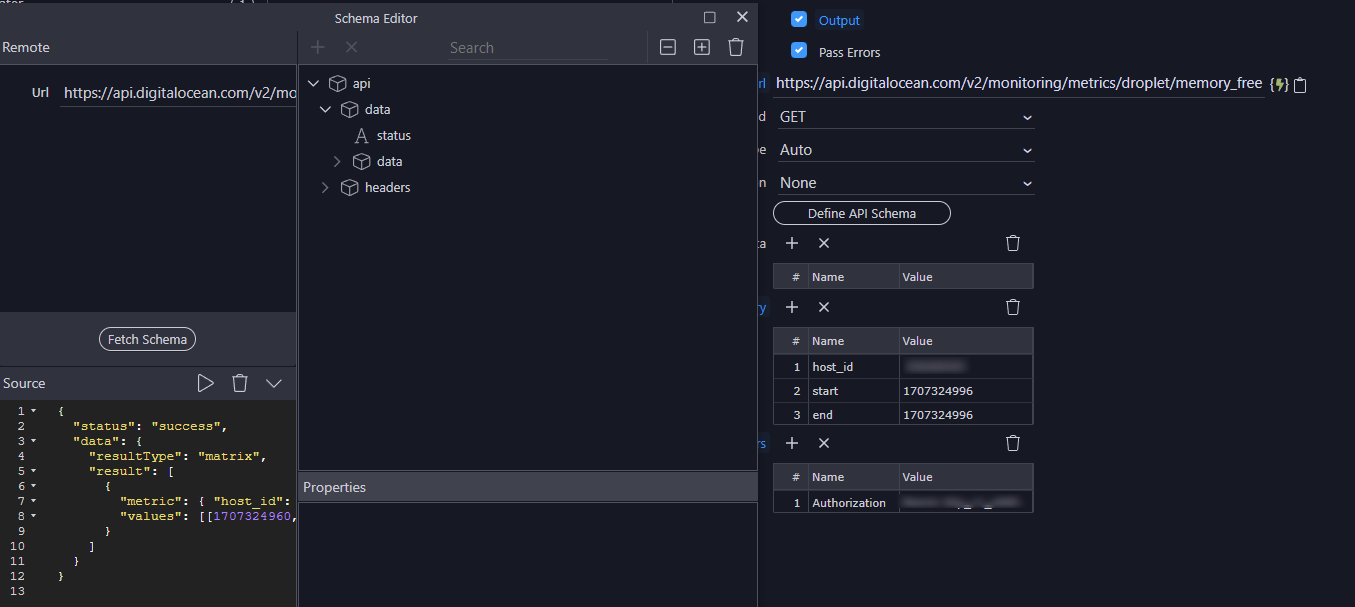
Well, if I enter the three parameters with static values, then the api fetchs right.
So that’s why my question:
edit: is not the text input the reason for passing values to the query?
Unless I’m going crazy, I think this is a bug.
Oh, maybe you’re right, but why do you not get to enter a timestamp for the two fields (start and end) in the Schema Editor when you set them to {{TIMESTAMP}}?
So are you able to setup the schema and the problem is just running this on your site when you switch to having {{TIMESTAMP}} in the value fields?
You mean this?
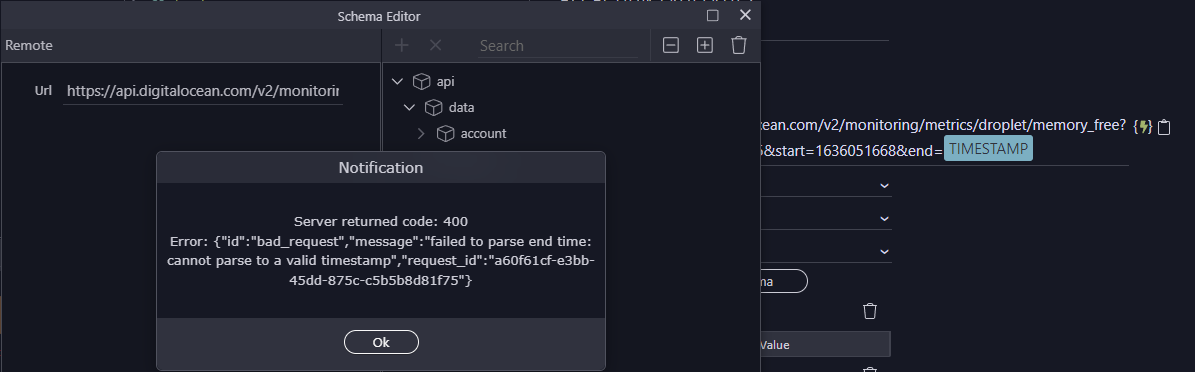
Same result with 400 error.
In my site the API runs fine when having {{TIMESTAMP}} on the query list:
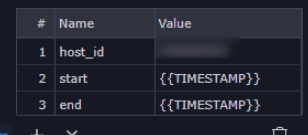
The thing is when I have to test an API on Wappler.
The text input seems useless:
Yeah, so I think there’s two different challenges and ways to workaround them. Let’s start with #1 of the defects in the schema editor.
Could you try only having host_id, start, and end on your API? In host_id and start set static values. In end set {{timestamp}}. Then open schema editor and input a timestamp for the end time. Then see if you can fetch the schema.
Also, start and end timestamps shouldn’t be exactly the same should they? Should the end be a few seconds or minutes after the start?
Interesting, working.
PS: If your 2) point is using the parameter on the URL, I don't see any text input and have the same error fetching it:
Tried already, doesn't make any difference having different values.
Nope. 
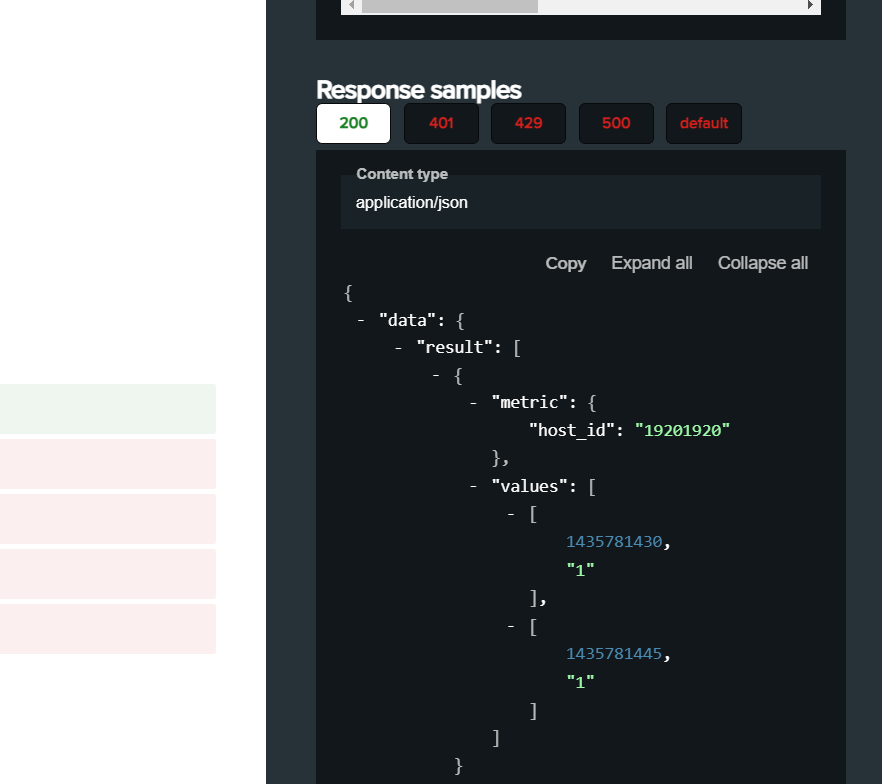
You can bypass fetching the schema all together if you know the structure. I grabbed it from DO API site.
{
  "data": {
    "result": [
      {
        "metric": {
          "host_id": "19201920"
        },
        "values": [
          [
            1435781430,
            "1"
          ],
          [
            1435781445,
            "1"
          ]
        ]
      }
    ],
    "resultType": "matrix"
  },
  "status": "success"
}
You can manually paste it into the “Source” panel in Schema Editor and then click the Play button.
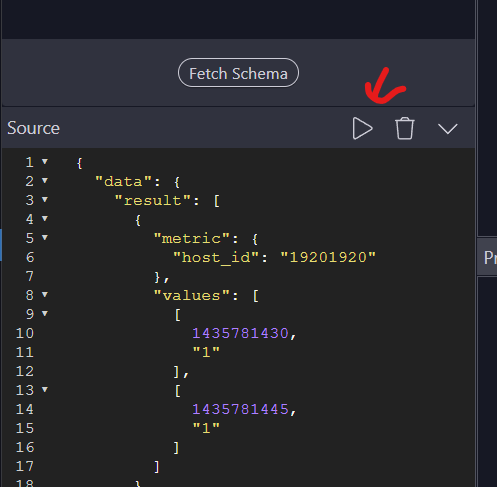
That’s the same as fetching the schema. They both just setup the schema for Wappler to use on your pages, so it’s a workaround for the defect where the Schema Editor doesn’t display all of the parameters for you to enter test values in.
Sorry, I don't understand.
That's not the response?
Where do I insert the start/end variables to get "value"?
Also, why is this working?:
Well think I found the problem,
Having 2 different timestamp works:
You're right, but this works on the site, not on Wappler, maybe is not allowed to have the same input {{value}} on 2 query param?
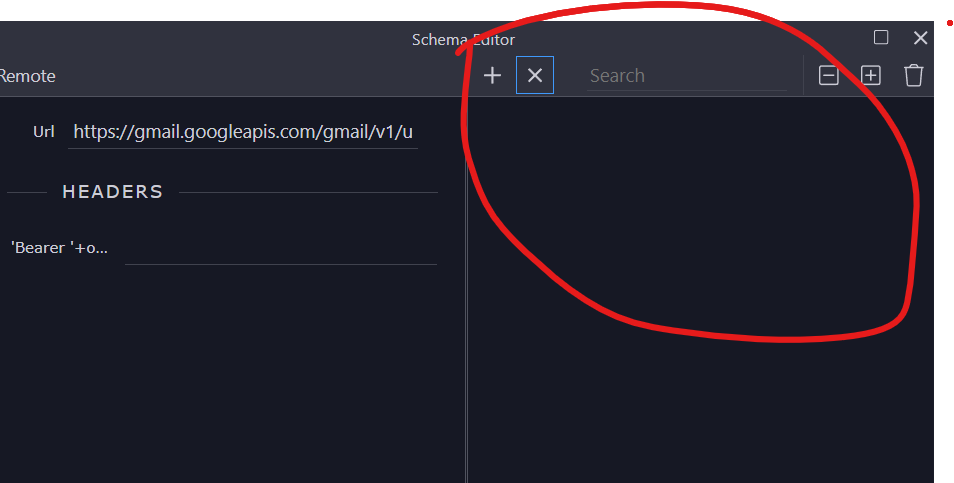
When you first launch the schema editor. The right panel is always blank.
You have to two ways to setup the schema.
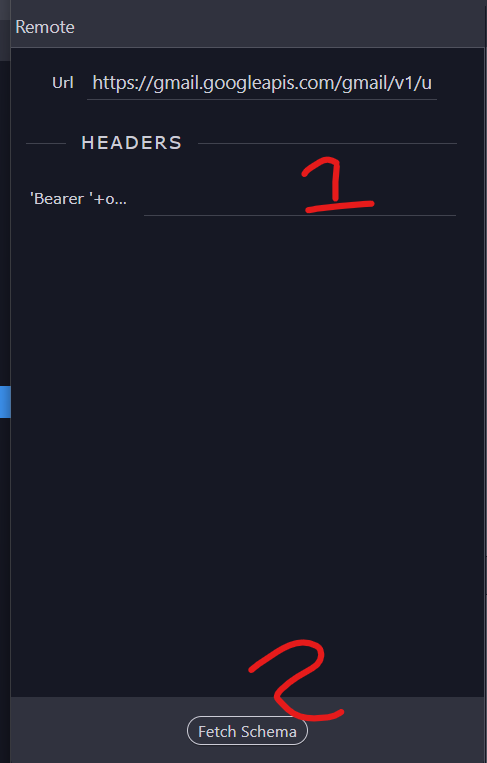
The first way is to fill out the parameters and then click “Fetch Schema” in the “Remote” panel
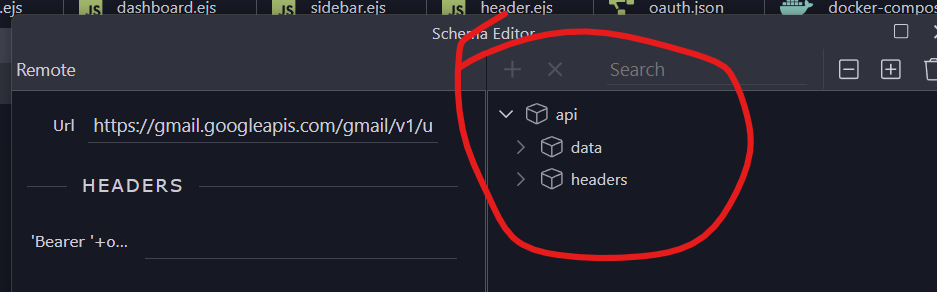
The second way is to manually define the schema in the “Sources” Panel by clicking the up arrow and manually typing or pasting a schema structure into the blank space and then clicking the play button.
Click button

Manually enter schema, then press play.
Each of these will create the Schema on the right side.
Yes, this is the defect I mentioned for the Schema Editor. Probably worth submitting a bug report for it.
Well, this is a nice workaround, so I don't fully get it:
You can see that both values are the same and they both are "set value" with {{timestamp}}.
Maybe @Teodor can clarify this
@kfawcett Thank you so much for spending the time on this,
I appreciate it 
Yeah, I think you already know this, but once you have the schema defined you can set the values back to {{TIMESTAMP}} or another dynamic expression that you will actually use on the site.
Yes, got it working that way, sadly doesn’t have the same behaviour on Wappler, so the test thing could be a little frustrating.
Learned few things today, so thanks for that too.