Is it possible to edit a text or csv file via server action?
For example Upload a file -> Then use a server action to delete the first three lines -> Save file.
I used to do this with fopen and php.
Is it possible to edit a text or csv file via server action?
For example Upload a file -> Then use a server action to delete the first three lines -> Save file.
I used to do this with fopen and php.
Yes a server action can have upload, then csv data import - then loop through the records, filter and save to database or export to csv again
Explore all the actions there.
in my case the csv file has extra lines on the top that will not work with the csv import. So I need to remove the first 2 lines.
That’s also why I asked about a text file or a csv to not get locked into the csv conversation.
my other thought is writing my own api that would read the file just uploaded then remove the lines then resave it before putting the csv into the database.
Example of csv though that I need to remove the first two lines from after uploading.
“Start Time”,“Track”,“Series”,“Season Year”,“Season Quarter”,“Rookie Season”,“Race Week”,“Strength of Field”,“Special Event Type”
“2019.02.13 5:00 AM GMT”,“Daytona International Speedway - Oval”,“NASCAR iRacing Class B Fixed”,“2019”,“1”,“N/A”,“10”,“1516”,""
“Fin Pos”,“Car ID”,“Car”,“Car Class ID”,“Car Class”,“Team ID”,“Cust ID”,“Name”,“Start Pos”,“Car #”,“Out ID”,“Out”,“Interval”,“Laps Led”,“Qualify Time”,“Average Lap Time”,“Fastest Lap Time”,“Fast Lap#”,“Laps Comp”,“Inc”,“Pts”,“Club Pts”,“Div”,“Club ID”,“Club”,“Old iRating”,“New iRating”,“Old License Level”,“Old License Sub-Level”,“New License Level”,“New License Sub-Level”,“Series Name”,“Max Fuel Fill%”,“Weight Penalty (KG)”
“1”,“58”,“NASCAR XFINITY Chevrolet Camaro”,“57”,“Xfinity Series”,“98664”,“98664”,“Brandon Leonard”,“7”,“16”,“0”,“Running”,"-00.000",“12”,"",“1:01.489”,“46.238”,“38”,“50”,“4”,“95”,“25”,“5”,“31”,“Great Plains”,“1469”,“1566”,“14”,“271”,“14”,“277”,“NASCAR iRacing Class B Fixed”,“100”,“0”
“2”,“58”,“NASCAR XFINITY Chevrolet Camaro”,“57”,“Xfinity Series”,“326491”,“326491”,“Tristan Cortez”,“11”,“18”,“0”,“Running”,"-00.116",“0”,"",“1:01.491”,“46.095”,“15”,“50”,“4”,“91”,“23”,“6”,“30”,“Texas”,“1418”,“1510”,“14”,“259”,“14”,“266”,“NASCAR iRacing Class B Fixed”,“100”,“0”
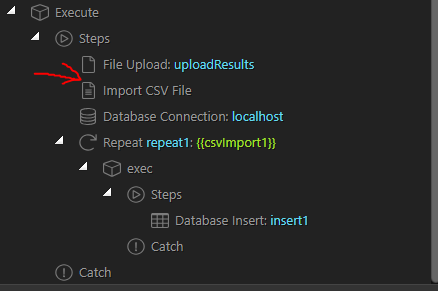
So my thought is I need to have an action here to remove the first x lines from the file uploaded. As im assuming the Import CSV is not going to work with the example csv here.
Thank you and sorry for the pain 
just use data formatters in the expression for your repeater to filter it first.
So {{csvImport}} should become:
{{ csvImport.last(csvImport.count() -3) }}
ill give that a try proabably beats my api I wrote
Thank You.
<?php
$filename = $_GET['filename']; //"eventresult_full.csv";  //"http://192.168.0.36/_sites/isimrace/uploads/results/eventresult_full.csv";

echo "Test API\r\n";
removelines($filename);


function removelines($filename)
{
  $uploadfolder = $_SERVER['DOCUMENT_ROOT']."/_sites/isimrace/uploads/results/";
  echo $uploadfolder;
  $contents = file($uploadfolder.$filename, FILE_IGNORE_NEW_LINES);
  $first_line = array_shift($contents);
  $first_line = array_shift($contents);
  $first_line = array_shift($contents);
  file_put_contents($uploadfolder.$filename, implode("\r\n", $contents));
}
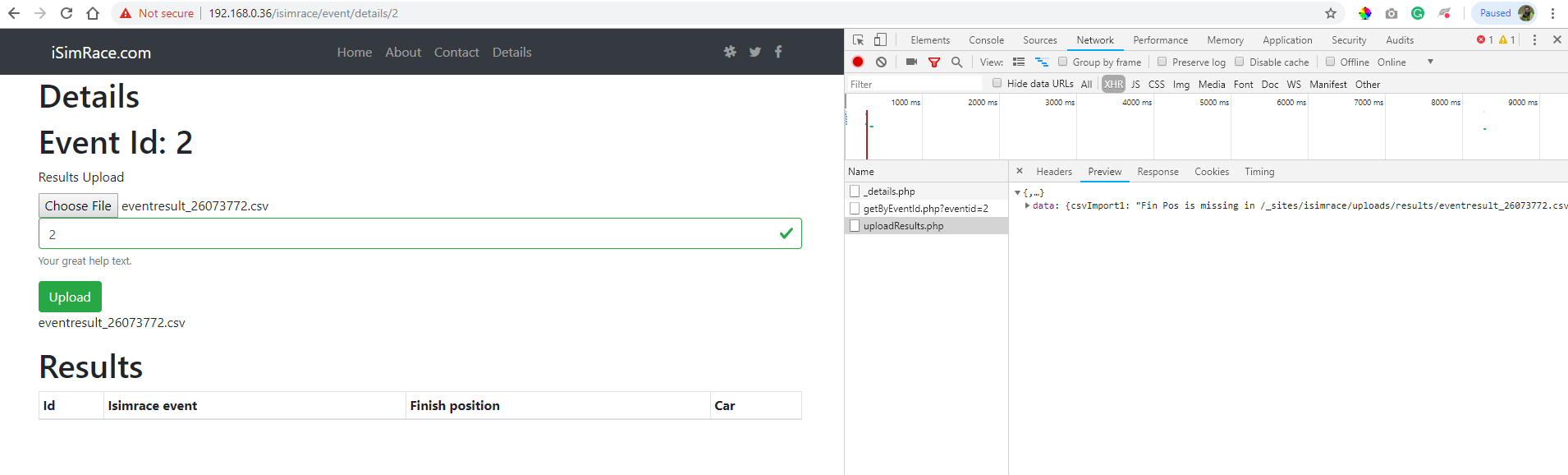
so no luck here. im not getting passed the import csv part with it having basically two header sets in one file. If I remove the first two lines the repeat process -> import to database works fine.
also do you have a link to the data formatters we can use that could make a huge difference knowing what can be done here.
Thanks
Are there any errors that you see when using:
{{csvImport.last(csvImport.count() -3)}}
from what I can tell when running this is it attempts to take off the last -3 lines of the csv file. not the first lines. (MY MISTAKE IT DOES TAKE AWAY THE FIRST LINES OF THE CSV I ALREADY EDITED) so the issues is with the headers not being found because of the first set of headers.
As if I run this with a csv file with the lines already out it shorts me that amount of records inserted into the database.
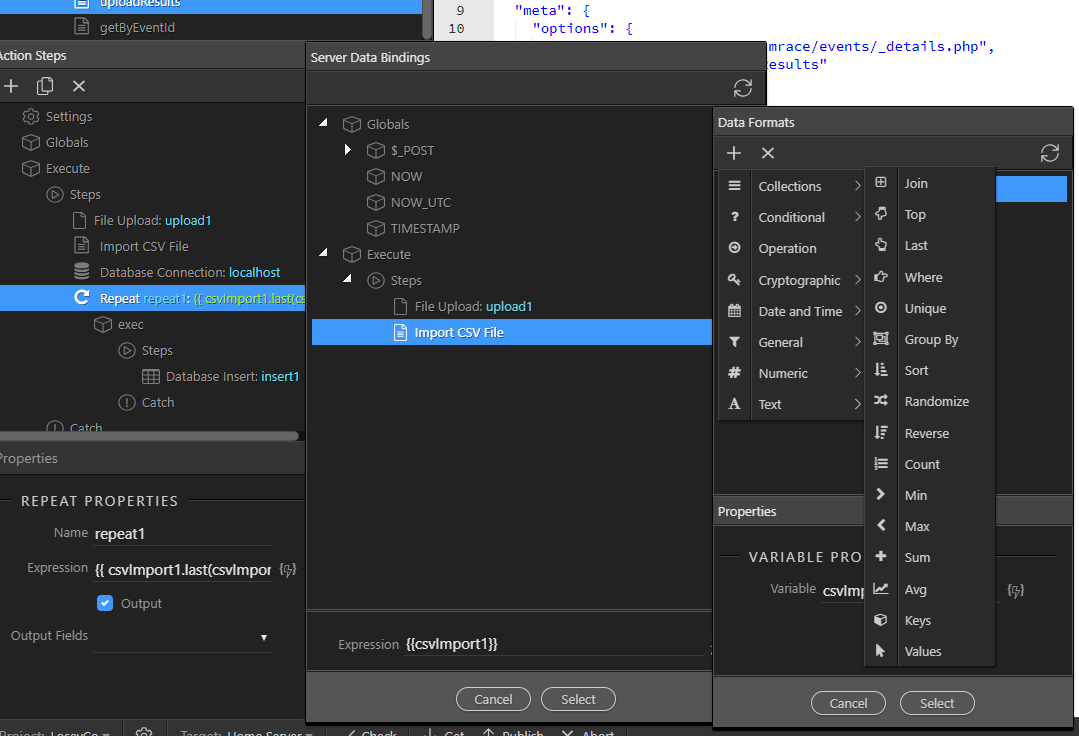
I didn’t relize this list of formats where here (Attached). Do you have a link to what these all mean or what I would google to find them? Thanks.
We don’t really have a list explaining every single option of the data formatter.
Their names and help texts in the UI pretty much explain what each of the option does.
no problem, ty. I did edit my message above though. it does remove the first records X records if I remove the top two lines of the csv but it still errors out if I don’t remove those lines and try to upload it.
Im assuming since the csv has two header lines the repeat gets consused and hince why it says cant find “Fin Pos”
I think the only way to do this is to edit the file after its been uploaded remove the first 2 lines of text and resave it then run the import / repeat. Any thoughts on how we could do that?
I’ll test your file and will let you know.
Thank you. I appreciate the help I know this is something simple that can be done just not experienced enough with it.