I have a need to capture some of the data that a google places auto complete allows me to access on the client side, such as
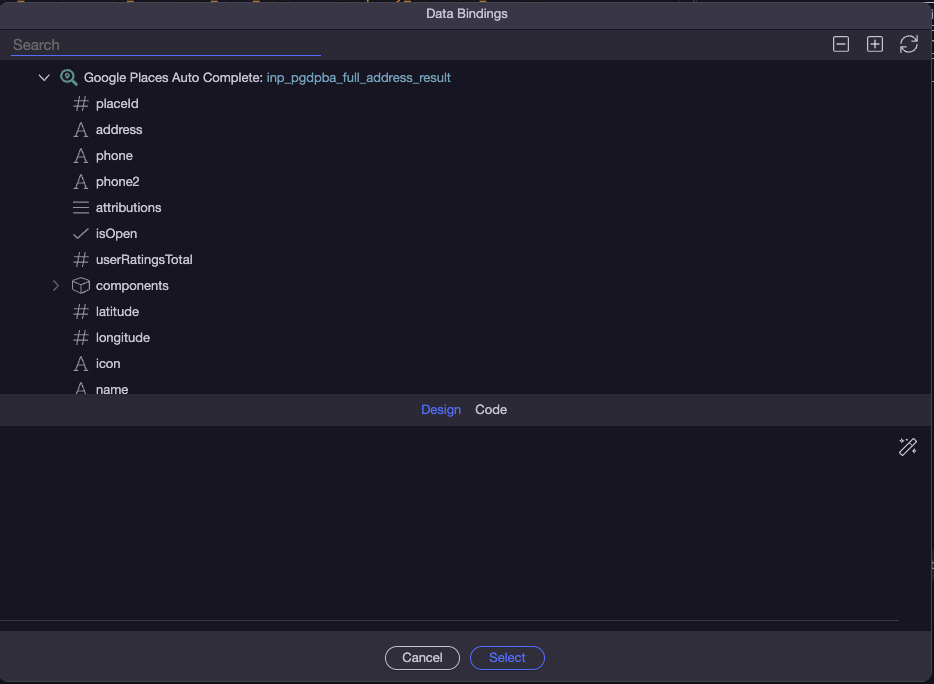
So I would normally expect to see all those bindings available on the server side, however when i import the form fields, all i get is a text variable with only the address bound to it.
When I submit the form I can also only see the address and not all the other bindings.
I tried adding square brackets after the name on the client side but it does not help, anyone know a trick to getting those other than adding a whole bunch of hidden fields to the form with the extra data in them?