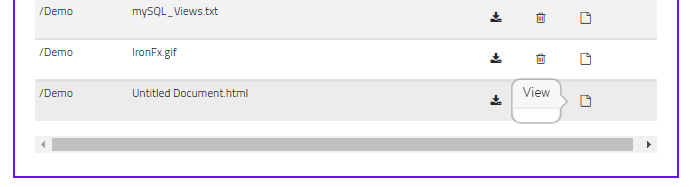
Bear in mind that the files are all secured and cannot be accessed by typing in a URL to them, therefore they cannot be accessed by a Browser.Goto. A 403 forbidden gets generated.
The Download File, that you see on the above screen, gets around security by using Routing, the Delete File gets around security by being a Server Side function.
Hi
Further to the above, I have tried a few things. I copied the file to be viewed to a temporary non-secure location then URL to it. This works perfectly if I use a Browser.goto action to view the file. But the view occurs in the same browser tab as Wappler. It would be better if the view file was in a new tab.
I tried a Anchor button, but there is no flow on an anchor button, so I cannot copyfile on the same click.
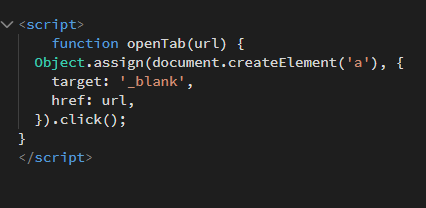
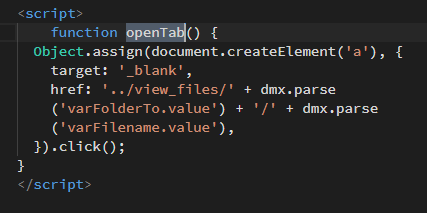
So back to a normal button. I found this function in the Forum and pasted it at the top of the source file, just after the PHP code (is that correct?)
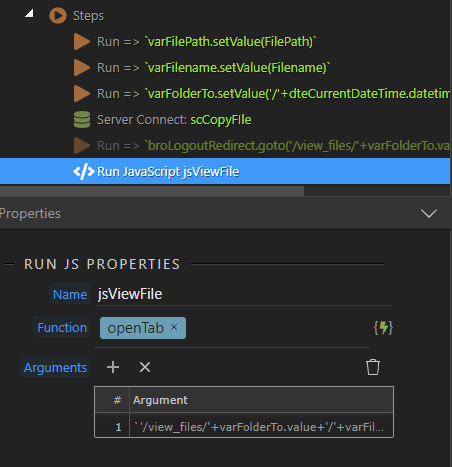
I then defined a RunJS
but nothing, the copyfile works, but thats it. Any suggestions?
Hi, this is the last chapter in this story. For those that have read this far, here is the answer.
The jscript function above is perfect.
The code wappler generates from the RunJS is slightly incorrect , but it is easlily fixed in code.
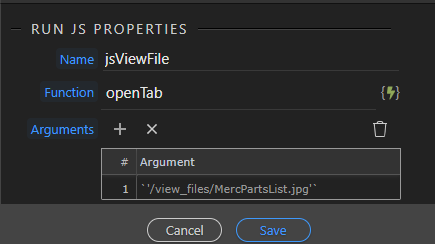
This is what Wappler generates
{runJS:{function:‘openTab’,args:[’\'/view_files/\'+varFolderTo.value+\'/\'+varFilename.value’],name:‘jsViewFile’}}]
Unbelievably, I found the answer but it did take me a while, considering this is my first forage into jscript. Enjoy… (now, time for a beer)
,{runJS:{function:‘openTab’,args:['..\/view_files\/'+varFolderTo.value+'\/'+varFilename.value],name:‘jsViewFile’}}