Hi
Still trying to get the calendar component working correctly. I use the wappler calendar as source not google etc.
I have it all setup using dynamic source etc, but, I dont get the hourly grid showing, just events lumped in a list on the day
what i want is it to look like this
https://fullcalendar.io/docs/businessHours-demo
instead mine looks like this
i keep looking over the settings but cannot seem to find anything that would suggest click this to get the hourly grid view and events then highlighting the correct hours
thanksj
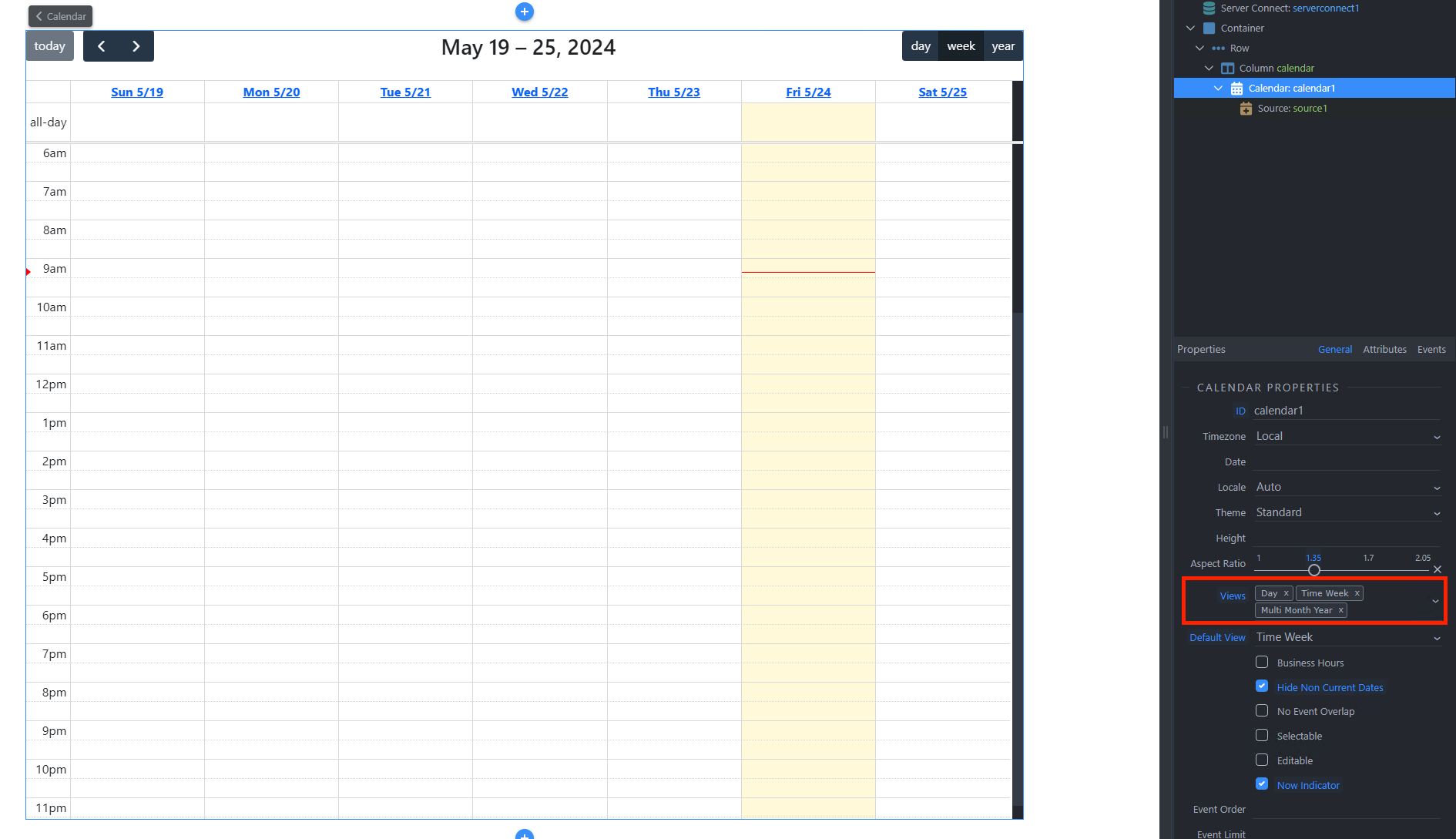
You need to enable the Time Week view in the views option of the calendar.
yeah i had that set
<dmx-calendar id="calendar1" views="dayGridMonth,dayGridWeek,dayGridDay" aspect-ratio="2.05" selectable="true" editable="true" hide-non-current-dates="true" view="dayGridWeek" hours="{startTime:'09:00',endTime:'17:00',daysOfWeek:[1,2,3,4,5]}" now-indicator="true" views-options:time-grid-week="{minTime:'07:00:00',maxTime:'22:00:00',timeGridEventMinHeight:'400px',slotDuration:'00:05:00'}" theme="bootstrap5" dmx-on:eventclick="SC_GetCalendarEventByID.load({id: $event.event.id});datastore1.upsert({$id: datastore1.data[0].$id},{Calendar_id: $event.event.id})">
Your calendar config should look like this:
i.e. it needs to include the time week view.