Hello everyone,
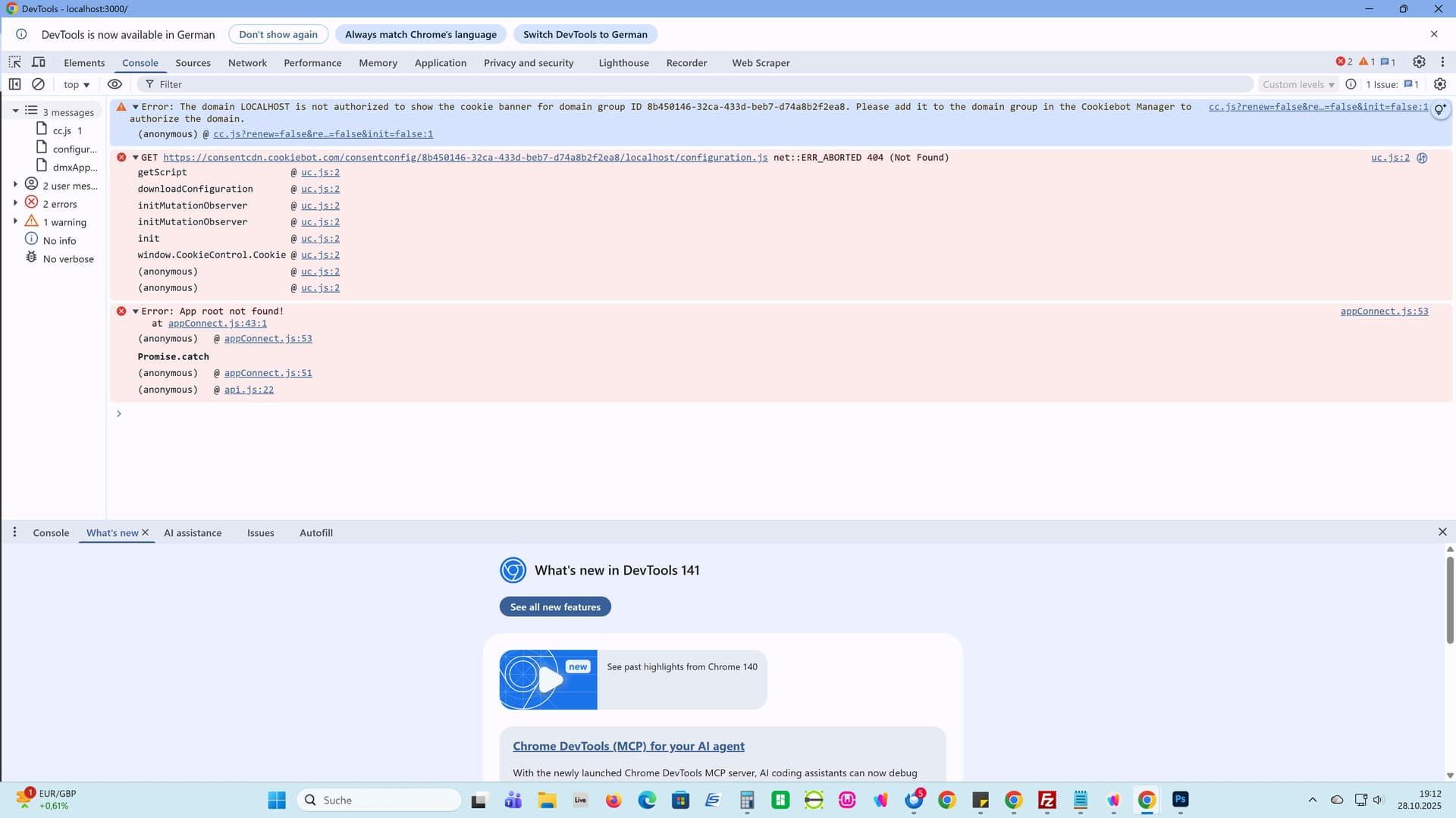
I am implementing form validation within a Bootstrap 5 Modal (dmx-bs5-modal) using the form-floating pattern for all inputs. I'm running into a persistent issue where validation errors are shown sequentially (one field at a time) rather than all at once, leading to a poor user experience.
I have already tested several troubleshooting steps, including generating and implementing fixes with an AI assistant, but the native sequential focus behavior remains dominant.
Goal: I need all missing required fields to be flagged simultaneously upon clicking "Submit," with their respective invalid-feedback messages appearing at once.
Setup and Code Details
-
Platform: Wappler (NodeJS Project)
-
Form Type:
dmx-serverconnect-form -
Issue: Sequential focus behavior persists, preventing simultaneous error display.
-
Structure: Bootstrap 5
form-floatinginside a Modal.
Form Code (Relevant Required Fields Structure)
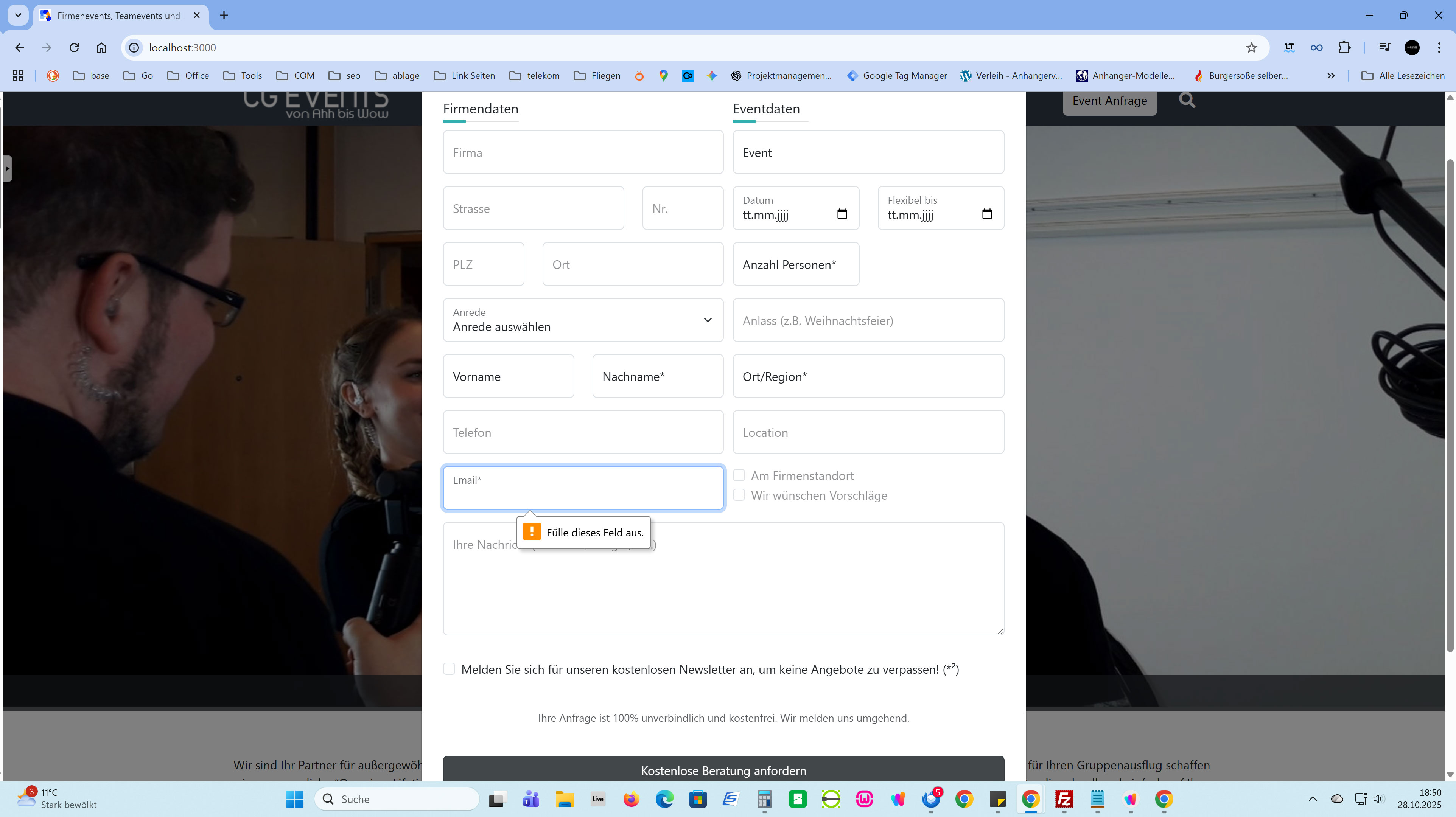
Here is the structure of the fields involved (all wrapped in form-floating divs):
<form id="formAnfrage" is="dmx-serverconnect-form" method="post" action="/api/public/anfrage/adAnfrage" dmx-on:success="formAnfrage.reset();modalAnfrage.hide();modalAnfrageOK.show()" dmx-on:error="modalAnfrage.hide();modalError.show()">
              <div class="row">
                <div class="pe-0 col-12 col-md-12 col-lg-6" id="FirmaASP">
                  <div class="row">
                    <div class="col-xl-12 col-md-12">
                      <div class="row" id="firmen_daten">
                        <div class="col-11 col-xl-12">
                          <p class="section-title">Firmendaten</p>
                        </div>
                        <div class="col-12">
                          <div class="form-floating mb-3 text-body-tertiary">
                            <input type="text" class="form-control" id="input_firma" name="firma" aria-describedby="input1_help" placeholder="Firma">
                            <label for="input_firma" class="form-label">Firma</label>
                          </div>
                        </div>
                        <div class="col-8">
                          <div class="form-floating mb-3 col text-body-tertiary">
                            <input type="text" class="form-control" id="firma" name="strasse" aria-describedby="input1_help" placeholder="Strasse">
                            <label for="firma" class="form-label">Strasse</label>
                          </div>
                        </div>
                        <div class="col-4">
                          <div class="form-floating mb-3 col text-body-tertiary">
                            <input type="text" class="form-control" id="hausnummer" name="hausnummer" aria-describedby="input2_help" placeholder="Nr.">
                            <label for="hausnummer" class="form-label">Nr.</label>
                          </div>
                        </div>
                        <div class="col-4">
                          <div class="form-floating mb-3 text-body-tertiary">
                            <input type="text" class="form-control" id="input_postleitzahl" name="postleitzahl" aria-describedby="input2_help" placeholder="PLZ">
                            <label for="input_postleitzahl" class="form-label">PLZ</label>
                          </div>
                        </div>
                        <div class="col">
                          <div class="form-floating mb-3 text-body-tertiary">
                            <input type="text" class="form-control" id="inputOrt" name="ort" aria-describedby="input2_help" placeholder="Ort">
                            <label for="inputOrt" class="form-label">Ort</label>
                          </div>
                        </div>
                      </div>
                      <div class="row" id="asp_daten">
                        <div class="col-12">
                          <div class="form-floating mb-3">
                            <select id="select_anrede" class="form-select " placeholder="Anrede" name="AspAnrede">
                              <option value="">Anrede auswählen</option>
                              <option value="1">Frau</option>
                              <option value="2">Herr</option>
                            </select>
                            <label for="select_anrede" class="form-label">Anrede</label>
                          </div>
                        </div>
                        <div class="col-6">
                          <div class="form-floating mb-3">
                            <input type="text" class="form-control" id="input_vorname" name="AspVorname" aria-describedby="input2_help" placeholder="Vorname">
                            <label for="input_vorname" class="form-label">Vorname</label>
                          </div>
                        </div>
                        <div class="col-6">
                          <div class="form-floating mb-3">
                            <input type="text" class="form-control" id="input_name" name="AspNachname" aria-describedby="input2_help" placeholder="Nachname*">
                            <label for="input_name" class="form-label">Nachname*</label>
                          </div>
                        </div>
                      </div>
                      <div class="form-group mb-3 row">
                        <div class="col-xl-12 col-sm-12">
                          <div class="form-floating text-body-tertiary">
                            <input type="text" class="form-control" id="telefon" name="AspTelefon" aria-describedby="input1_help" placeholder="Telefon">
                            <label for="telefon" class="form-label">Telefon</label>
                          </div>
                        </div>
                      </div>
                      <div class="form-group mb-3 row">
                        <div class="col-xl-12 col-sm-12">
                          <div class="form-floating">
                            <input type="text" class="form-control" id="email" name="AspEmail" aria-describedby="input1_help" placeholder="Email*" required="" data-msg-required="Bitte Email angeben" data-rule-email="" data-msg-email="Bitte eine gültige Email angeben">
                            <label for="email" class="form-label">Email*</label>
                          </div>
                        </div>
                      </div>
                    </div>
                  </div>
                </div>
                <div class="col" id="BasisEventDaten">
                  <div class="form-group mb-3 row">
                    <div class="col-11 col-xl-12">
                      <p class="section-title">Eventdaten</p>
                    </div>
                    <div class="col-xl-12 col-md-12 col-12 col-sm-12">
                      <div class="form-floating">
                        <input type="text" class="form-control" id="inputEvent" name="event" aria-describedby="input1_help" placeholder="Event" value="<%= formattedEventName %>">
                        <label for="inputEvent" class="form-label">Event</label>
                        <input type="hidden" class="form-control" id="inputEventid" name="modulid" aria-describedby="input1_help" placeholder="Event" dmx-bind:value="getPage.data.queryGetModul.modulID">
                        <input id="inputProduct" name="produkt_id" type="hidden" class="form-control">
                      </div>
                    </div>
                  </div>
                  <div class="form-group mb-3 row">
                    <div class="col-xl-6 col-sm-6 col-6 mb-xl-0">
                      <div class="form-floating">
                        <input type="date" class="form-control" id="EventDate1" name="date" aria-describedby="input1_help" placeholder="Datum">
                        <label for="EventDate1" class="form-label">Datum</label>
                      </div>
                    </div>
                    <div class="col-xl-6 col-sm-6 mb-xl-0 col-6">
                      <div class="form-floating">
                        <input type="date" class="form-control" id="EventDateBis1" name="EventDateBis" aria-describedby="input1_help" placeholder="Flexibel bis">
                        <label for="EventDateBis1" class="form-label">Flexibel bis</label>
                      </div>
                    </div>
                  </div>
                  <div class="form-group mb-3 row">
                    <div class="col-xl-6 mb-xl-0 col-sm-6 col-6">
                      <div class="form-floating">
                        <input type="text" class="form-control" id="EventPax" name="Pax" aria-describedby="input1_help" placeholder="Anzahl Personen*" required="" data-msg-required="Bitte Anzahl der Personen angeben">
                        <label for="EventPax" class="form-label">Anzahl Personen*</label>
                      </div>
                    </div>
                  </div>
                  <div class="form-group mb-3 row">
                    <div class="col-xl-12 col-md-12 col-sm-12 mb-xl-0">
                      <div class="form-floating text-body-tertiary">
                        <input type="text" class="form-control" id="inputEventAnlass" name="EventAnlass" aria-describedby="input1_help" placeholder="Anlass">
                        <label for="inputEventAnlass" class="form-label">Anlass (z.B. Weihnachtsfeier)</label>
                      </div>
                    </div>
                  </div>
                  <div class="form-group mb-3 row">
                    <div class="col-xl-12 col-md-12 col-sm-12">
                      <div class="form-floating">
                        <input type="text" class="form-control" id="inputEventOrt" name="EventOrt" aria-describedby="input1_help" placeholder="Ort/Region*" required="Bitte Ort oder Region angeben" data-msg-required="Bitte Ort oder Region angeben" dmx-bind:value="scGetSite.data.queryGetSite.ort.titlecase()">
                        <label for="inputEventOrt" class="form-label">Ort/Region*</label>
                      </div>
                    </div>
                  </div>
                  <div class="form-group mb-3 row">
                    <div class="col-xl-12 col-md-12 col-sm-12 mb-xl-2 mb-2">
                      <div class="form-floating text-body-tertiary">
                        <input type="text" class="form-control" id="inputEventLocation" name="EventLocation" aria-describedby="input1_help" placeholder="Location">
                        <label for="inputEventLocation" class="form-label">Location</label>
                      </div>
                    </div>
                    <div class="col pt-2">
                      <div class="form-check">
                        <input class="form-check-input " type="checkbox" value="1" id="inputEventAmFirmenstandort" name="EventFirmenstandort">
                        <label class="form-check-label text-body-tertiary" for="inputEventAmFirmenstandort">Am Firmenstandort</label>
                      </div>
                      <div class="form-check">
                        <input class="form-check-input" type="checkbox" value="1" id="inputVorschlaege" name="LocationVorschlaege">
                        <label class="form-check-label text-body-tertiary" for="inputVorschlaege">Wir wünschen Vorschläge</label>
                      </div>
                    </div>
                  </div>
                </div>
              </div>
              <div class="row">
                <div class="col-12 mb-3" id="ShowNachricht">
                  <div class="form-floating mb-3">
                    <textarea id="nachricht" class="form-control " placeholder="Ihre Nachricht" name="nachricht" style="height: 150px;"></textarea>
                    <label for="nachricht" class="form-label text-body-tertiary">Ihre Nachricht (Wünsche, Budget, etc.)</label>
                  </div>
                </div>
                <div class="col-12 mb-4" id="ShowNewsletter">
                  <div class="form-check">
                    <input class="form-check-input" type="checkbox" value="1" id="inputNewsletter" name="newsletter">
                    <label class="form-check-label" for="inputNewsletter">Melden Sie sich für unseren kostenlosen Newsletter an, um keine Angebote zu verpassen! (*²)</label>
                  </div>
                </div>
                <div class="col-12 mt-3 mb-4" id="SendButton">
                  <div class="row">
                    <div class="col-12 text-sm text-center mb-2">
                      <p class="text-muted small">Ihre Anfrage ist 100% unverbindlich und kostenfrei. Wir melden uns umgehend.</p>
                    </div>
                    <div class="col-12 mt-3 mb-4" id="SendButton">
                      <div class="row">
                        <div class="col col-xl">
                          <button id="btn1" class="btn w-100 bg-opacity-50 btn-dark" type="submit">Kostenlose Beratung anfordern</button>
                        </div>
                      </div>
                    </div>
                  </div>
                </div>
                <div class="col-12 text-xs" id="Kleingedrucktes">
                  <p>(*) Pflichtfelder</p>
                  <p>(*²) Mit der Anmeldung zum Newsletterbezug erklärt Sie sich ausdrücklich mit der Verarbeitung und der übermittelten personenbezogenen Daten einverstanden. Rechtsgrundlage für die Verarbeitung der personenbezogenen Daten zum Zwecke der Versendung von Newslettern ist die Einwilligung gem. Art. 6 Abs. 1 Satz 1 Buchst. a) DSGVO. Sie können sich jederzeit vom Empfang zukünftiger Newsletter abmelden. Dies kann über die Verwendung eines Links am Ende des Newsletters erfolgen.</p>
                </div>
              </div>
            </form>