Background video seems to crop to size rather than scale to size

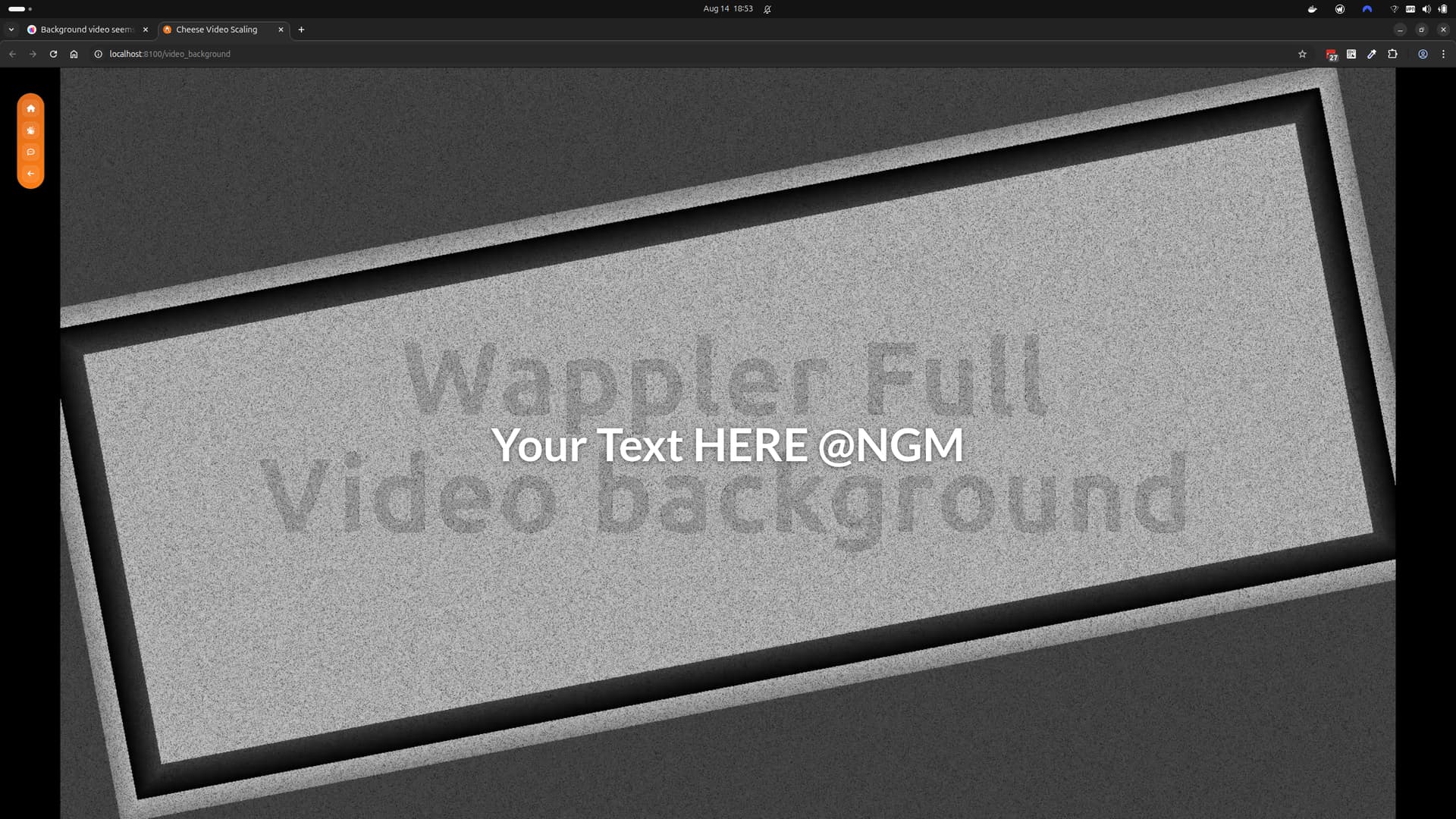
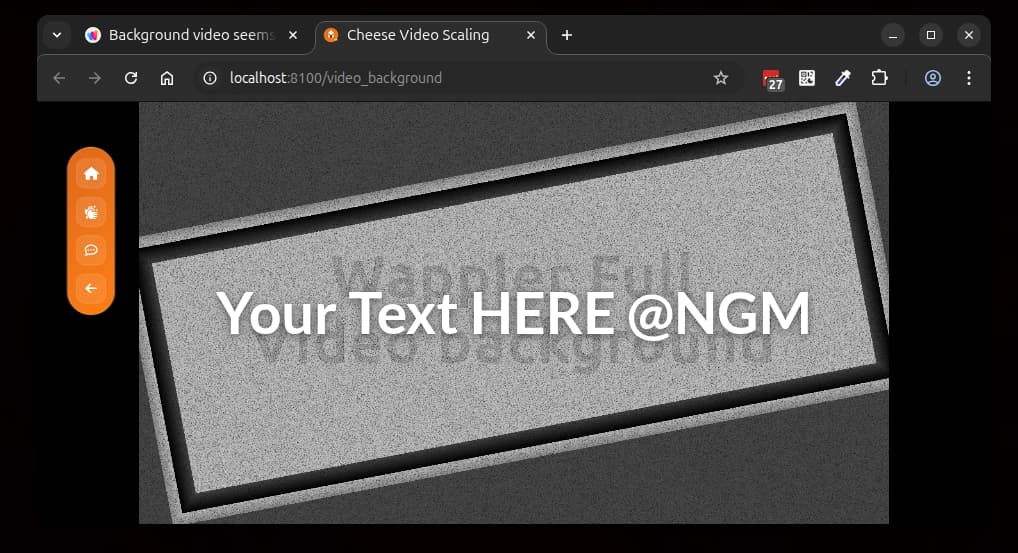
Hi, Im trying to make my app more responsive to different devices and am trying to get a background video to scale to the "container" size but it just seems to crop it - any help would be greatly appreciated.

Video 1


CSS used
.fullheight {

aspect-ratio: 16/9;

width: auto;

height: 100%;

}

Something like this should work @NGM

<div class="video-container">
  <video autoplay muted loop playsinline>
    <source src="video.mp4" type="video/mp4">
  </video>
</div>
.video-container {
  position: relative;
  width: 100%;
  height: 100vh;
  overflow: hidden;
  background: black;
}
.video-container video {
  width: 100%;
  height: 100%;
  object-fit: contain;
}

Hi Cheese, Many thanks for the suggestion unfortunately the background video only showed the piece directly under the typed text and not the entire video.

image
ANy suggestions?

I'll try and do it my side as have a little time to play around before the evening session kicks in and get back to you.

<style>
    .video-overlay-text {
        position: absolute;
        top: 50%;
        left: 50%;
        transform: translate(-50%, -50%);
        color: #fff;
        font-size: clamp(1.5rem, 6vw, 5rem);
        font-weight: 700;
        text-shadow: 0 2px 8px rgba(0,0,0,0.5);
        pointer-events: none;
        z-index: 2;
        white-space: nowrap;
    }
    @media (max-width: 400px) {
        .video-overlay-text {
            font-size: 1.2rem;
        }
    }

    html,
    body {
        height: 100%;
        margin: 0;
        padding: 0;
        overflow: hidden;
        background: #000;
        color: #fff;
    }

    .video-container {
        position: fixed;
        top: 0;
        left: 0;
        width: 100vw;
        height: 100vh;
        overflow: hidden;
        margin: 0;
        padding: 0;
        z-index: 0;
    }

    .video-container video {
        width: 100vw;
        height: 100vh;
        object-fit: contain;
        display: block;
        background: #000;
    }
</style>
<div class="video-container">
    <video autoplay muted loop playsinline>
        <source src="/assets/untitled.mp4" type="video/mp4">
    </video>
    <div class="video-overlay-text">Your Text HERE @NGM</div>
</div>

Many thanks Cheese.... just realised i made a mistake in my last response and my background video is in a column not container and so am trying to convert what you sent to a column config.

1 Like

Updated to full-width using flexbox (removed the container) so you can place it within your column:

<style>
    .video-overlay-text {
        position: absolute;
        top: 50%;
        left: 50%;
        transform: translate(-50%, -50%);
        color: #fff;
        font-size: clamp(1.5rem, 6vw, 5rem);
        font-weight: 700;
        text-shadow: 0 2px 8px rgba(0,0,0,0.5);
        pointer-events: none;
        z-index: 2;
        white-space: nowrap;
    }
    @media (max-width: 400px) {
        .video-overlay-text {
            font-size: 1.2rem;
        }
    }

    html,
    body {
        height: 100%;
        margin: 0;
        padding: 0;
        overflow: hidden;
        background: #000;
        color: #fff;
    }

    .video-container {
        display: flex;
        flex-direction: column;
        justify-content: center;
        align-items: center;
        width: 100vw;
        height: 100vh;
        position: relative;
        overflow: hidden;
        margin: 0;
        padding: 0;
        z-index: 0;
    }

    .video-container video {
        width: 100vw;
        height: 100vh;
        object-fit: contain;
        display: block;
        background: #000;
    }
</style>
<div class="video-container">
    <video autoplay muted loop playsinline>
        <source src="/assets/untitled.mp4" type="video/mp4">
    </video>
    <div class="video-overlay-text">Your Text HERE @NGM</div>
</div>

You're very welcome! :slight_smile:

Could i ask another favour... I'm now trying to align a video to the bottom/end of the row/column

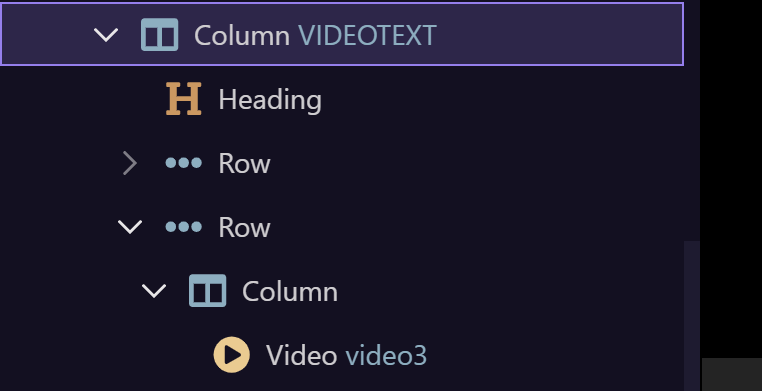
I have a column videotext which has 2 rows
1st row contains text - which can be typed and so the row grows as the text is typed in
2nd row contains the video.

At the moment the video is directly below the text and so shuffles down as each line of new text is typed in

What I would like is for the video to be aligned to the botttom of the column videotext so it doesnt move when new lines of text are entered.

I've tried align-self-end class to the video, to the column the video is directly in , the row which the column/video is in.... nothing works and looking for any suggestions


I'll have a look a bit later on for you. Friday is chaotic and am just trying to wrap things up so I can make it to today's Meetup.

2 Likes

Hi Cheese, many thanks for your continued support, sadly i had a commitment and couldnt make the Meetup. regards, Nigel