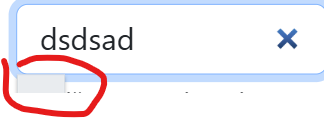
Maybe anyone of you have a method or a code to prevent text highlight when user picks a word from autocomplete component? I’ve tried probably everything and still cannot get this to work the issue is - when user selects a text from autocomplete it’s auto highlighted and I don’t want this I need it a user to select a text and be able to type after the text. If it’s impossible to make this to work with autocomplete maybe anyone of you has some other suggestions what to replace autocomplete component to? my autocomplete is in a repeat:
probably it’s not coming from CSS, it’s caused by the .select() call in the JavaScript of the Autocomplete component. CSS can change colors of the dropdown items, but it can’t stop the input text from being selected don’t you think?
Just so i understand your request - when an item in the autocomplete is selected, you want to have the input still focused, text not selected and cursor placed after the text in the autocomplete input?
this component also has another issue: when typing a text that’s not in autocomplete - its ok, when typing text - that’s inside autocomplete and select it - it pass only text_id (impossible to pass raw text to the DB) and the real issue is that if you type a text that’s suggested and inside a DB and not selecting it just leaving same text - then it sends old uncorrected text to the DB etc. my case I have “Vadyba” in autocomplete, then I select it and correct it to the “Vadybass”, then correct it manually to “Vadyba” then suggestion happens but I do not click on it and save the work, then it’s saved to “Vadybass” instead of “Vadyba” as a text.
The component acts like a searchable select, the value is being send to the server and a label is shown to the user.
There is an option No Clear that will set the value to the one typed in the input when there is no match.
When you do not click a suggestion, but the typed text does exactly match a result it should indeed be saved, this didn't happen and is a bug. I hope to have this fixed in the update.