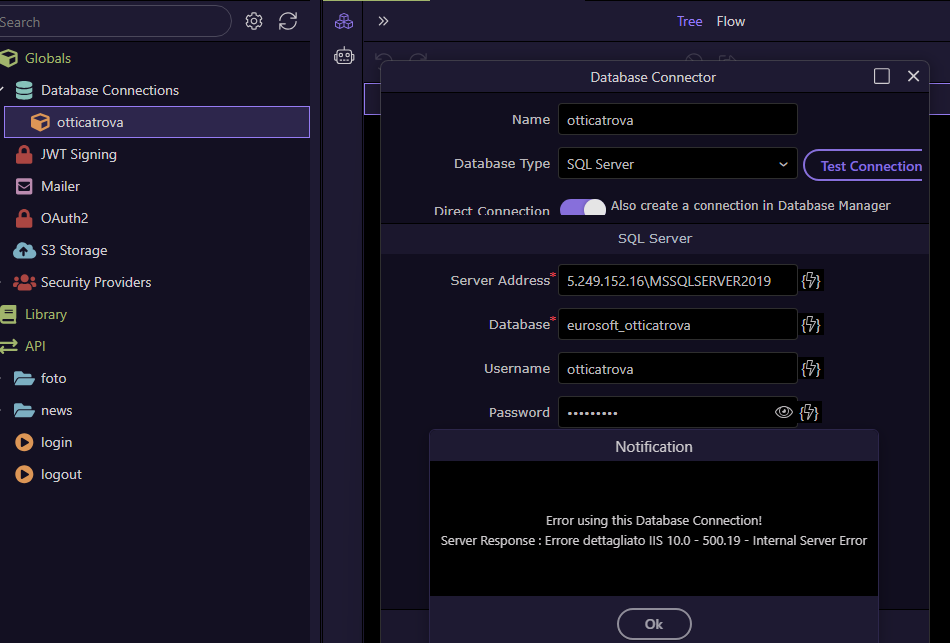
Wappler Version : 7.2.0
Operating System : Win11
Server Model: Windows 2019
Database Type: MS Sql
Hosting Type: Windows - ASP.net
Expected behavior
With Wappler 6.8 I've no connection problem. For example:
Actual behavior
In another pc, with new Wappler but same site , trying to do connection i've this error
note that I also have the problem on all the other sites I have created (I copied them from the PC with Wappler 6.8 to this one)
With previous Wappler, no error appeared.
I also tried changing the path on Wappler 7.2 and leaving only the IP address 5.249.1526.16 without 'MSSQLSERVER2019' (in the first version of Wappler 7 I was able to connect to the database by making this change)
I also attach web.config, if that helps
I've been testing for a few days.
The problem appears to be related to the ‘web.config’.
If I leave the one created with old Wappler, I can't connect to DB
<?xml version="1.0" encoding="UTF-8"?>
<configuration>
<system.web>
    <globalization culture="it-IT" enableClientBasedCulture="true" fileEncoding="utf-8" uiCulture="it-IT" />
    <sessionState timeout="60"></sessionState>
                           <pages validateRequest="false" />
                           <httpRuntime requestValidationMode="2.0" maxRequestLength="1048576"/>
                           <compilation debug="true"/>
</system.web>
<system.webServer>
                           <directoryBrowse enabled="true" />
<rewrite>
<rules>
<!-- Wappler routing -->
<!-- End Wappler routing -->
</rules>
</rewrite>
</system.webServer>
</configuration>
At this point I need to delete the file and create a new one, in Windows11 IIS, by doing "Enable" in "Directory Browsing". The new ‘web.config’ is created with that code:
<?xml version="1.0" encoding="UTF-8"?>
<configuration>
<system.webServer>
    <directoryBrowse enabled="true" />
</system.webServer>
</configuration>
The connection to the DB at that point also works from Wappler.
Am I doing something wrong? Why can't I use the old 'web.config'?
However, I confirm what I wrote above about changing the connection string: I have to change the path by removing \\MSSQLSERVER2019 - can you confirm that this is normal?
I confirm that all my sites has a web.config structured like I wrote in my previous post.But I find that the problem is with the block “rewrite”
I have had to regenerate the web.config like that and ‘Database Connector’ seems to work