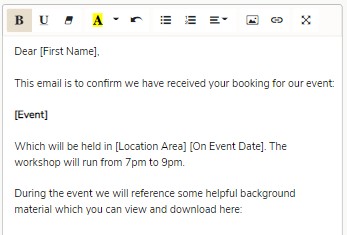
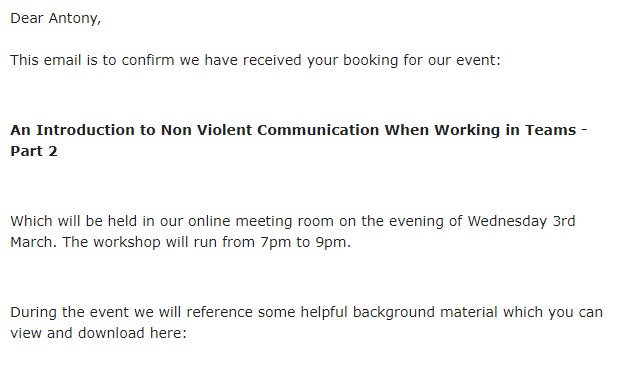
I’m using Summernote to create HTML documents that are then sent by email. The problem I have is that they are appearing double spaced when received and viewed in an email client like gmail.
Here is the code Summernote creates:
<p>Some text<br></p>
 <p>Some more text on the next line<br></p>
<p><br></p>
<p>A new paragraph<br></p>
So the double spacing is coming from creation of <p> AND <br> tags.
Is there any way to have it produce just one of these?
I’ve looked at a few ideas on the internet, but as this is an officially supported Wappler feature then I wondered if Wappler has a solution for this.
@bpj, I have a load of pre-prepared content now copied to 100s of database rows which have only <br> and no <p> tags… so removing the <br> will mess those up…
I’ve tried removing the </p><p> combination on save and that changes how it looks in when read back into Summernote. Seems Summernote doesn’t deal consistently with lots of <br> tags.
Maybe I can remove </p><p> on the way out to the email provider… I’ve messaged them too to try and find a solution from their end.