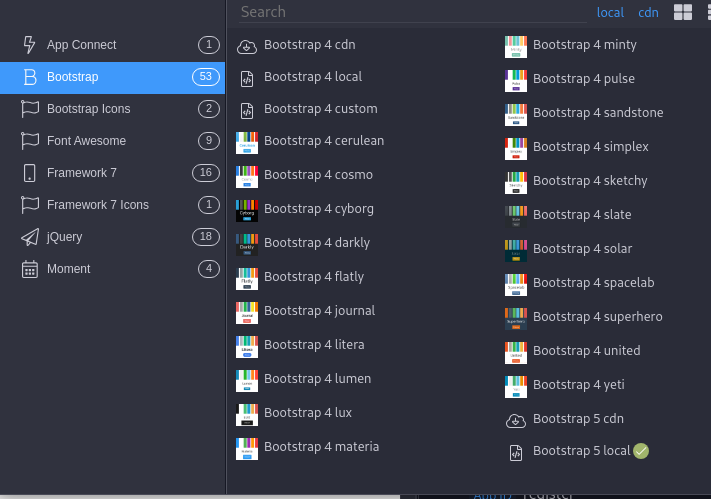
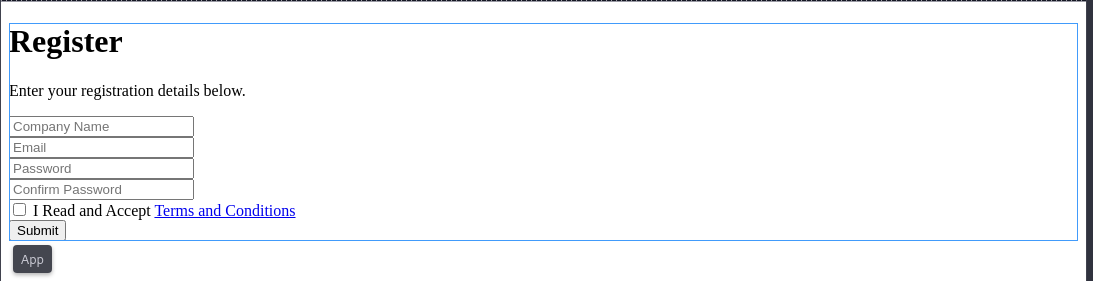
After adding a block (for example, Register extended form), formatting does not occur. What is the reason? What I don't have enabled...
OS Fedora 41, Wappler 6, Bootstrap 5
Thanks for the advice
Vit
After adding a block (for example, Register extended form), formatting does not occur. What is the reason? What I don't have enabled...
OS Fedora 41, Wappler 6, Bootstrap 5
Thanks for the advice
Vit
Welcome to Wappler!
Are you sure you have Bootstrap included in your page? Can you post screenshots and possibly the code between the head tags?
Hi
I'm sending you the code for the site. I have added Bootstra5 (hopefully well)
<!-- Wappler include head-page="layouts/main" is="dmx-app" id="register" appConnect="local" fontawesome_5="cdn" bootstrap5="local" -->
<div class="container">
  <form id="register1">
  <div class="row justify-content-center">
    <div class="col-12 col-md-8 col-lg-8 col-xl-6">
      <div class="row">
        <div class="col text-center">
          <h1>Register</h1>
          <p class="text-h3">Enter your registration details below.</p>
        </div>
      </div>
      <div class="row align-items-center">
        <div class="col mt-4">
          <input type="text" id="inp_company" name="company" class="form-control" placeholder="Company Name">
        </div>
      </div>
      <div class="row align-items-center mt-4">
        <div class="col">
          <input type="email" id="inp_email" name="email" class="form-control" placeholder="Email">
        </div>
      </div>
      <div class="row align-items-center mt-4">
        <div class="col">
          <input type="password" id="inp_password" name="password" class="form-control" placeholder="Password">
        </div>
        <div class="col">
          <input type="password" id="inp_password2" name="password2" class="form-control" placeholder="Confirm Password">
        </div>
      </div>
      <div class="row justify-content-start mt-4">
        <div class="col">
          <div class="form-check">
            <label class="form-check-label">
              <input type="checkbox" class="form-check-input">
              I Read and Accept <a href="#">Terms and Conditions</a>
            </label>
          </div>
          <button id="register1_submit" class="btn mt-4">Submit</button>
        </div>
      </div>
    </div>
  </div>
  </form>
</div>
I apologize for my ignorance. I have corrected my post
Vit
Is bootstrap added to your layout page?
Can you post the code from the tag on your layout page?
You should see this line:
<link rel="stylesheet" href="/bootstrap/5/css/bootstrap.min.css" />
<!doctype html>
<html>
<head>
<base href="/">
<meta charset="UTF-8">
<title>Untitled Document</title>

</head>
<body>
<div is="dmx-view" id="content">
  <%- await include(content, locals); %>
</div></body>
</html>
You don't have bootstrap included on your main layout page.
I added it and it's working now:-) Thank you very much for your help.
Vit
Glad it's working for you now. Good luck.
Thank you very much again