div class=“form-group col-lg-6”>
label for=“auto_miles”>Auto Miles
input id="inp_auto_miles" name=“auto_miles” type=“number” class=“form-control” placeholder=“Enter mileage.”>
/div>
div class=“form-group col-lg-6”>
label for=“auto_expense”>Auto Expense
input id=“inp_auto_expense” name=“auto_expense” type=“number” class=“form-control” placeholder=“Enter auto expense.” dmx-bind:value="(inp_auto_miles.value.toNumber() * 0.58)">
/div>
I have the first input’s number entered used as a ID variable for the next input’s formula (seen as bold).
The above works, however, I would like to make the resulting amount to render only 2 decimals or to format as currency, i.e., 35.83872271 as 35.84 or as $35.84.
When I try to add the currency formatting to the second input (in bold) it breaks the formula and no longer renders any total.
I’ve done this before, however now I cannot figure out what’s happening. Thank you for any help or suggestion.
Thanks Brad. I have the type set to number, i.e., type=“number”
I’ve tried to go back and forth trying both. Plus adding the format etc. As soon as I add the .toNumber() it works fine. As soon as I add .formatCurrency… it breaks the formula.
Strangely, this works: dmx-bind:value="(inp_auto_miles.value * 0.58)"
@revjrblack
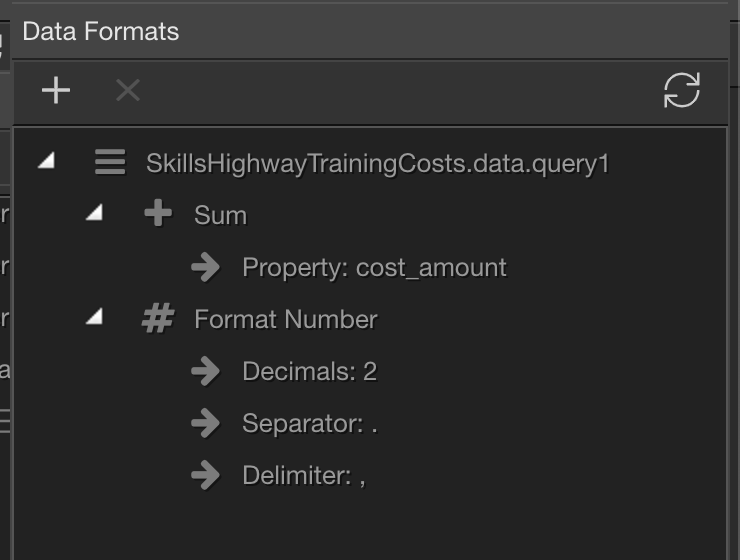
Form inputs always return a string. You need to apply the to number formatter to the string, in order to apply any of the numeric formatting options.
Also, when pasting code in your posts, please don’t delete the opening tags as it becomes unreadable. Just wrap your code in 3 backticks: ```