Marzio … if your staging target is at some domain on a remote server, then trying to connect from the local server target won’t work with the same database details!
In fact I said that the two databases are located on a remote server
One for production and the other for staging and development
So it looks like I can’t use it for target development?
I am not sure if you understand how database connections work.
When your target is set to the remote server such as: https://my-remote-server.com and your database is hosted there, your connection uses localhost to connect to it, as it is local to this server. Your connection is made ON the remote server and is LOCAL to it.
When your target is on the local server on your machine, using localhost for database connection will look for a LOCAL database, which obviously is not there. If you want to connect to the database hosted on https://my-remote-server.com localhost won’t work…
ok, in fact it is like this but I thought that Wappler automatically managed a connection of this type
What I didn’t understand is whether there is still a possibility to connect the database also for target development, or whether I should give up
How would Wappler guess where your database is, when you enter localhost on your local server target?
The answer to your question is simple - you need to enter the remote connection details for the remote server database.
A diagram trying to explain how the connections work:

1 Like
Thank you for the explanation, very clear
But what I don’t know is how I can change the connection with Wappler.
The only item I can change is the Server address but if I enter the IP address of the remote server, it doesn’t work
Maybe it’s because this database can’t be managed remotely?
The only way to connect from a local host to a remotely hosted database is to use its remote address/user/pass details.
The problem is finding exactly the specific IP address of the database, because it is protected by the Provider
At this point I think I only have two options:
- Use another subdomain for development, like for Staging
- Create a local database with Docker, even if I may have some compatibility problems with the two databases already used for Staging and Production
Just ask your hosting provider. It’s absolutely normal in web development to connect to a database remotely.
I try but I doubt that the provider of this server allows this
This is a shared hosting and for security they do not allow you to know the IP address of the database, which can only be reached with Localhost:3306
I think I have to find another solution for development, but I don’t know which is the best way
Of course it’s not a Wappler problem, but I often deal with shared hosting servers.
well just ask them to add your ip to their firewall and open the database access for you. There’s nothing unusual in such a request.
I am not a wappler yet… doing research still… but in reading this seeing host is using localhost:port can a fqdn:port be used in the connection settings?
Feels like the host provider is using reverse proxy on virtual machines…
Just a thought
Hi Teodor
I solved it by creating two subdomains, one for development and one for staging. So I have 3 targets, all remote, to which I have associated 2 different remote databases
Both targets and databases respond correctly to tests
I still have a doubt due to the fact that the Database Manager reports connection error warnings
I think it’s due to the fact that databases can’t be managed remotely, but are still functional.
I would like to be sure of this
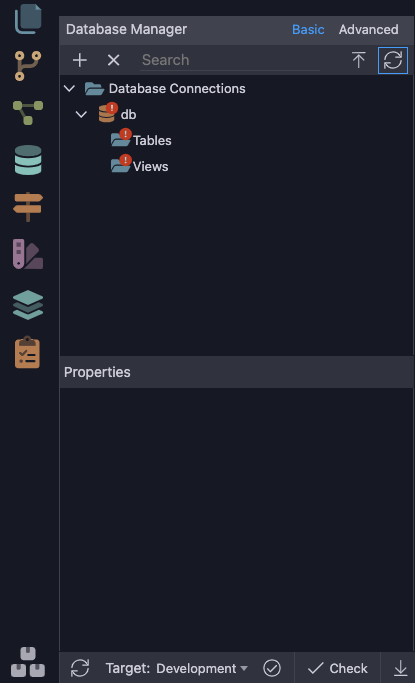
Database manager requires remote connections to the database.
Speak to your hosting and ask them to provide you access, that is something normal.
There are some hosting providers that extra charges for example the remote db function or they directly disable it.
I’ve been there and it’s a really shame.
@Marzio if that’s your case I’ll humble recommend you to change your hosting provider, maybe it’s the best option and you’ll end suffering with this…
Just a friendly opinion 
2 Likes
I use different providers depending on the situations I encounter. They are not always decided by me
Unfortunately, this provider absolutely does not allow remote database management (with programs like Navicat, Wappler, …)
And moreover I cannot transfer it to another Provider, as I am not the owner of the domain.
In this case, however, I don’t care if I can’t modify the databases, because they are already configured
However, I would like to confirm that the actions created with Wappler will not have any connection problems
@ Teodor
Many shared hosting providers never allow direct connection. Require dedicated servers, for safety reasons
Unfortunately, as I feared, creating a simple action (with target development) the connection to the DB, even if it is connected in the global, does not work and error
Strange because previously for other sites, even in these conditions I have had no problems
Is there a possibility of setting up working actions?
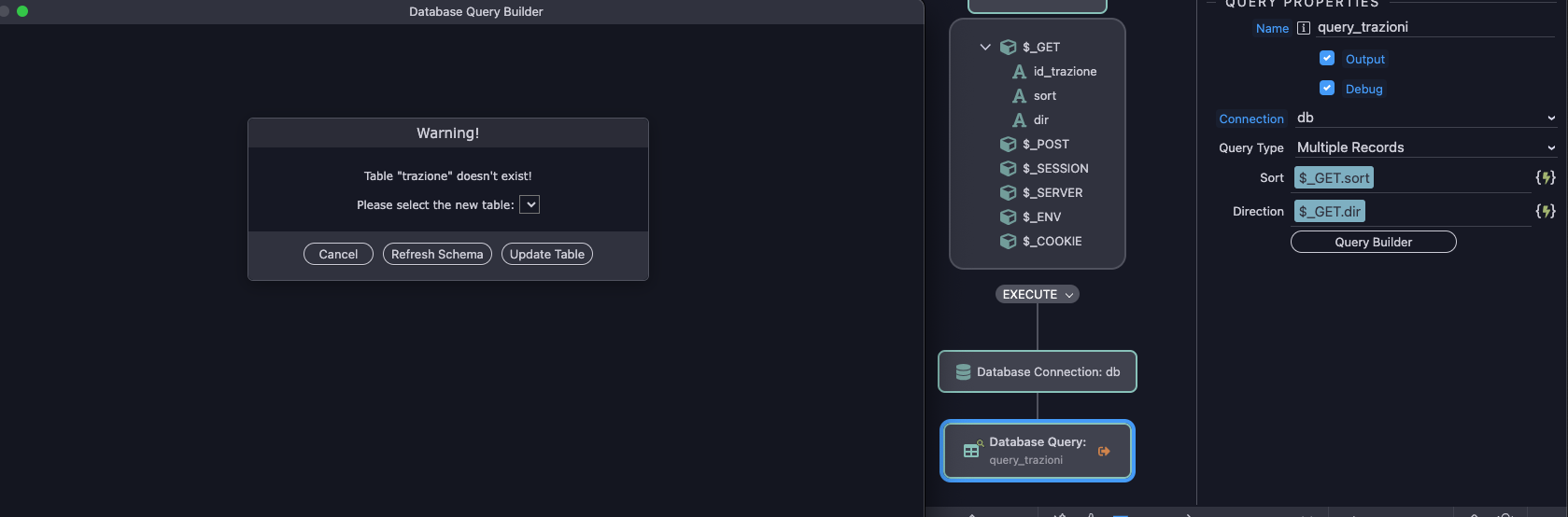
Sorry Teodor if I insist, but I would like to know how much hope I have for carrying forward this new project
On what server have I successfully configured the three databases in the Global section, if I can’t use them?
As you can see from the screenshots if I try to create a new simple action, it doesn’t recognize the database and therefore doesn’t find any tables in the database
Above all, I don’t understand why the old version of this project, created with an old version of Wappler, is still fully functional and recognizes the database even if it cannot be managed remotely
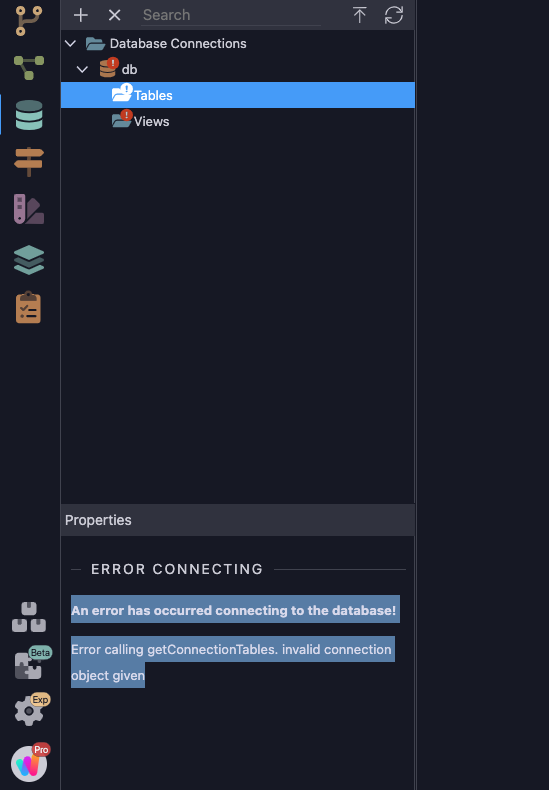
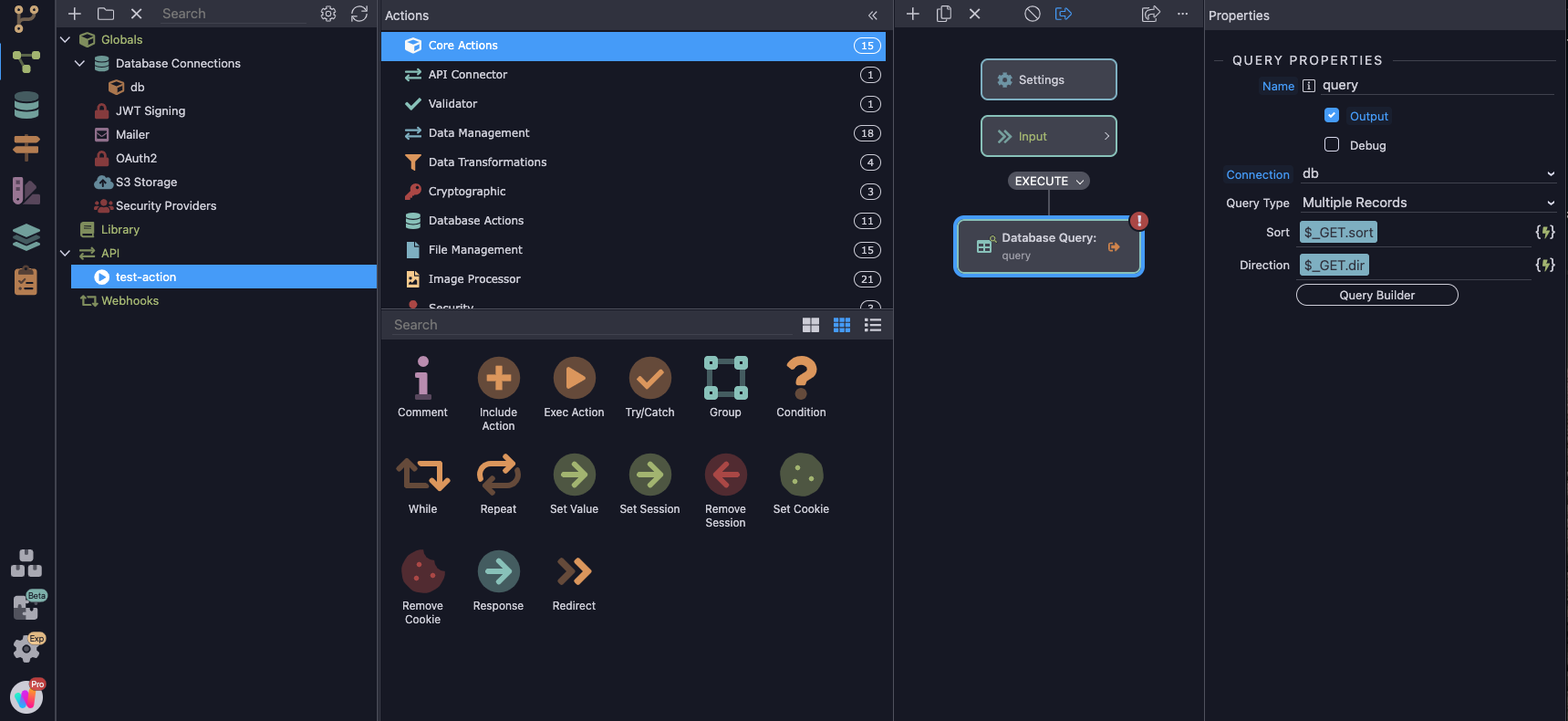

Marzio, you should not try to create a remote connection, when your hosting doesn’t support this.
And it is not required in order to create database queries in server connect.
Please send me your ftp details and database details in a personal message, so i can check what exactly are you doing and why is it never working for you only.
Ok Teodor