Hello everyone,
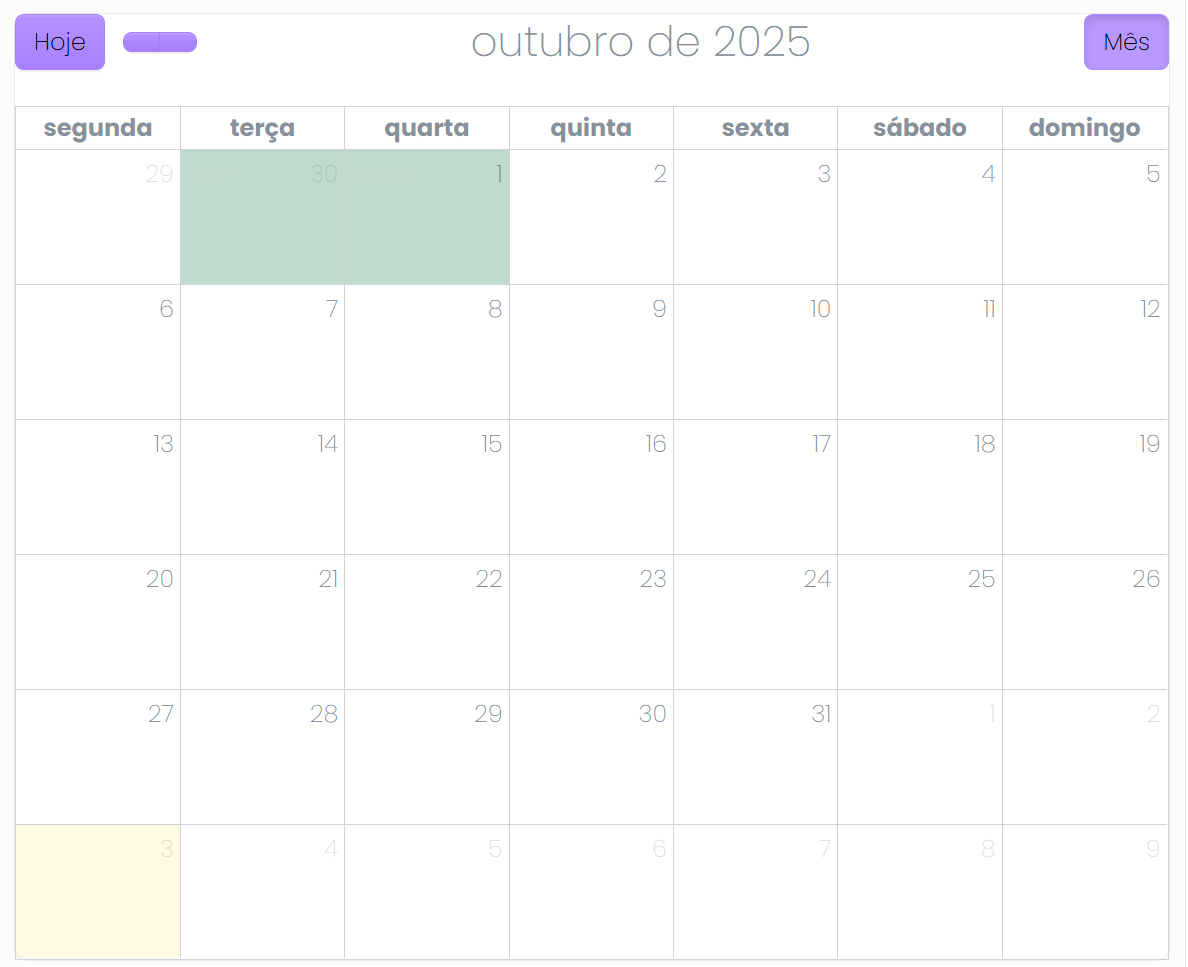
I need some help setting up my calendar, i want to display trades in a calendar and customize it this way: when the trade is positive i want the whole box to be green and when it's negative the box should be red.
I can i do that?
Code:
<dmx-calendar id="calendar1" theme="bootstrap5" views="dayGridMonth">
                    <dmx-calendar-source id="source1" dmx-bind:events="gettrades_query.data.query" event-id="ID" event-title="Profit.toNumber().formatCurrency('$', '.', ',', 2)" event-start="_['Close Time']" event-end="_['Close Time']" event-display="Profit.toNumber().formatCurrency('$', '.', ',', 2)"></dmx-calendar-source>
                  </dmx-calendar>
Teodor
November 3, 2025, 11:08am
2
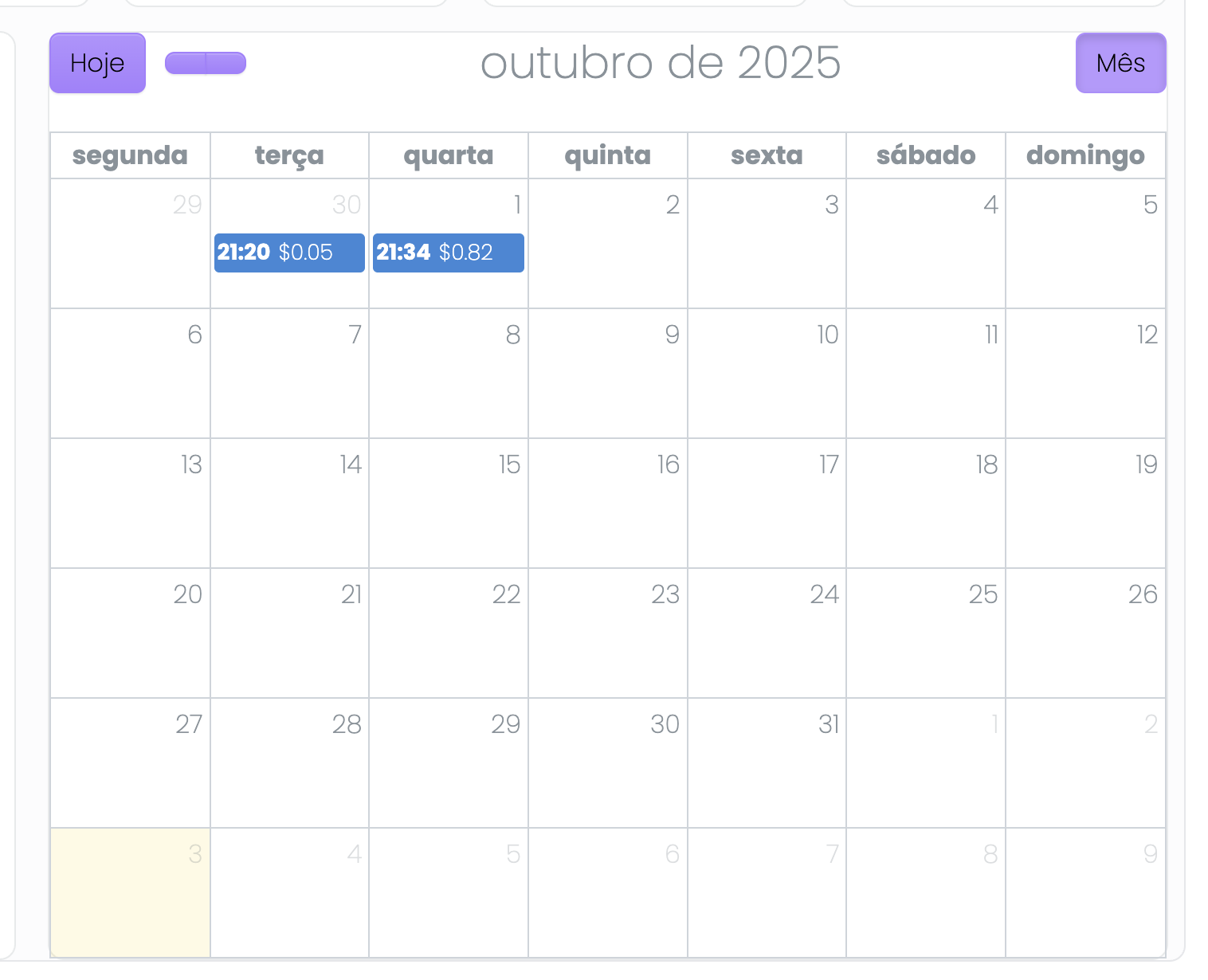
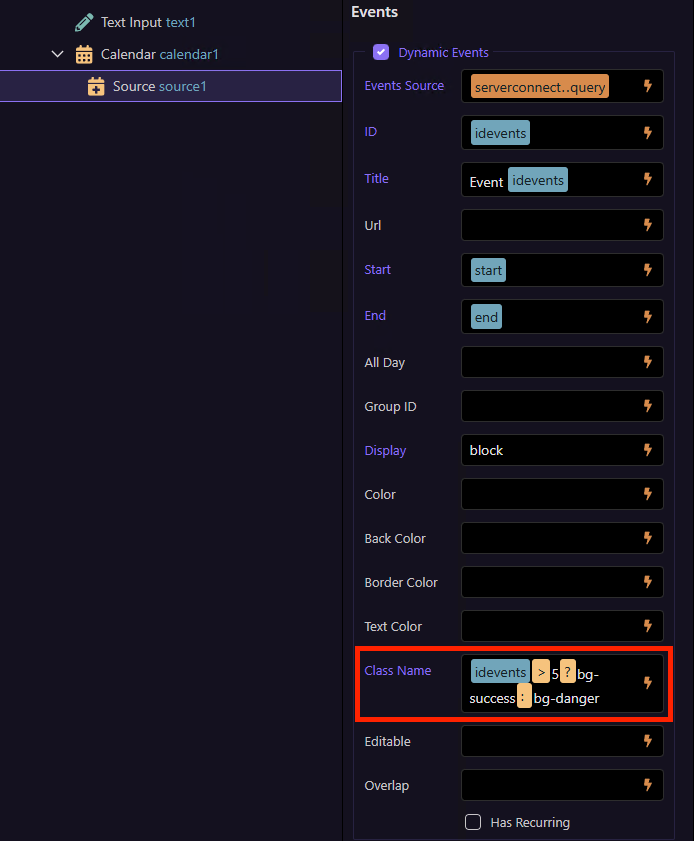
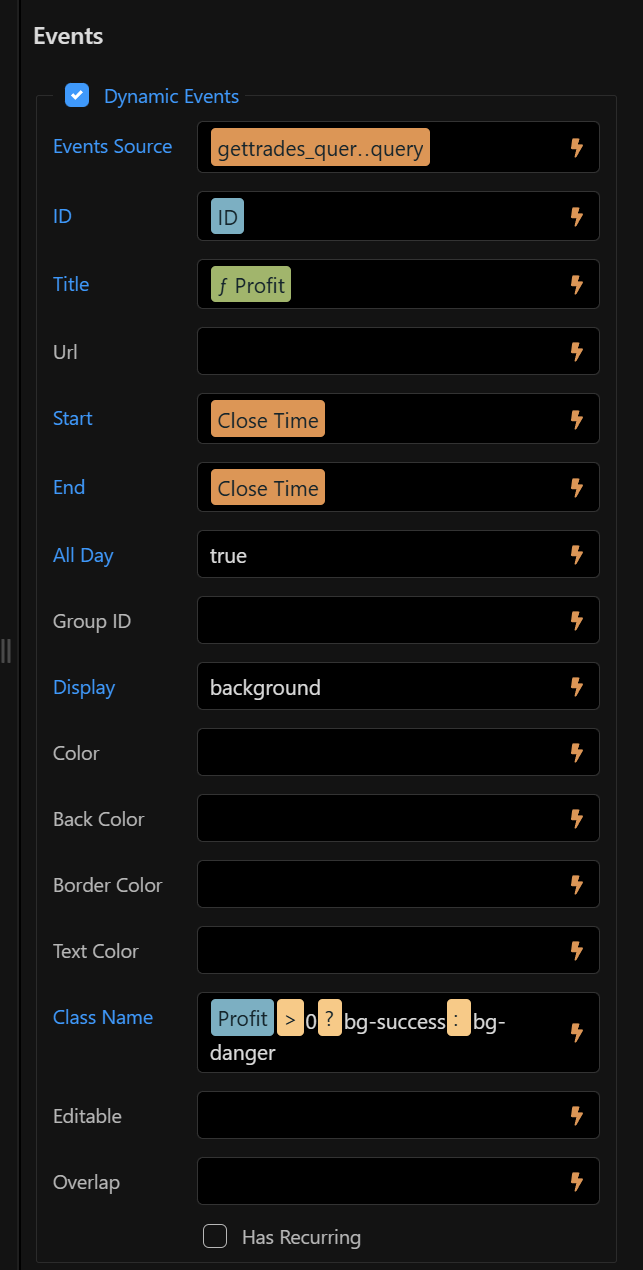
There is a class propery in the UI, where you can apply a class depending on a value:
You can use an expression like:
myvalue > 0 ? 'bg-success' : 'bg-danger'
Thanks Teodor, i want the background to be the whole box. How can i do that?
And i also wanted to ask how customizable is this calendar, can i add text inside and change the css class of that text? Can i also remove somethings like the hour?
Thanks!
Teodor
November 3, 2025, 11:46am
4
RodrigoBarata:
i want the background to be the whole box. How can i do that?
And i also wanted to ask how customizable is this calendar, can i add text inside and change the css class of that text? Can i also remove somethings like the hour?
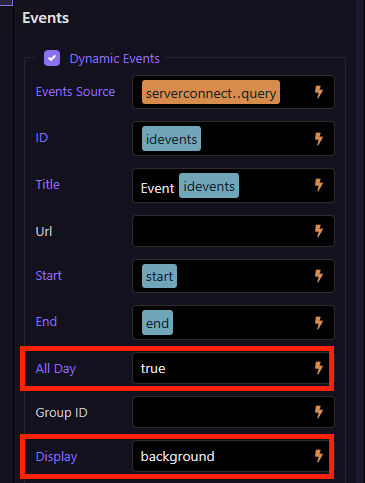
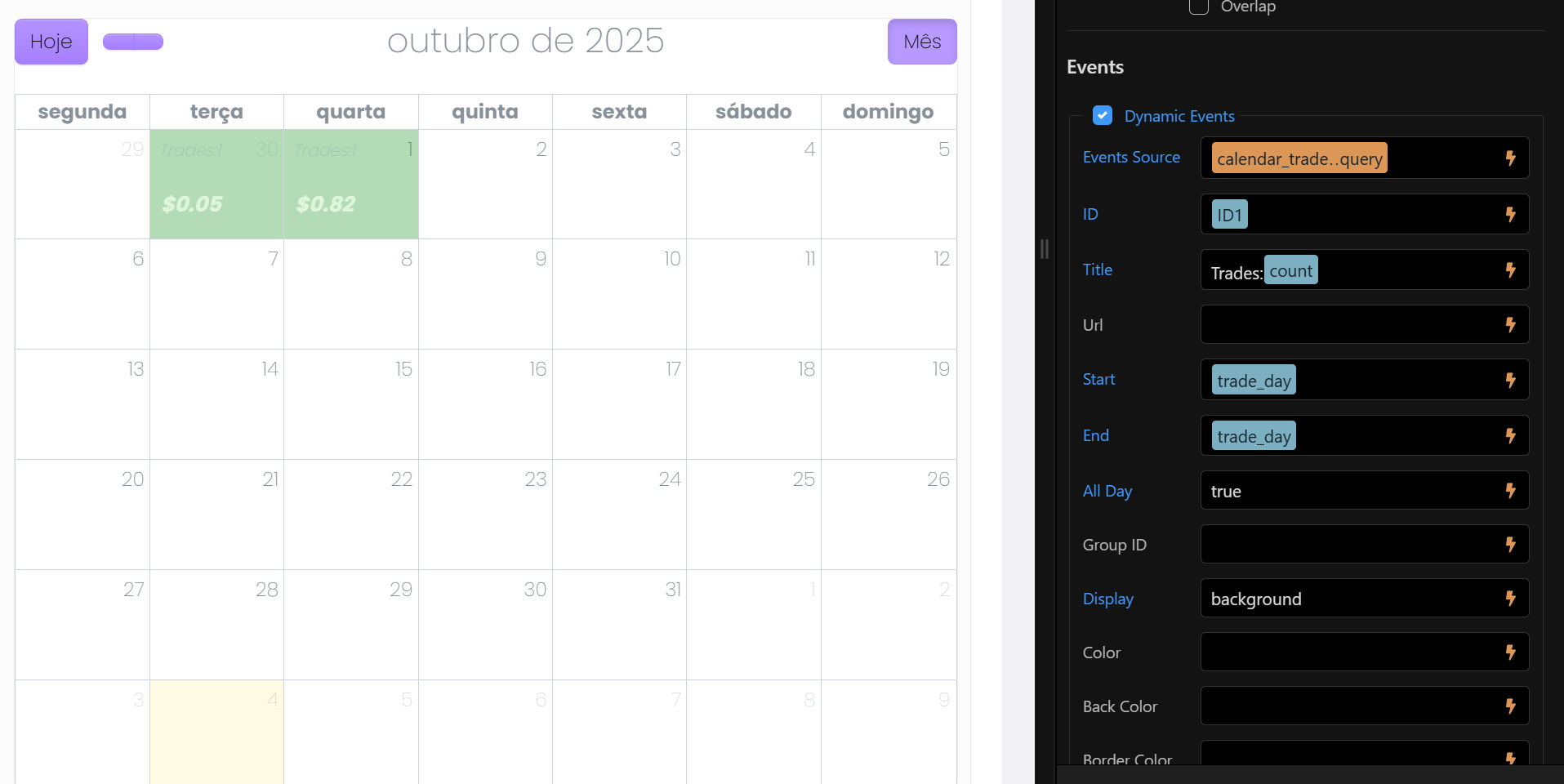
Set the All Day option to true and set the Display option to background
For text color you can just add a class for it to the expression:
myvalue > 0 ? 'bg-success text-white' : 'bg-danger text-white'
Nice! That's exactly what i wanted. Thanks!
1 Like
actually if i set it to All Day: true and display: background the content disappears and it stays only the color.
And if i remove the "background" and replace with profit it doesn't fill the whole box.
Teodor
November 3, 2025, 3:41pm
7
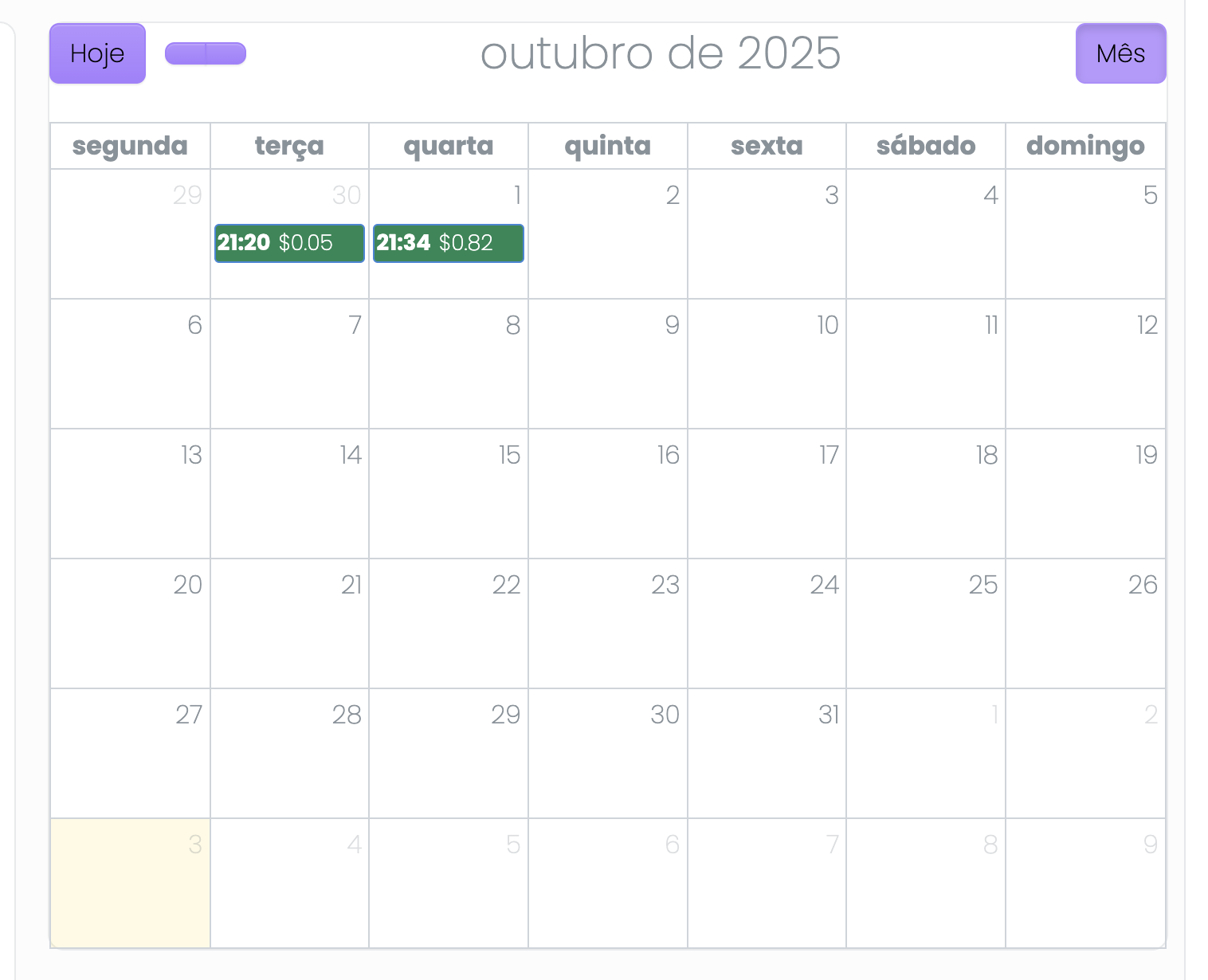
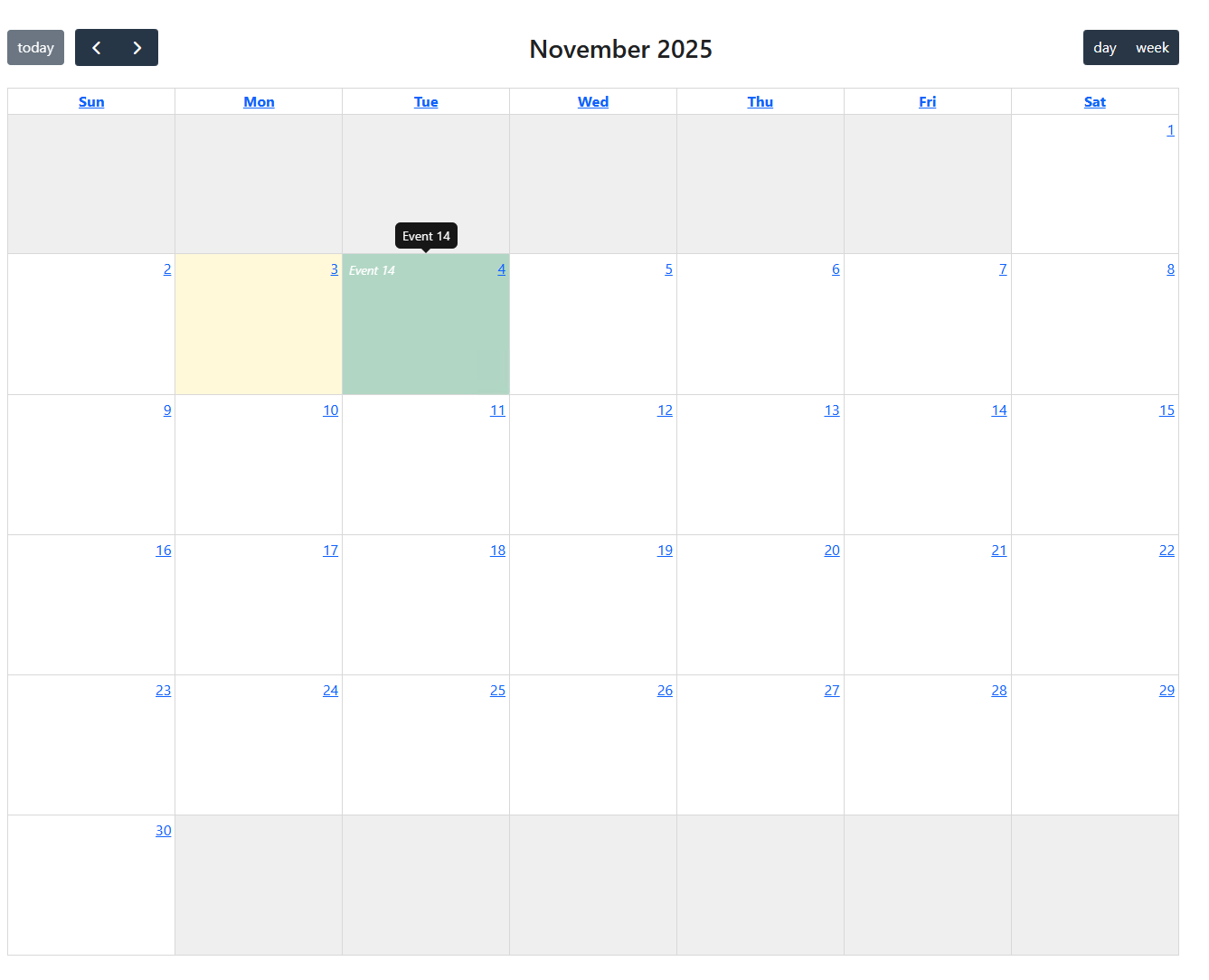
Strange, works fine for me:
Can you post your calendar code?
1 Like
Teodor
November 3, 2025, 3:43pm
8
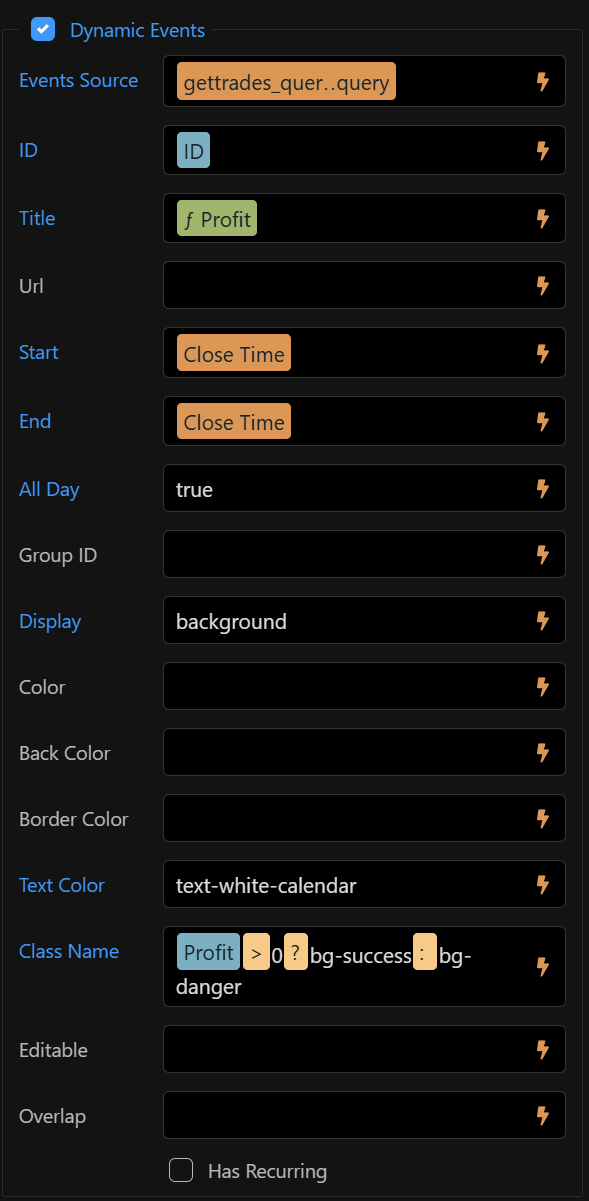
Actually your text is there, but its color is almost invisible:
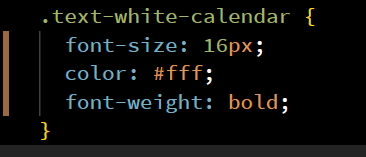
add the text-white or whatever custom class you want to use for the text color, so it's visible.
Oh ok, your eyes are better than mine. I've created a css class, but when i type it in 'text color' it doesn't work.
Maybe i am writing it wrong.
Teodor
November 3, 2025, 3:59pm
10
no, you should not enter it there. You need to add the class name in the Class Name option.
myvalue > 0 ? 'bg-success text-white-calendar' : 'bg-danger text-white-calendar'
1 Like
Oh ok. Done. Thanks Teodor!
Ps: btw i am from Portugal, is Wappler team coming for Web Summit this year?
1 Like
Teodor
November 3, 2025, 4:37pm
12
No, unfortunately we’re not planning to visit Web Summit this year
1 Like
Sorry to bother you again,
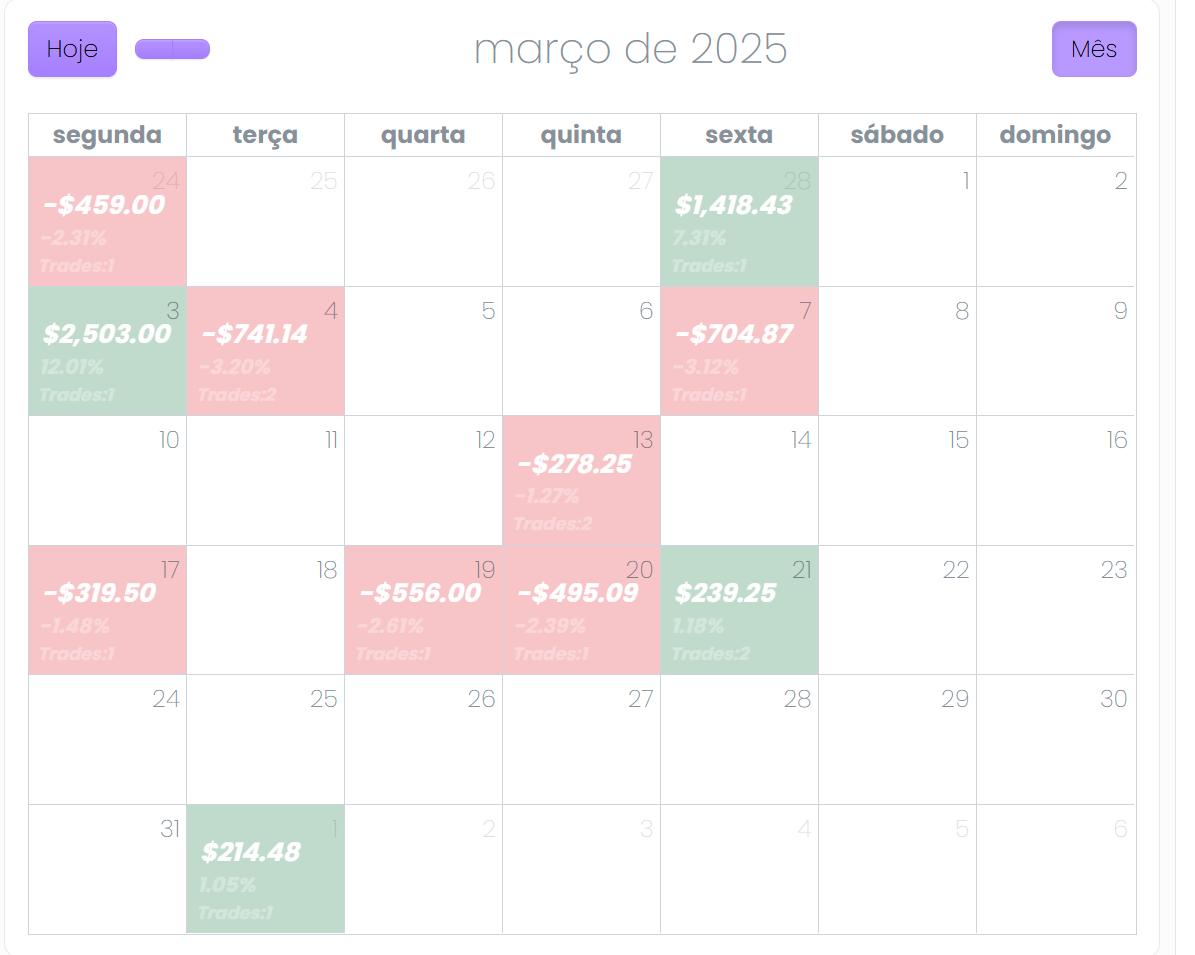
I was wondering how can i add more text to my calendar, i wanted to add the profit (already done), the gain (%) and the count of trades.
I tried to create another source but the background stays on top of the profit, i put the same color on the background but the text color doesn't stay white because the background is on top.
How can i add more info to my calendar?
Code:
<dmx-calendar-source id="source1" event-id="ID" event-title="profitsum.toNumber().formatCurrency('$', '.', ',', 2)" event-start="trade_day" event-end="trade_day" event-all-day="true" event-display="'background'" event-class-name="profitsum>0?'bg-success text-white-calendar':'bg-danger text-white-calendar'" dmx-bind:events="calendar_trades.data.query">
</dmx-calendar-source>
<dmx-calendar-source id="source2" event-id="ID1" event-start="trade_day" event-end="trade_day" event-all-day="true" dmx-bind:events="calendar_trades.data.query" event-title="'Trades:'+count" event-display="'background'">
</dmx-calendar-source>
</dmx-calendar>
Teodor
November 4, 2025, 10:18am
14
Unfortunately the fullcalendar does not make it easy to show multiple texts like this.
<dmx-calendar-source id="source1" event-id="ID" event-title="'Trades: ' + count + ' ' + profitsum.toNumber().formatCurrency('$', '.', ',', 2)" event-start="trade_day" event-end="trade_day" event-all-day="true" event-display="'background'" event-class-name="profitsum>0?'bg-success text-white-calendar':'bg-danger text-white-calendar'" dmx-bind:events="calendar_trades.data.query"></dmx-calendar-source>
Actually i've been able to set the background of source 2 and 3 to transparent and work with paddings on css class. But it's still hard to see the second and third text. How would you proceed in this case? Maybe change the background color to a lighter color?
Code:
<dmx-calendar id="calendar1" theme="bootstrap5" views="dayGridMonth" class="style1381">
<dmx-calendar-source id="source1" event-id="ID" event-title="profitsum.toNumber().formatCurrency('$', '.', ',', 2)" event-start="trade_day" event-end="trade_day" event-all-day="true" event-display="'background'" event-class-name="profitsum>0?'bg-success text-white-calendar':'bg-danger text-white-calendar'" dmx-bind:events="calendar_trades.data.query">
</dmx-calendar-source>
<dmx-calendar-source id="source2" event-start="trade_day" event-end="trade_day" event-all-day="true" dmx-bind:events="calendar_trades.data.query" event-display="'background'" event-class-name="profitsum>0?'bg-transparent second-text-white-calendar':'bg-transparent second-text-white-calendar'" event-title="gainsum.toNumber().formatNumber(2, '.', ',')+'%'">
</dmx-calendar-source>
<dmx-calendar-source id="source3" event-start="trade_day" event-end="trade_day" event-all-day="true" dmx-bind:events="calendar_trades.data.query" event-display="'background'" event-class-name="profitsum>0?'bg-transparent third-text-white-calendar':'bg-transparent third-text-white-calendar'" event-title="'Trades:'+count">
</dmx-calendar-source>
</dmx-calendar>
Teodor
November 4, 2025, 10:44am
16
Maybe don't use background events then and set them to block instead of background
That way the box doesn't get filled like the image that i sent right?
Teodor
November 4, 2025, 10:53am
18
No, the day will not be filled, the events will be stacked. You can test it
yeah, i've tried. Thanks Sir. I'll find a way.