Hello,
You can check if a form element has changed using a bit of a custom js code.
So you will need an app connect variable for this as well.
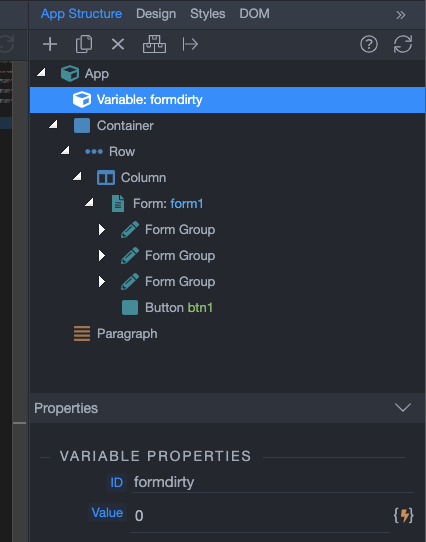
Create a variable and call it formdirty. Set its value to 0:
Then using the following code (place it before the closing </body> tag) you can check for changes in the form and set the value of the variable to 1 when there is a change:
<script>
    const selectElement = document.querySelector('form');
    selectElement.addEventListener('change', (event) => {
        dmx.parse("formdirty.setValue(1)")
    });
</script>
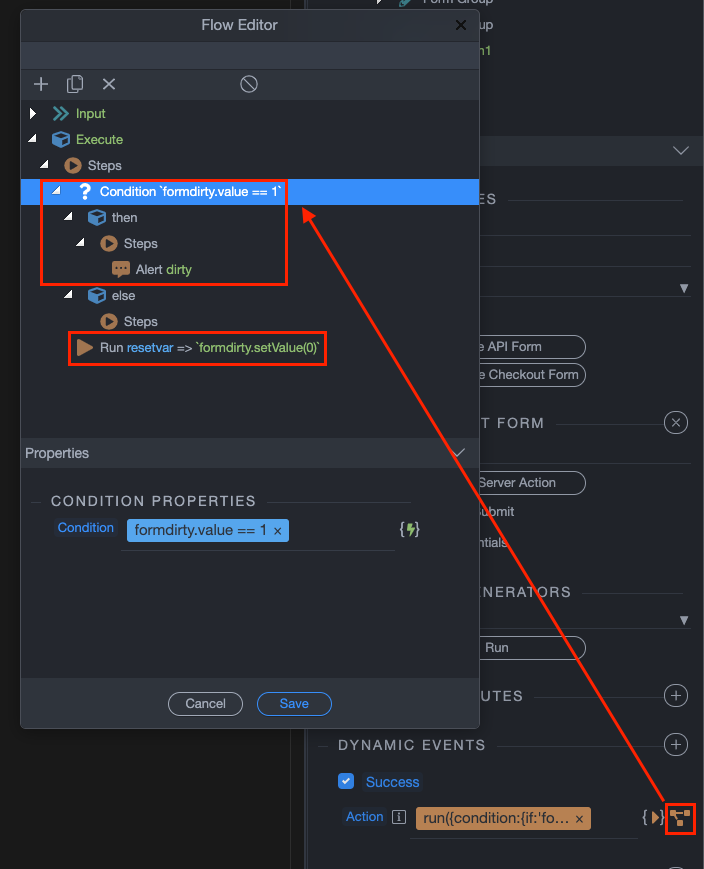
And then on form success event - run an inline flow with a condition which checks if the variable value is 1. If it’s 1, then the form inputs have changed so you want to show the alert then.
And also don’t forget to reset the variable value back to 0:
Hope that helps.