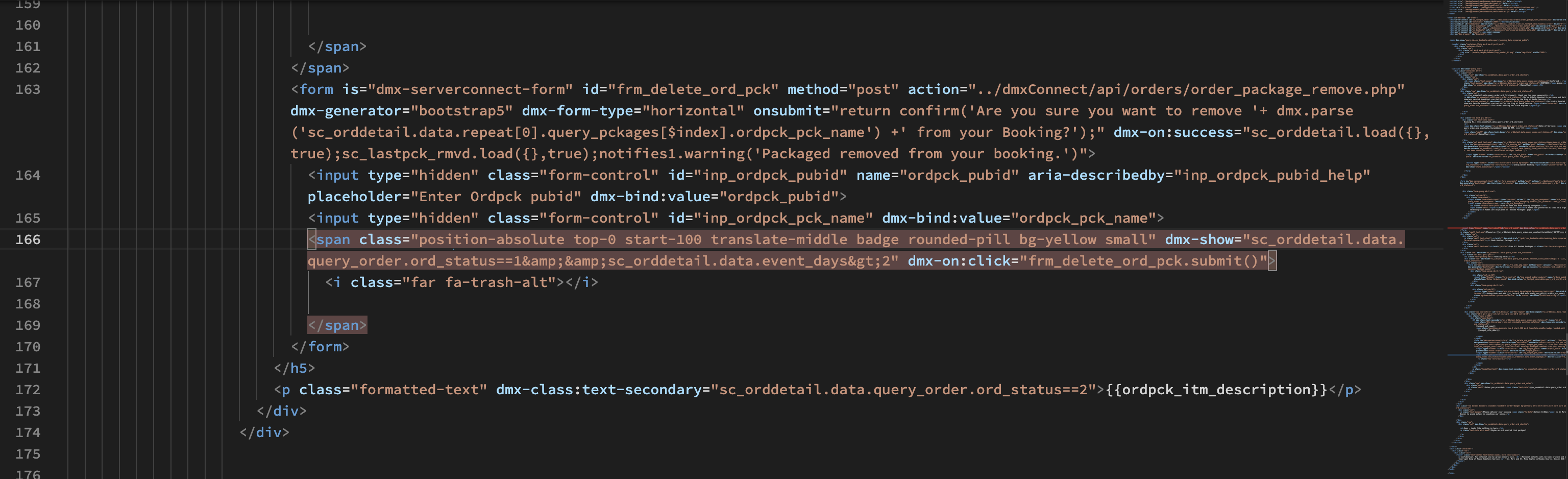
We’ll see afterwards the dynamic ids…
On your browser, you see this span and has the value?
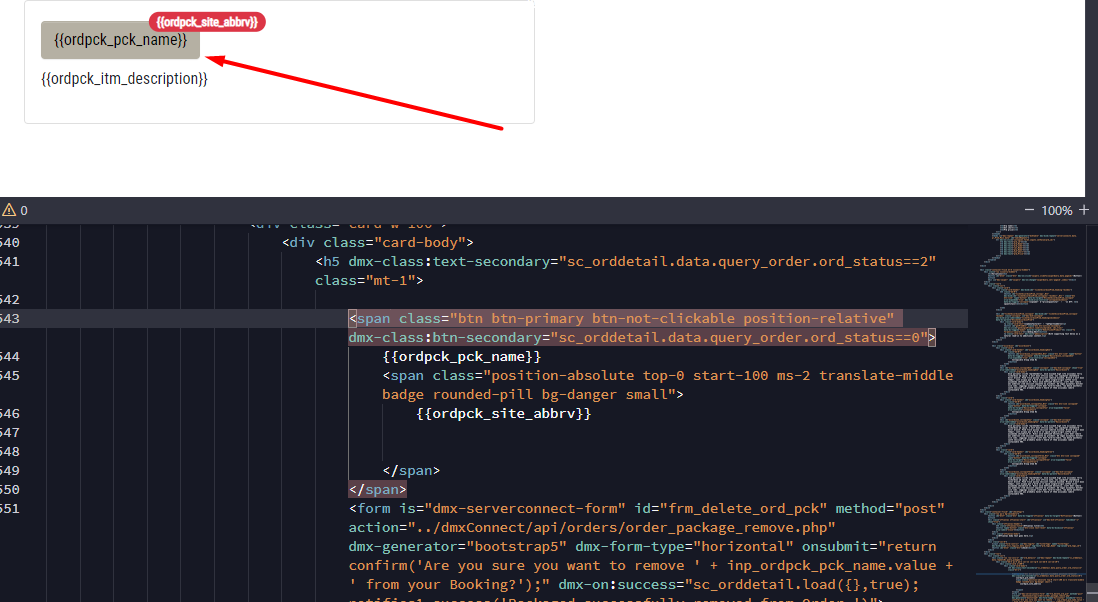
Can you share a screenshot of your browser running the page (without to submit the form)?
We’ll see afterwards the dynamic ids…
On your browser, you see this span and has the value?
Can you share a screenshot of your browser running the page (without to submit the form)?
Yes it has the correct value
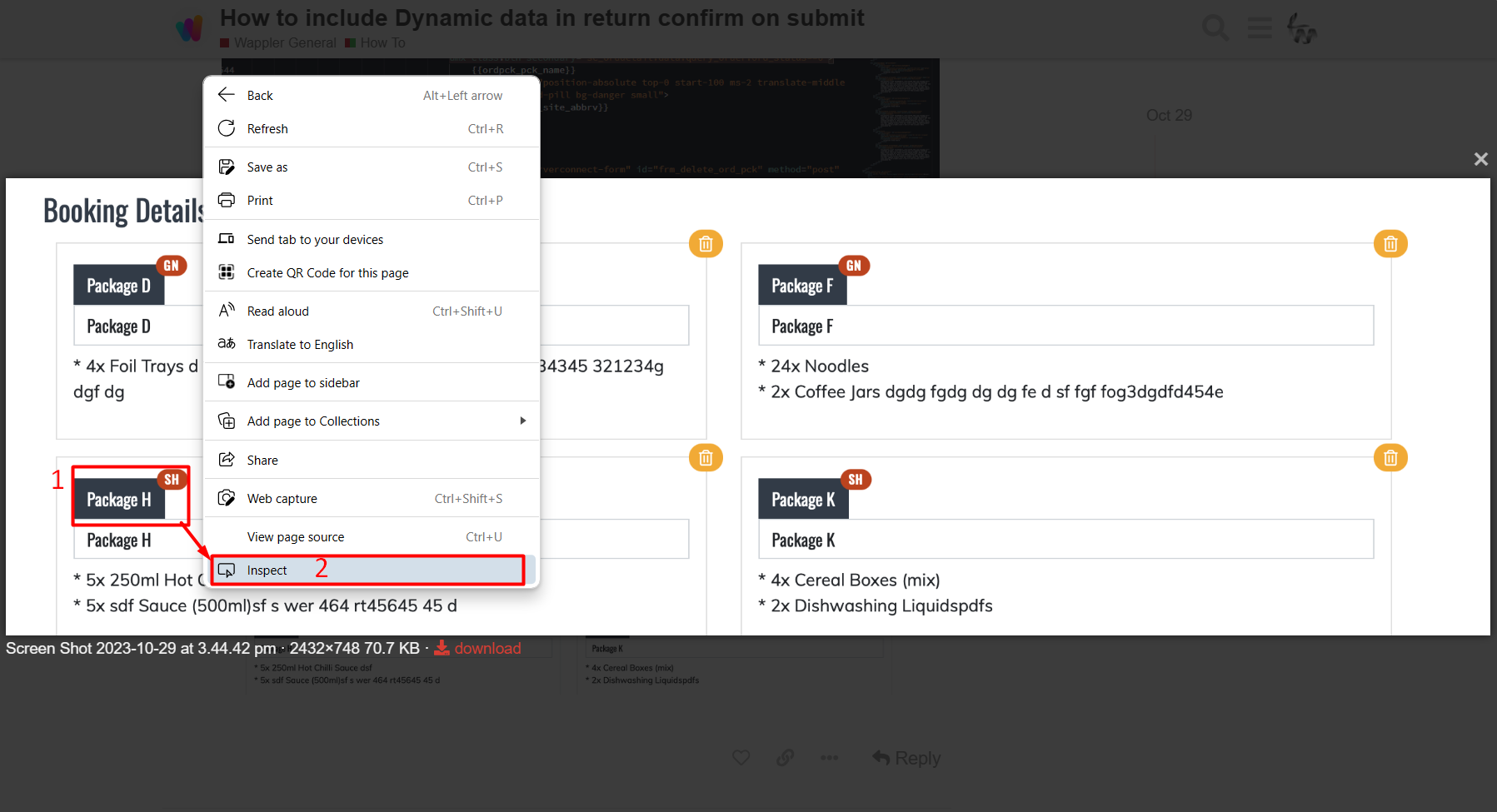
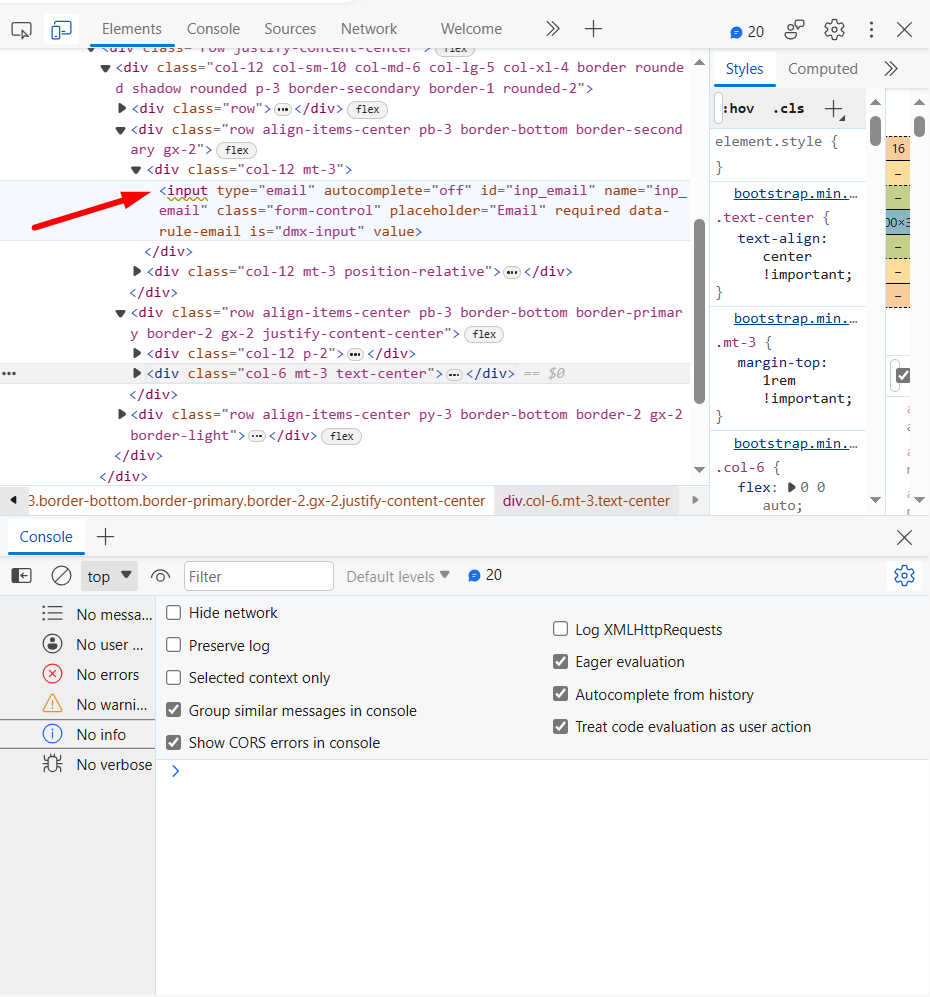
while running the page, right click on any of your package_names and click “insect” from the menu in order to see what value has the hidden field:
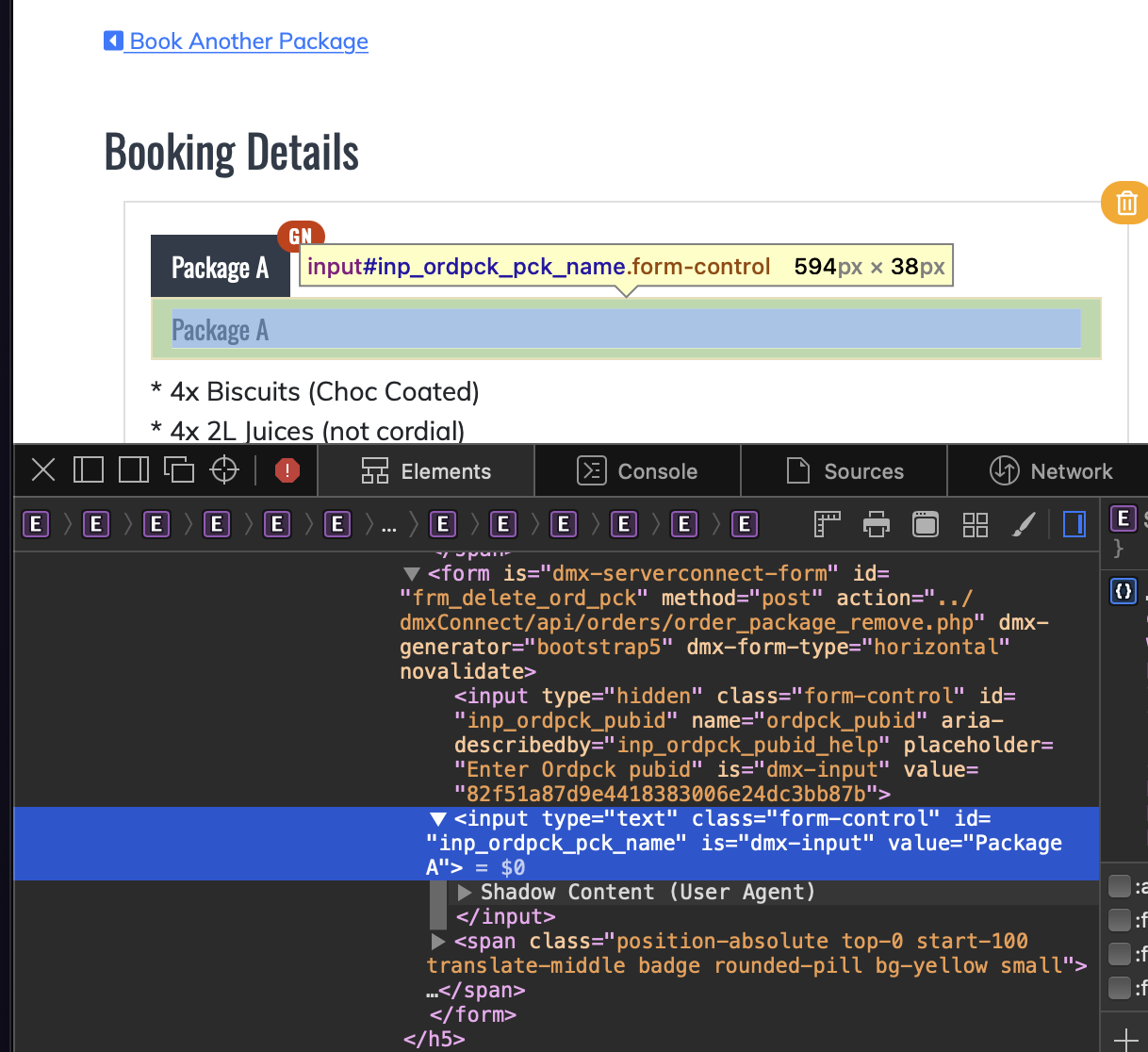
And try to find the <input type="hidden" class="form-control" id="inp_ordpck_pck_name" value="what value is in here??????">
*this picture is example… Don’t be confused with its data
You just find the hidden input with id="inp_ordpck_pck_name"
Yes its showing the correct Value
Its just the way we are calling it in the on submit="return confirm(…
there must be wrong code, are “(” a +, a , … I just don’t know enough code to work out what it is
please change it to type=“hidden”
share a screenshot of the form in wappler so I can see the confirmation alert
like that:
you didn’t paste my code…
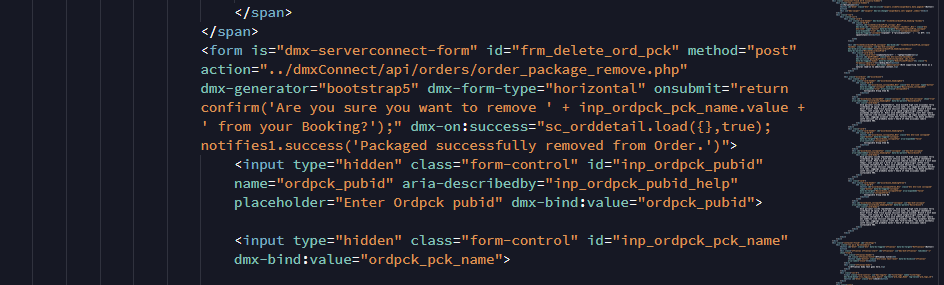
the form onsubmit is
onsubmit="return confirm('Are you sure you want to remove ' + inp_ordpck_pck_name.value + ' from your Booking?');"
Please make sure you copy and paste all the code I gave you above
It returns undefined when there is more than one Package listed.
So, it must be the dynamic ids from the repeat…
I’m gonna try to reproduce your form and give you my feedback
OK, I think I got it working…
That’s it
<dmx-value id="var_ordpck_pck_name"></dmx-value>
                <div class="row row-cols-1" id="ord_details" is="dmx-repeat" dmx-bind:repeat="sc_orddetail.data.repeat[0].query_pckages">
                    <div class="mb-3 ps-4 pe-2 col-12 col-lg-6 col-md-8 col-sm-10">
                        <div class="card w-100">
                            <div class="card-body">
                                <h5 dmx-class:text-secondary="sc_orddetail.data.query_order.ord_status==2" class="mt-1">
                                    <span class="btn btn-primary btn-not-clickable position-relative" dmx-class:btn-secondary="sc_orddetail.data.query_order.ord_status==0">
                                        {{ordpck_pck_name}}
                                        <span class="position-absolute top-0 start-100 ms-2 translate-middle badge rounded-pill bg-danger small">
                                            {{ordpck_site_abbrv}}
                                        </span>
                                    </span>
                                    <form is="dmx-serverconnect-form" id="frm_delete_ord_pck" method="post" action="../dmxConnect/api/orders/order_package_remove.php" dmx-generator="bootstrap5" dmx-form-type="horizontal" onsubmit="return confirm('Are you sure you want to remove ' + dmx.parse('var_ordpck_pck_name.value') + ' from your Booking?');" dmx-on:success="sc_orddetail.load({},true);notifies1.success('Packaged successfully removed from Order.')">

                                        <input type="hidden" class="form-control" id="inp_ordpck_pubid" name="ordpck_pubid" aria-describedby="inp_ordpck_pubid_help" placeholder="Enter Ordpck pubid" dmx-bind:value="ordpck_pubid">

                                        <input type="hidden" class="form-control" id="inp_ordpck_pck_name" dmx-bind:id="inp_ordpck_pck_name' + $index" dmx-bind:value="ordpck_pck_name">
                                        <span class="position-absolute top-0 start-100 translate-middle badge rounded-pill bg-dark small" dmx-on:click="var_ordpck_pck_name.setValue(ordpck_pck_name);frm_delete_ord_pck.submit()">
                                            <i class="far fa-trash-alt"></i>
                                        </span>
                                    </form>
                                </h5>
                                <p class="formatted-text" dmx-class:text-secondary="sc_orddetail.data.query_order.ord_status==2">{{ordpck_itm_description}}</p>
                            </div>
                        </div>
                    </div>
                </div>
Why not use page flows for that? You can get the dynamic data in a flow, show it in a confirm dialog and cancel or submit the form.
@Teodor, yes I attempted the Confirmation dialogue box and followed the tutorial in the docs, unfortunately it didn’t work. Clicking the button/icon simply didn’t display the dialogue box.
I’ve had issues in the past with the confirmation dialogue. I can get it to work on some pages, but other times I simply doesn’t work.
I can re-attempt the Confirmation dialogue and share the page code, maybe its not generating some code properly?
Two pf my other pages it works fine, but not on this particular page.
The last code that I gave you is working for sure (displaying the ordpck_pck_name in your alert)…
If it is not working it is because you didn’t paste it exactly as I gave it to you.
Please check it
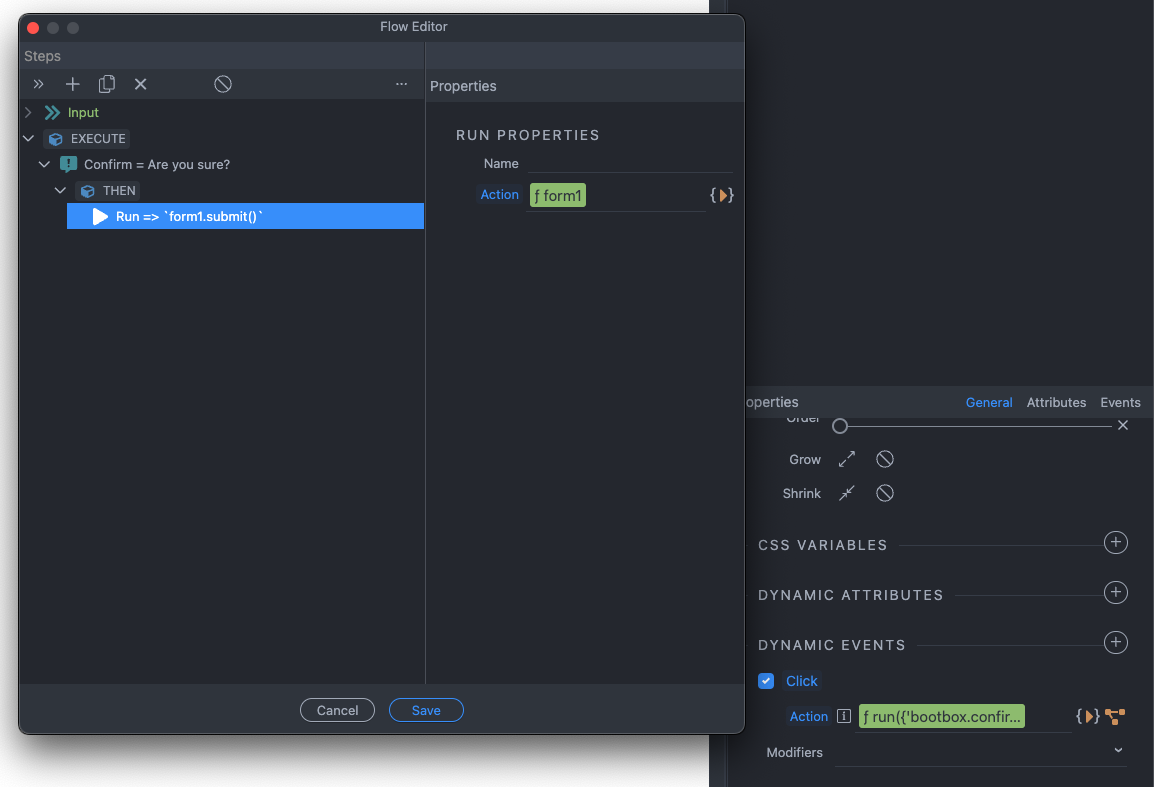
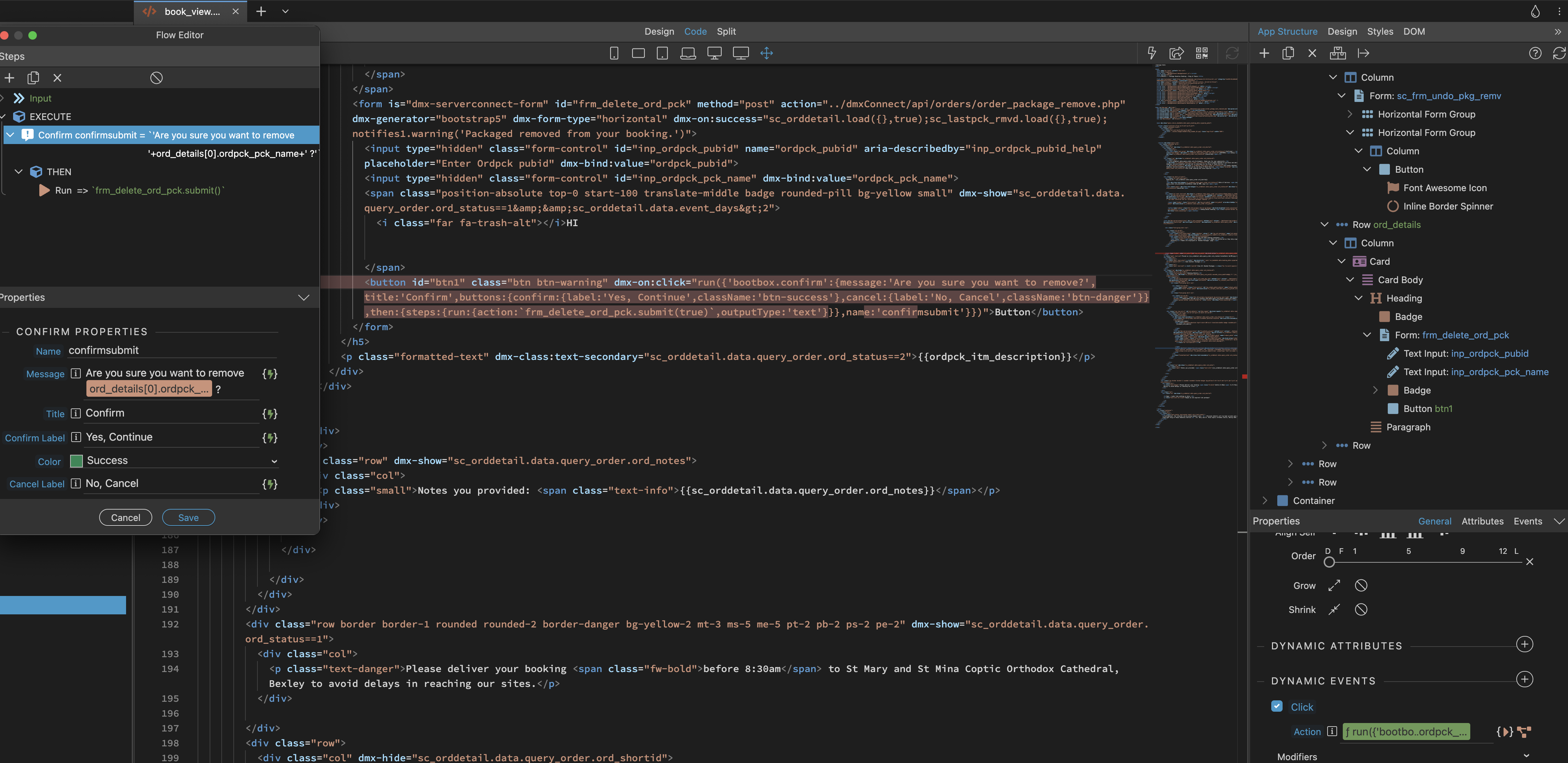
It really is not that complicated as you both are trying to do it here. All you need is a form with a regular button, which is not a submit button and an inline flow attached to it:
Its a confirmation step and in the THEN part, you submit the form.
If needed, you can include a server action data source in the flow to get some dynamic data you want to display inside the confirm dialog.
@Teodor, I’ve followed your instructions to no avail. Nothing happens when I click the button. No dialogue box appears, no forms is submitted. See screen shot
Check your browser console for errors or provide a link where we can check this.
No error when I click the button. Nothing happens.
I am running this locally.
Please upload this page to some testing server where we can access it. We’re unable to debug this by just screenshots.
@famousmag @Teodor
Solved! I ended up working out what the problem was for the bootstrap Confirmation Dialogue Box, which is the preferable method as Teodor suggested. Its cleaner and better.
For some strange reason the line <script src="../bootstrap/5/js/bootstrap.bundle.min.js"></script> which appears just before the closing take was missing in my file! Which explains why one some pages the Confirmation Dialogue box worked, but not this particular file.
Also, now I can easily place dynamic data in the dialogue box as well. So I abandoned the onsubmit="return confirm method altogether and use the bootstrap Confirmation Dialogue box instead.
Thanks for both your help.
Screenshot of the line of code that was missing: