no no … still not working … returned all results …
Perhaps the initial approach can be modified. Can you not do this via a join rather then select IN select? In most cases the query can be rewritten as a join which means wappler query manager can cope.
I will look into the query later when i have time (got family here) but this illustration may help.
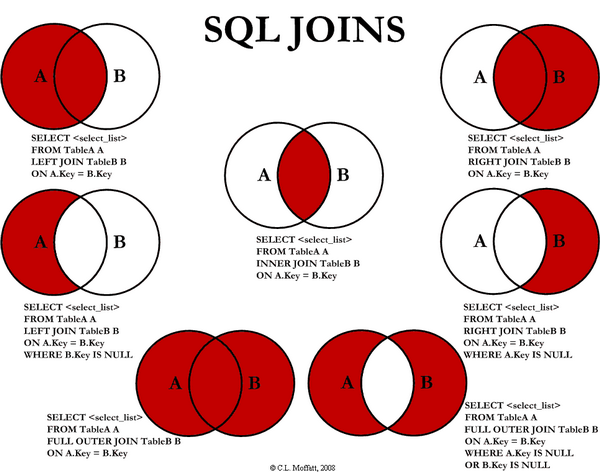
problem is IN and NOT IN usage . I cant use it
I also think i detect an error in your initial query, your second condition should only select the id field, not *
so it should be
SELECT * FROM rooms WHERE id NOT IN (SELECT id FROM events WHERE ( start< = '$dateout' AND end >= '$datein )
Otherwise the query will fail due to multiple values in the second query (it only wants a single value to filter on)
yeap this is ok but
SELECT * FROM rooms WHERE id **NOT IN** (SELECT id FROM events WHERE ( start< = '$dateout' AND end >= '$datein )
“not in” is not work if returned result 1,2 or 3,4 etc…
did you use checkbox for search before ?
{{$_POST.rezervasyon_sekilleri.join(",", “”)}}
yeap problem solved …
1 Like
Your bb value is wrong, query2 is an array with objects, you can’t just use {{query2.urun_id}}. To get a single value from an array you use it like {{query2[0].urun_id}}, which will return the first id from the array. You want to use all the ids in the array as a parameter for the NOT IN condition for the next query, the condition requires an array as input. The problem is that the result from query2 is an array with objects in it, the conditions wants an array with only the ids in it. To get the values from the ids you use the values formatter, it flattens your array, use it like {{query2.values('urun_id')}}.
The values formatter converts your query2 from
[{ urun_id: 33 }, { urun_id: 51 }, { urun_id: 46 }]
to
[33, 51, 46]
What did go wrong in your case. You first created a value bb with the expression {{query2.urun_id}}. That expression returns undefined, since urun_id is not a property of query2. The you used the value in the expression for the NOT IN condition of the second query, this also will return a undefined because bb was already undefined.
Hello Patric ,
Thank you for your detailed description. I have created new example for testing … There’s still something wrong.
My new test ..
This is my database structure.
My test query ;
QUERY :   select * from guncellestirmeler where id IN (1,4);
RESULTS : 2 rows returned and ids 1 and 4 ..
Query and Results OK !
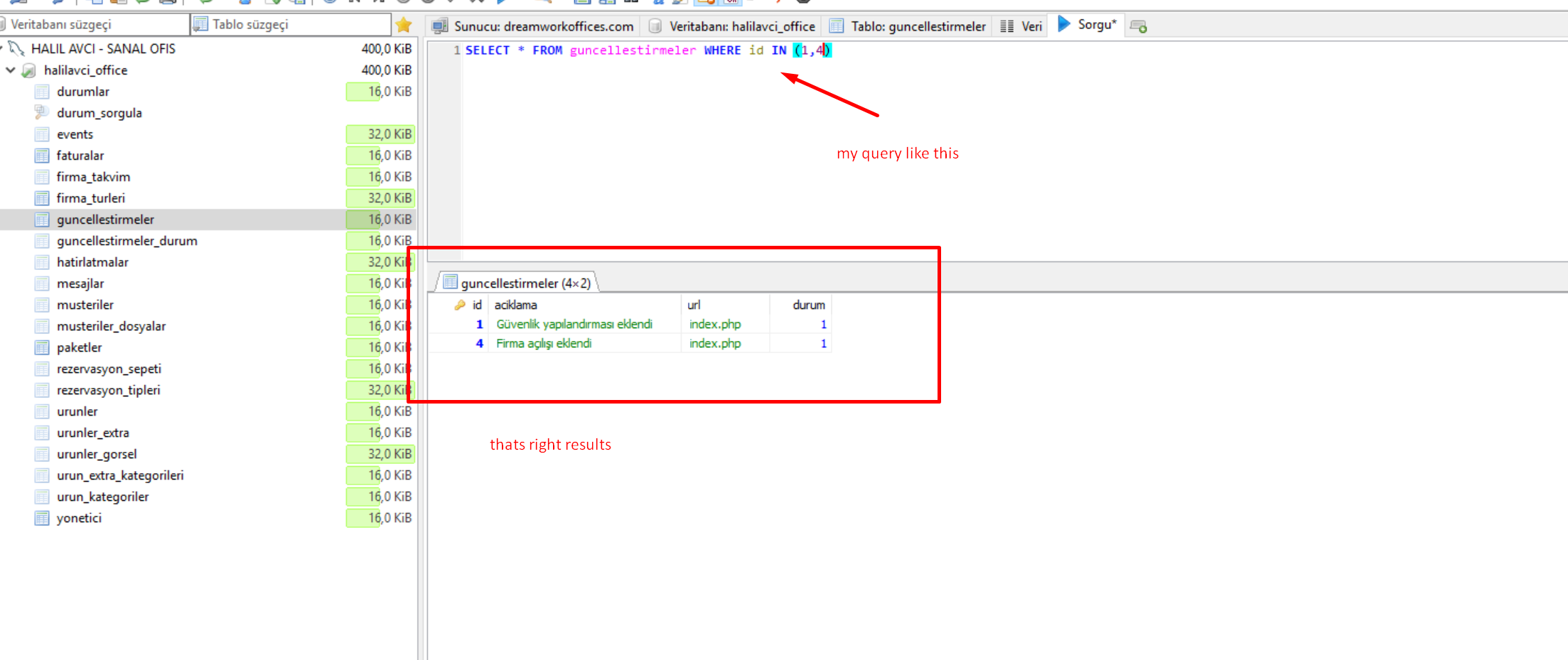
table guncellestirmeler
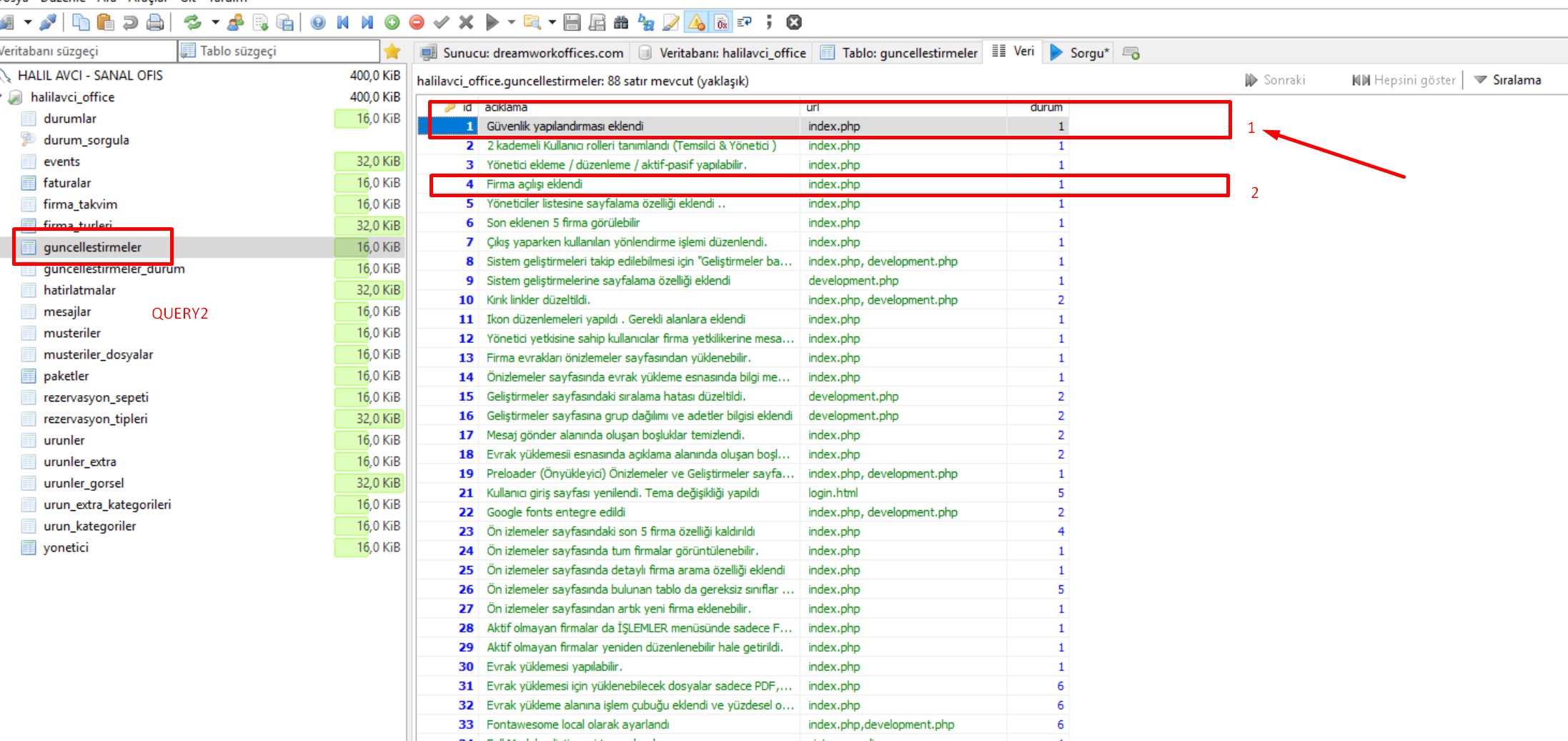
table urunler
Now , my wappler query ;
query1 is return only 1 field and field name urun_rez_kat
( select urun_rez_kat from urunler where id=‘33’ ) (id=33 because I need only 1 result )
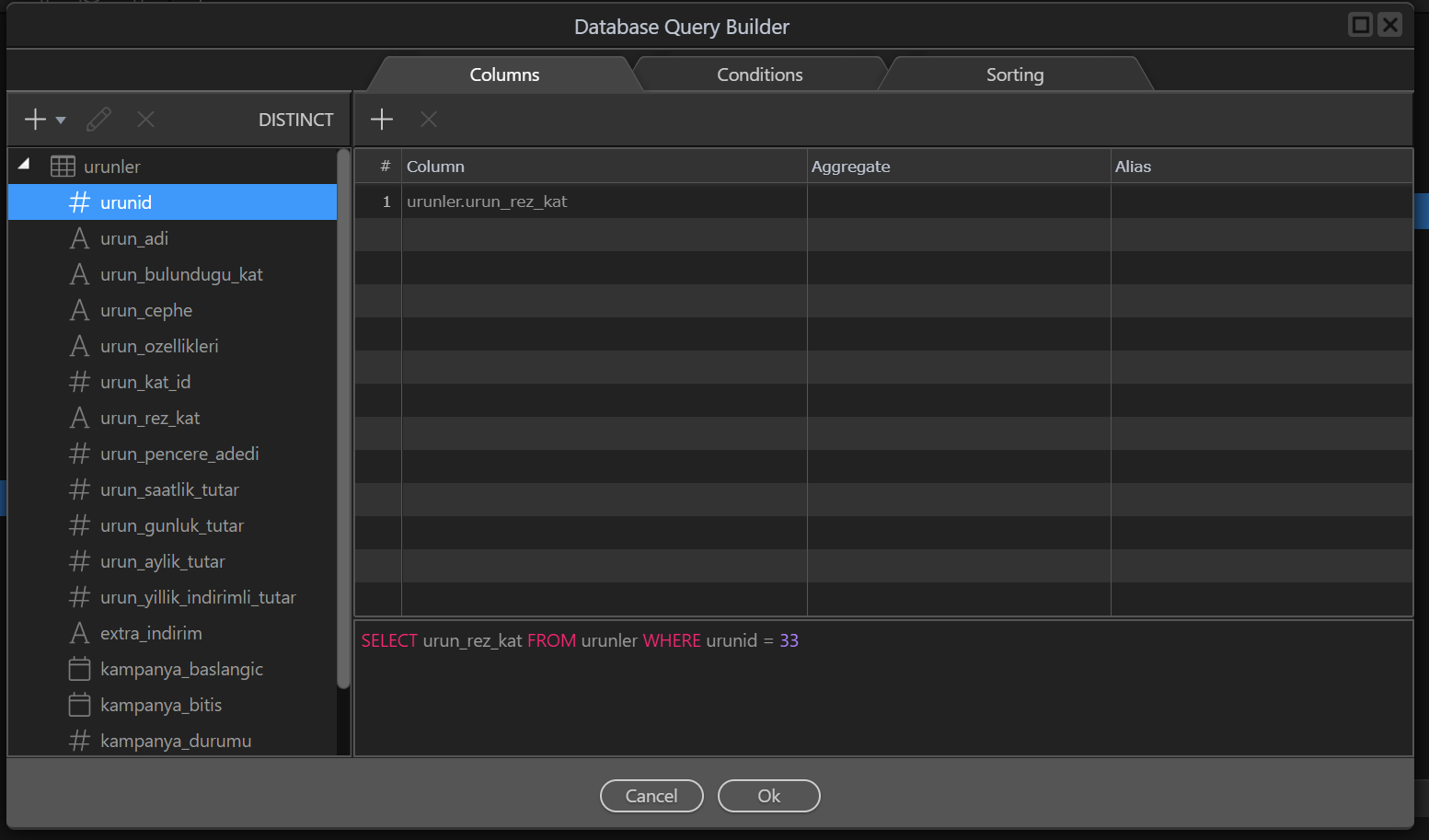
Condition Tab
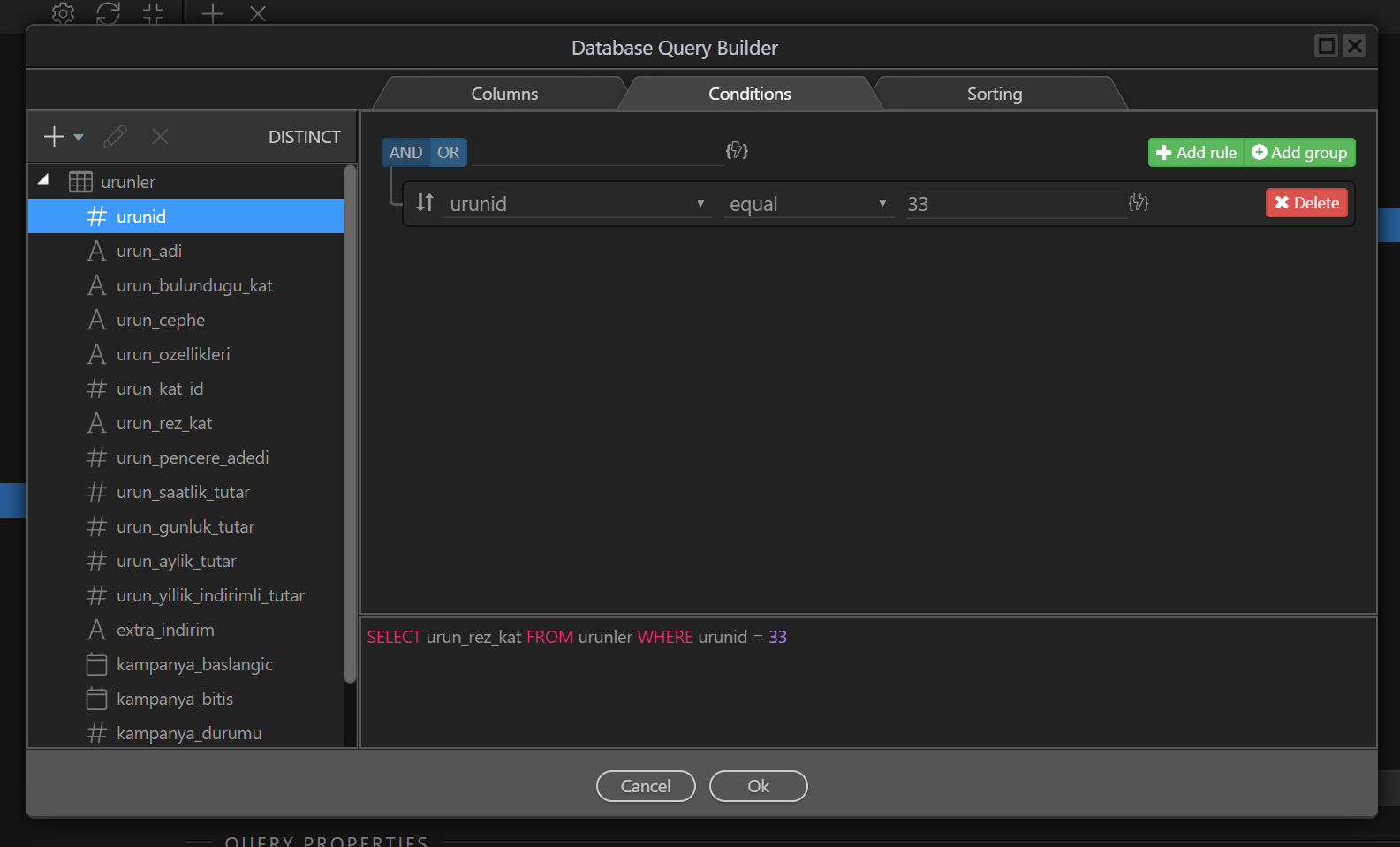
query 1 is working correct .no problem … (tested)
NOW ,
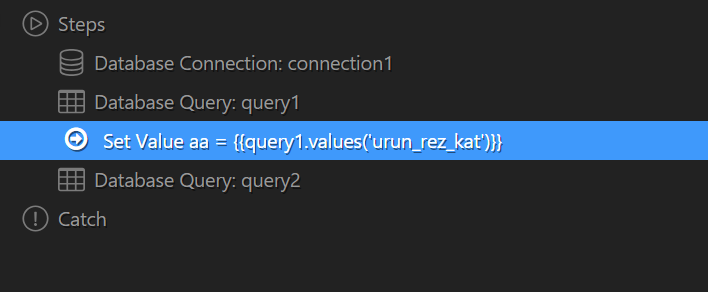
Result :

test 2 :
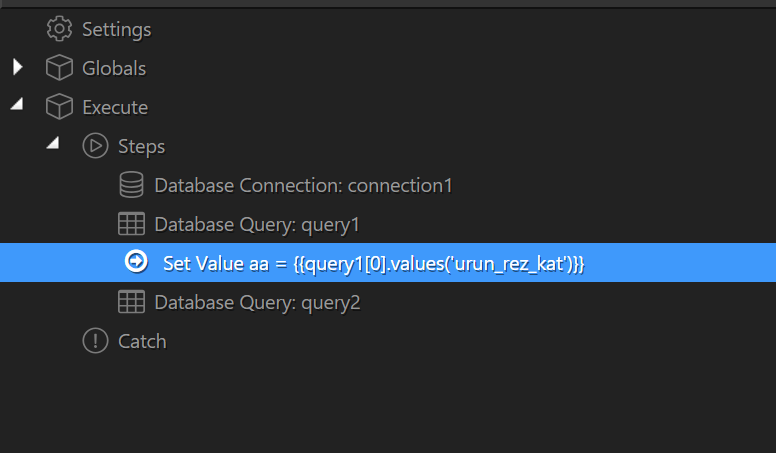
Result :
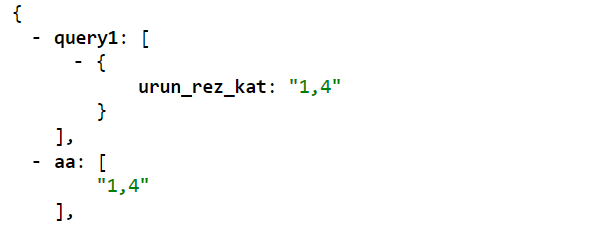
Now , I will use these variables in query
aa : {{query1[0].values(‘urun_rez_kat’)}}
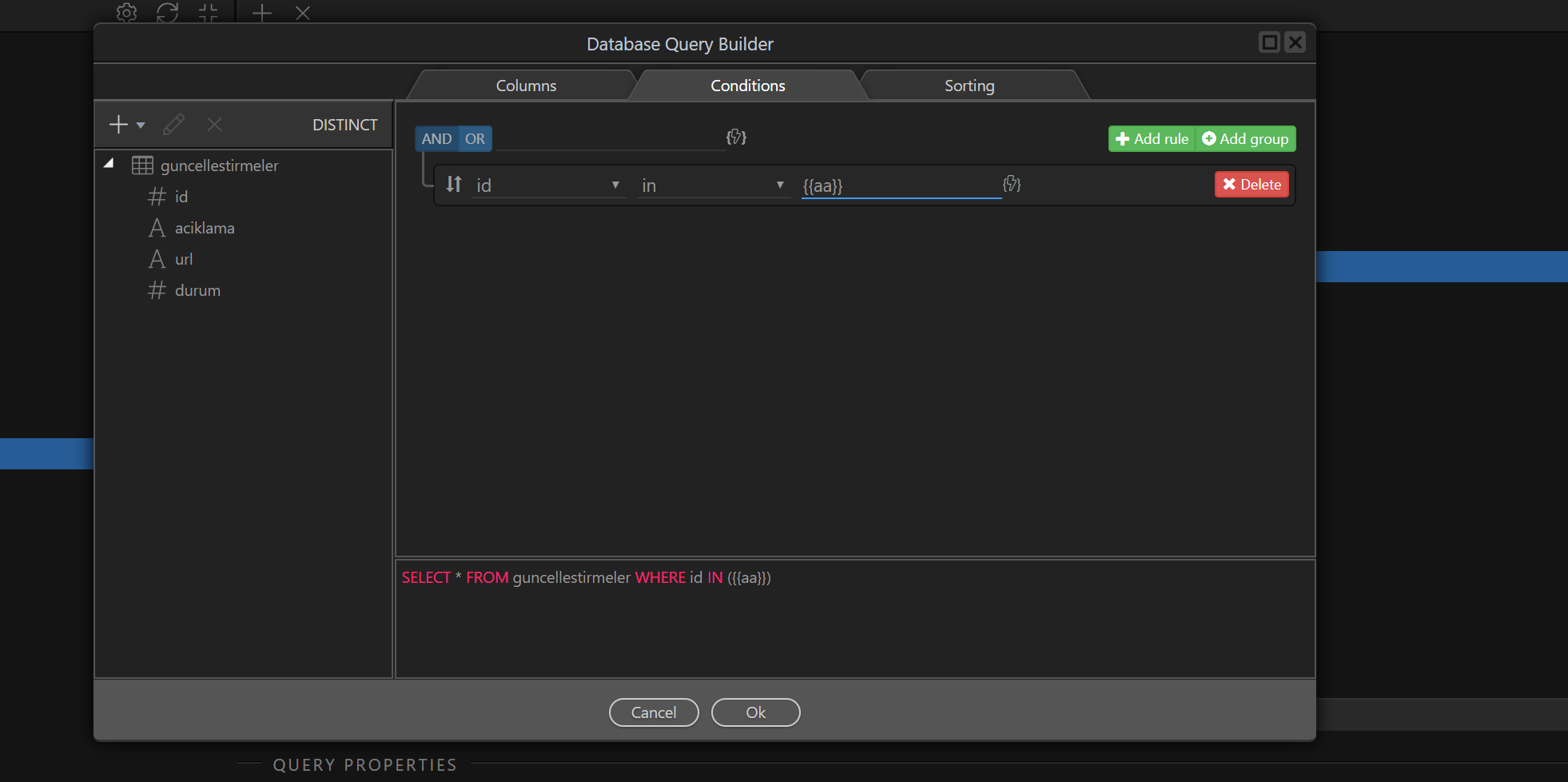
Result
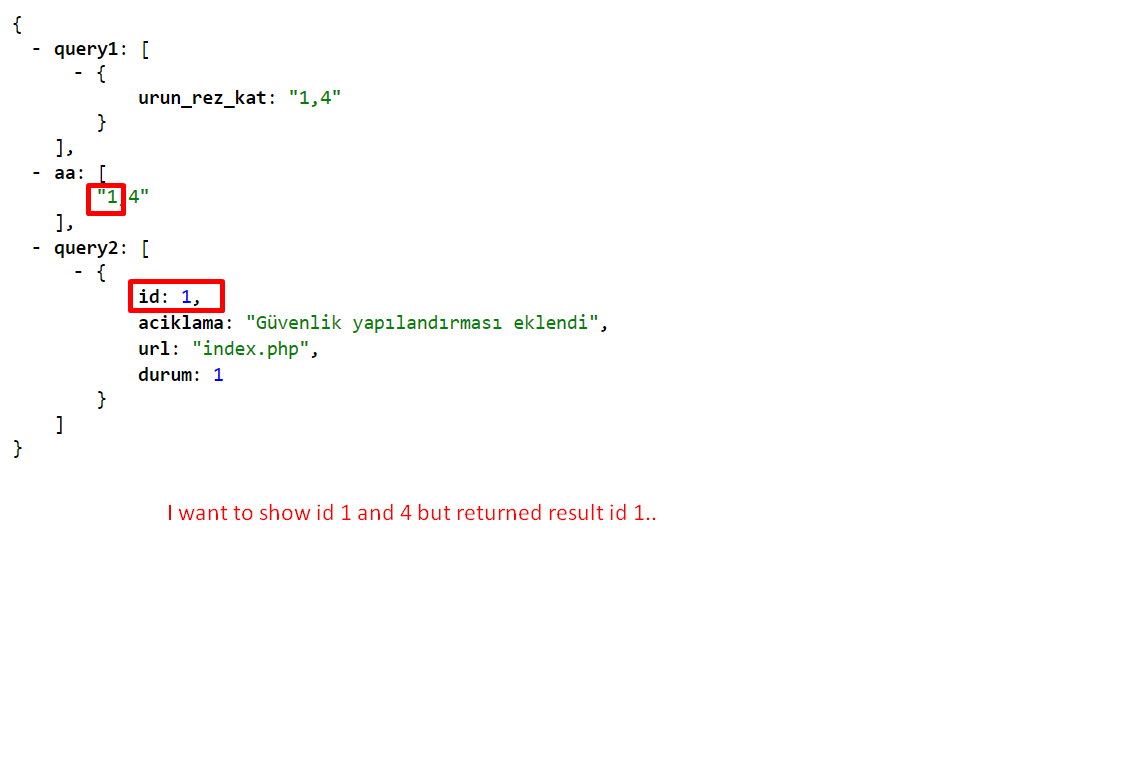
The problem {{query1[0].values(‘urun_rez_kat’)}} returns all results correctly … The second query (query 2) return only 1 result when I used it in query. if I use the IN or NOT IN
I hope I could tell right…
Serhat,
Your database design is not right. When you want to do a lot of filtering with IN and not IN, you have to have tables with unique IDs - that you store in linked tables and not as comma separated text fields … You really need linked tables for storing the relations.
You really should invest a bit more time to learn relational database design if you want to deliver such complicated database solutions and queries. It will save us both time.
Maybe follow:
https://www.udemy.com/relational-database-design/
Hello George ,
2 tables have unique id ( id and urun_id ) …
Ok if I am wrong please just create same example … I want to see how its work.
Becase this is right I am sure …
Hello @patrick,
did you check this ? I really wants to know whats wrong … Because I didnt find solution yet …