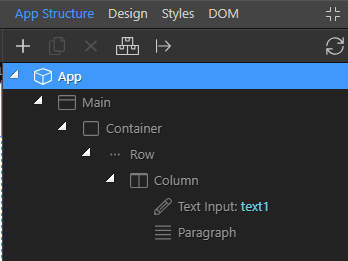
- Add a Text Input
- Add a Paragraph
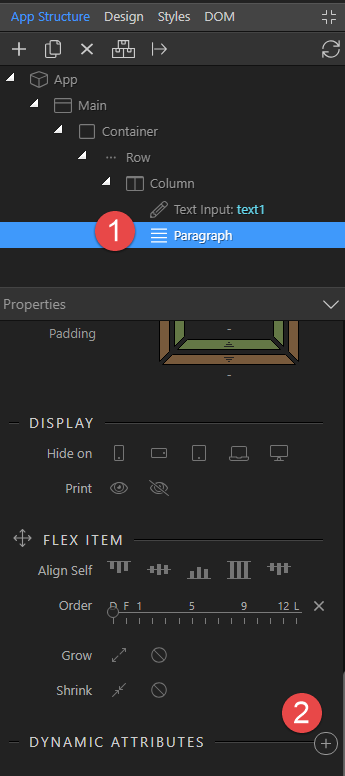
The structure should look similar to:
-
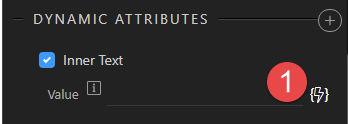
Click on Paragraph -> Dynamic Attributes plus icon
-
Choose Display -> Inner Text
-
Select the lightning bolt
-
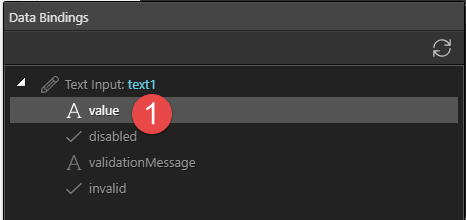
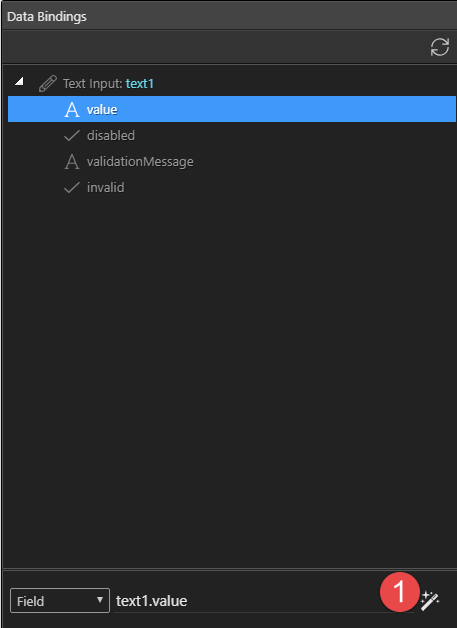
Under Data Bindings select value
-
Click on the Data Formatter button
-
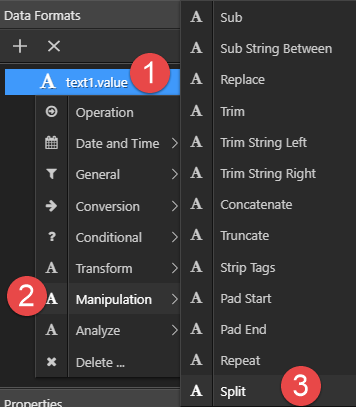
In Data Formats right-click test1.value -> Manipulation -> Split
-
Indata Formats choose Character and under the Parameter Properties type
v=


This gives us an array of two strings, a string to the left of v= and a string to the right of v=, both strings separated by a comma. What we need to do is grab the second string.
-
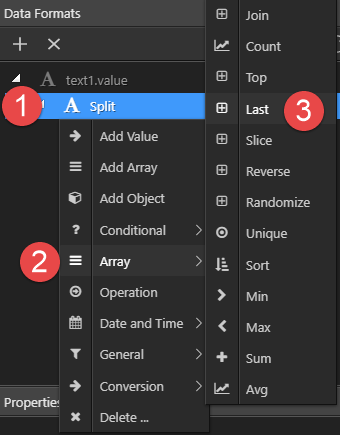
In Data Formats right click Split and choose Array -> Last
-
In Data Formats choose Count and under Parameter Properties enter 1 (or
true) for Count and choose Select
-
In Data Bindings choose Select
-
Save your document. The code should be similar to



That’s it. Test it in the browser.