Wappler: 7.9.1
OS: MacOS M1
Server: PHP
I'm seeing a new error on a project I'm working on. When I open a page, the below appears for a couple of seconds:
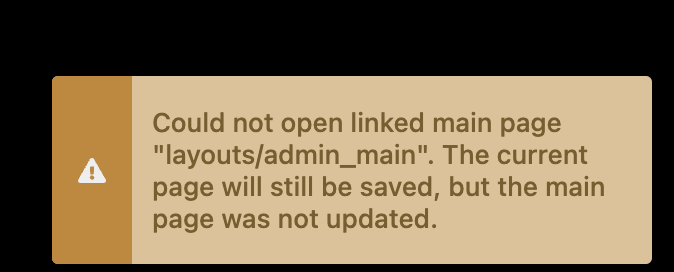
The layout page is there.
How can I fix this?
Wappler: 7.9.1
OS: MacOS M1
Server: PHP
I'm seeing a new error on a project I'm working on. When I open a page, the below appears for a couple of seconds:
The layout page is there.
How can I fix this?
Well seems the path is still wrong, as you probably have document relative paths then your current page is also in the layouts folder? Seems like a wrong relative path to me.
Also if you are using the new php routing it is suggested to switch to site relative routing.
Thanks George. It's already set to 'Links Relative To: Site Root' and the page is in a folder called 'admin', the layout is correctly in 'layouts'.
What if you change the link to /layouts/admin_main? Does the warning disappear?
Thanks Teodor.
I've added a slash to the start of the link and that's fixed it:
<!-- Wappler include head-page="/layouts/admin_main" ....
Previously it was this:
<!-- Wappler include head-page="layouts/admin_main" ....
so maybe a tweak is needed in Wappler to avoid this happening?
I think this has happened since updating to v7.9.1 as it was fine before that.
So Wappler did not change it on save, even though your links are root relative?
No, Wappler leaves the path when saving whether it has the leading / or not.