Success, passing name and email to tawk!!
OK, here are the stages i used.
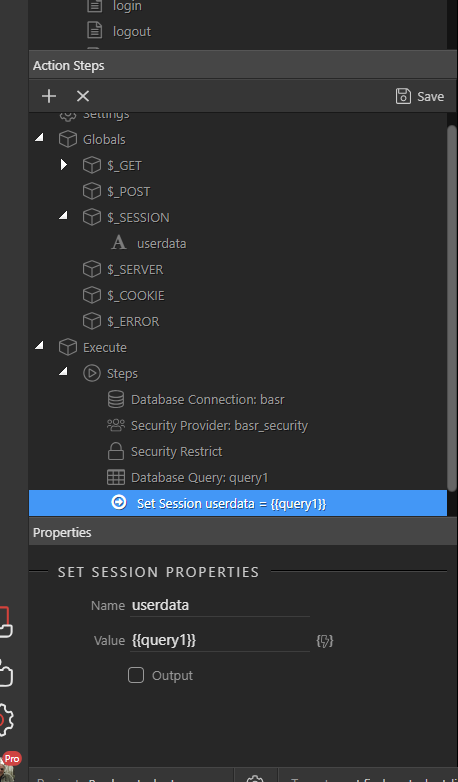
Firstly server connect,
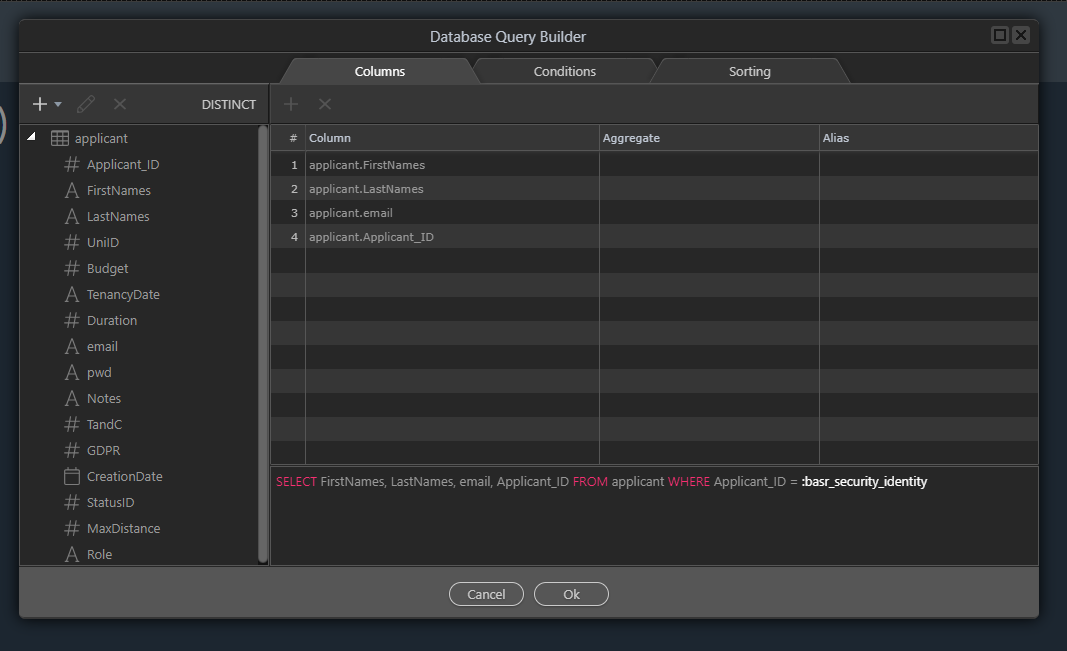
Using the usual server restrict and then query for current user
The query finds details,of the current logged in user:

A session, userdata is created in globals and after the query a set session = queryname (in my case query1) is added
The fields i bind are ‘email’ and ‘FirstNames’ from query1 now also in the session ‘userdata’
tawk.to wants parameters containing the email to be encrypted so i opted to use sessions and PHP to add the parameters as I needed to use the PHP hash_hmac function to generate the hash
Now the following code was added to the body of the page.
    var Tawk_API=Tawk_API||{}, Tawk_LoadStart=new Date();
    Tawk_API.onLoad = function(){
    Tawk_API.setAttributes({
        'name'  : '<?php echo $_SESSION["userdata"][0]["FirstNames"];?>',
        'email' : '<?php echo $_SESSION["userdata"][0]["email"];?>',
        'hash'  : '<?php echo hash_hmac("sha256",  $_SESSION["userdata"][0]["email"], "put-your-api-key-here"); ?>'
    }, function(error){});
}
    </script>


 And of course your own **tawk.io** connection script after

   <!--Start of Tawk.to Script-->
<script type="text/javascript">
var Tawk_API=Tawk_API||{}, Tawk_LoadStart=new Date();
(function(){
var s1=document.createElement("script"),s0=document.getElementsByTagName("script")[0];
s1.async=true;
s1.src='https://embed.tawk.to/5bcd7f2fb9993f2ada1518a5/default';
s1.charset='UTF-8';
s1.setAttribute('crossorigin','*');
s0.parentNode.insertBefore(s1,s0);
})();
</script>
<!--End of Tawk.to Script-->

The parameters are passed to tawk.io on chat start